
InSaN3Naruto - Minecraft Skins & Skin History
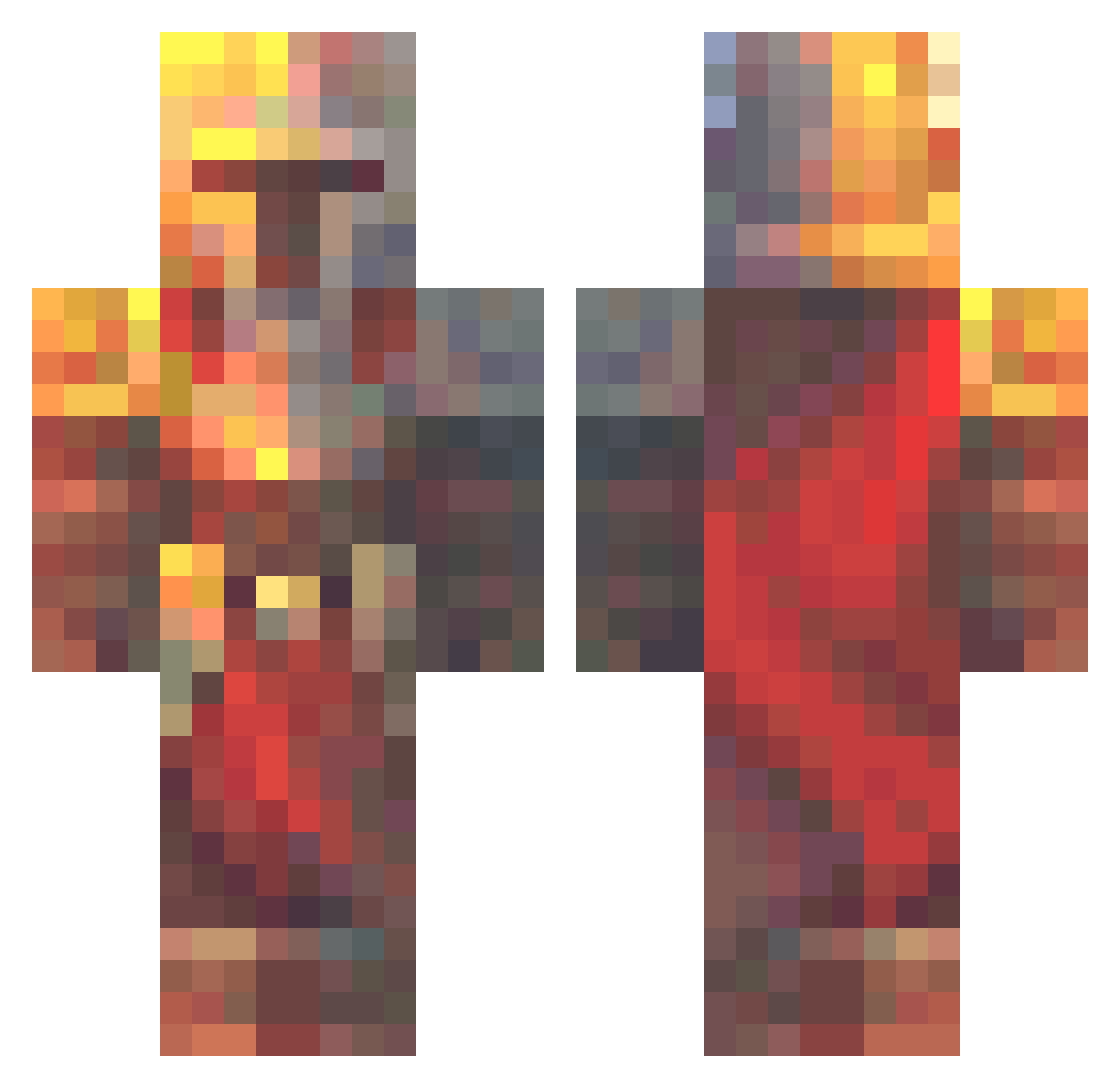
Current Minecraft skin of the player InSaN3Naruto, loaded from the official Mojang API. Rotate the 3D model with your mouse or finger, then download the skin as a PNG file and use it in Minecraft: Bedrock Edition or Java Edition for free. When InSaN3Naruto changes their skin, this page updates automatically and the old skin stays in the history below.
Other players with this skin (574)
InSaN3Naruto was the 492nd player we have seen with this skin, first spotted on 18.10.2026. The same skin was seen on these players. Open a nickname to see their current skin and skin history.
 Stiickylog Apollo91100 Shyguy1 Potatopancakes33 Spulid GOOBYGOOBERS RedBromine BitMExd omegraili NoBodyKnow1232 ApfelSaft116 SmokeTwitch HarmlessPotato99 herobrine2563 wjc0808 Zwanman45 Square17_ BGRimuru mxrcel_196 InnerPoppy10 TreeClanBeekeepr SheepishSmile DaBeast161 bradleyalston Haxters AyenDT BakedPotato376 omer4006 neepowglungus69 HeyyyJoe SpectralHook14 Dencraft07 Jay2204 BasikGamer Joep_the_gamernl SwampRemedy_ drinkingjetfuel Irganas florisw02 Shugoki10 DEDECRAFT21 BlockBandit18 Redfrogs21 TheDaughterAtom Warelon D4rkF4ntasy franklik Z3N1TH11 SHAQUEEK SleekWarrior567 Orsalot rediadan N7ELiTE90 Dacz SH03KY Digboi69 matej04370 Zings_78 XwXGary bouncy784tiger_
More Medieval Minecraft skins
How to install the InSaN3Naruto skin
- Press the Download button above to save the skin as a PNG file.
- Minecraft: Bedrock Edition (PE): open the Dressing Room from the main menu (or tap your character → Edit Character), go to Classic Skins → Owned, press the + (new skin) button, choose the downloaded PNG and pick the Classic (Steve) model. Works on PC and mobile; consoles cannot import custom skins.
- Minecraft: Java Edition: open the Minecraft Launcher, go to the Skins tab, click New Skin, load the PNG, pick the Classic (Steve) model and press Save & Use. You can also upload it at minecraft.net → Profile → Change Skin.
The skin does not show up after import - what should I do?
Restart Minecraft and open the Dressing Room again - imported skins sometimes appear only after a restart. Also make sure you selected the imported skin and picked the Classic (Steve) model.
Which model should I choose, Classic or Slim?
This skin is designed for the Classic (Steve) model. If you pick the wrong model, the arms of the skin will look stretched or squeezed.
Is the skin of InSaN3Naruto free to download?
Yes. Press Download, save the PNG file and use it in Minecraft: Bedrock Edition or Java Edition - no payment or registration needed. The skin also works on multiplayer servers and Realms.
More skins
Looking for more? Go back to all Minecraft skins and check the top skins of the week, month and all time, or find any player's skin by nickname.