
Imperial_Tojo - Minecraft Skins & Skin History
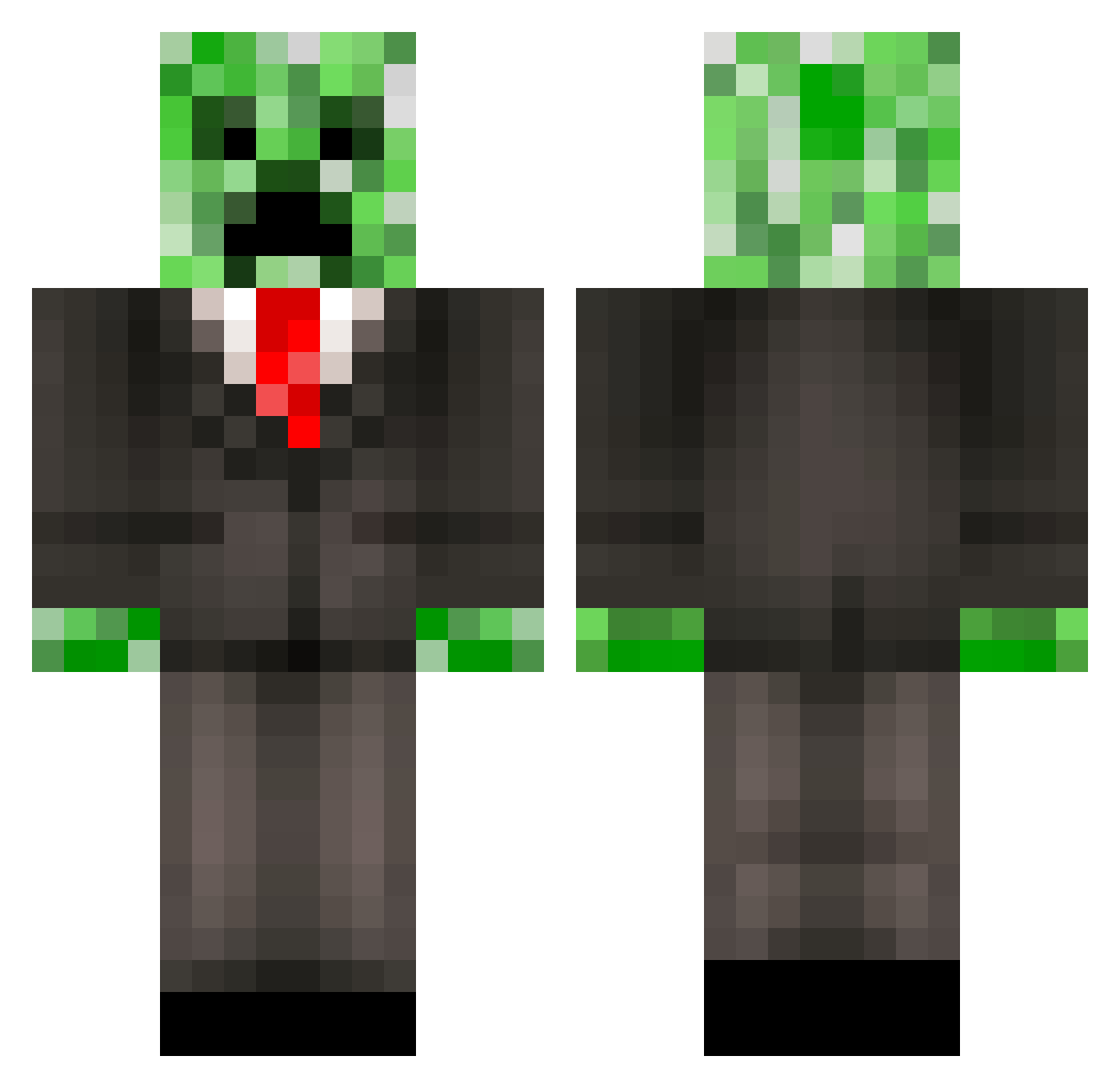
Current Minecraft skin of the player Imperial_Tojo, loaded from the official Mojang API. Rotate the 3D model with your mouse or finger, then download the skin as a PNG file and use it in Minecraft: Bedrock Edition or Java Edition for free. When Imperial_Tojo changes their skin, this page updates automatically and the old skin stays in the history below.
Other players with this skin (543)
Imperial_Tojo was the 501st player we have seen with this skin, first spotted on 02.11.2026. The same skin was seen on these players. Open a nickname to see their current skin and skin history.
 TEC178 drewbert2001 jalency musubi64 DEADLY_CREEPERS mikegamer47 JustynW IWillLawlYou GregTheSleg vanya1981 Johnson_Boys Samme123321 HPERMAUL DeadlyArrow201 Diggabozz emels25 Kodan_ clwalton TacosGiveMeWINGS august_cool crazydrake91 BeeMdoubleU Jump_1fn0tZero blackoutv67 BigBird203 FILIPINOYwangBU pot_head_22 Ares_1996 jtlansdell CriKing play11 creepergetter TimTom80 Kauzable falconbeast5 Junkhead93 PreeScape El_Golon YoyoAce DonTomas15 xXZgHtXx MaGaThEr DirtyOldWoman SnowShark12 williamgibbs2 Laura_07 joemca123 holyshirt xX4ni5Xx Mindcrap2point0 TylerWoodward elecim_craft03 MISTIRYMEN Skullripper1 Binkmees PEAR1001 bpe12 youkiZhao DeATh_noTE3000 MRGLOBBOB
More Creeper Minecraft skins
How to install the Imperial_Tojo skin
- Press the Download button above to save the skin as a PNG file.
- Minecraft: Bedrock Edition (PE): open the Dressing Room from the main menu (or tap your character → Edit Character), go to Classic Skins → Owned, press the + (new skin) button, choose the downloaded PNG and pick the Classic (Steve) model. Works on PC and mobile; consoles cannot import custom skins.
- Minecraft: Java Edition: open the Minecraft Launcher, go to the Skins tab, click New Skin, load the PNG, pick the Classic (Steve) model and press Save & Use. You can also upload it at minecraft.net → Profile → Change Skin.
The skin does not show up after import - what should I do?
Restart Minecraft and open the Dressing Room again - imported skins sometimes appear only after a restart. Also make sure you selected the imported skin and picked the Classic (Steve) model.
Which model should I choose, Classic or Slim?
This skin is designed for the Classic (Steve) model. If you pick the wrong model, the arms of the skin will look stretched or squeezed.
Is the skin of Imperial_Tojo free to download?
Yes. Press Download, save the PNG file and use it in Minecraft: Bedrock Edition or Java Edition - no payment or registration needed. The skin also works on multiplayer servers and Realms.
More skins
Looking for more? Go back to all Minecraft skins and check the top skins of the week, month and all time, or find any player's skin by nickname.