
Immergizer5 - Minecraft Skins & Skin History
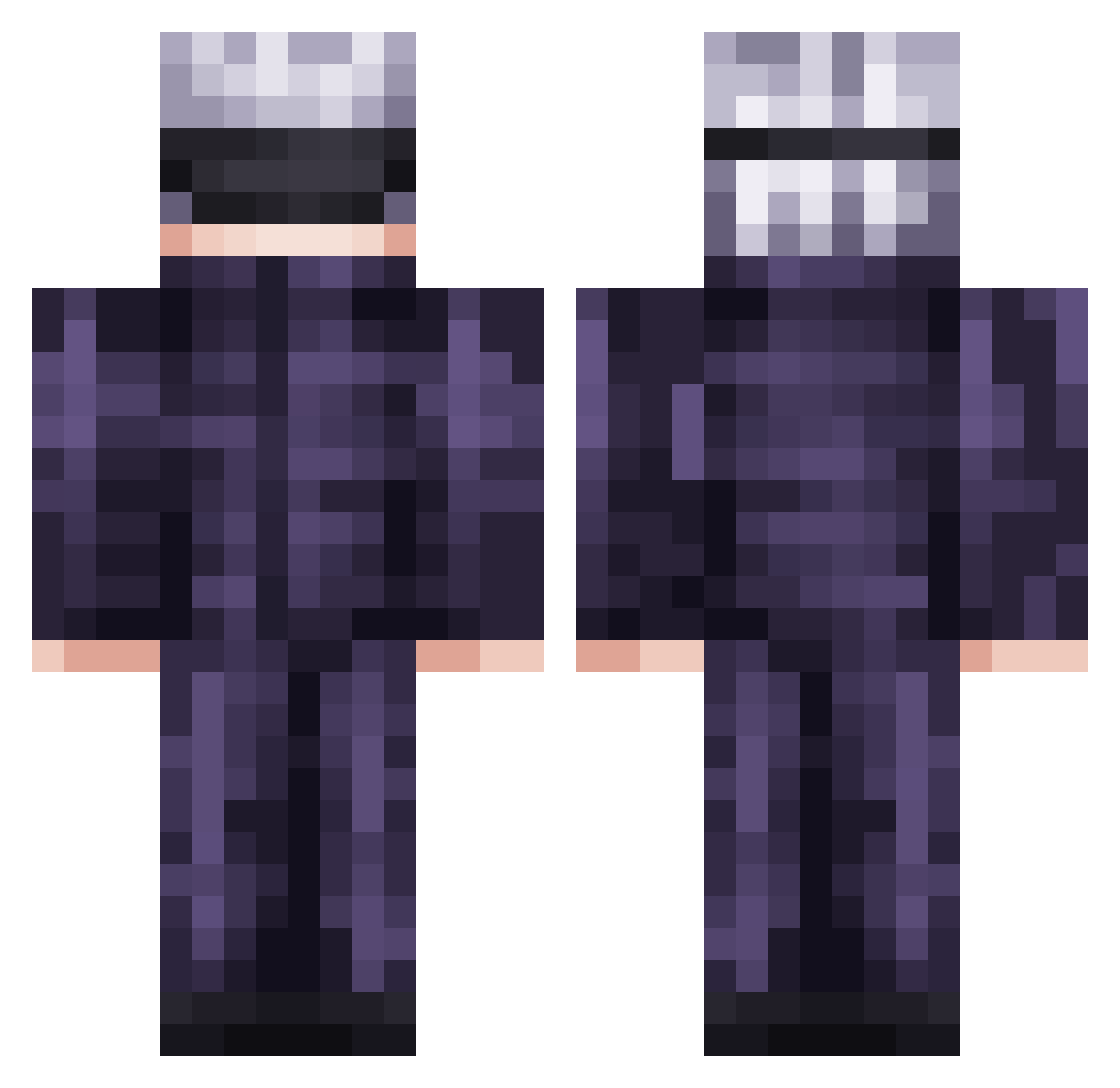
Current Minecraft skin of the player Immergizer5, loaded from the official Mojang API. Rotate the 3D model with your mouse or finger, then download the skin as a PNG file and use it in Minecraft: Bedrock Edition or Java Edition for free. When Immergizer5 changes their skin, this page updates automatically and the old skin stays in the history below.
Other players with this skin (736)
Immergizer5 was the 586th player we have seen with this skin, first spotted on 16.10.2026. The same skin was seen on these players. Open a nickname to see their current skin and skin history.
 svashiva RivnatXD benjv17y littlebob123475 ElisaaaX Alferion Raito1005 chanyeo LookyBoy95 Mankotako TheNightmare789 Scoubyy Bennytsai1127 justink8773 Rrnoa McMoira jose742000 Wowu77 Gojo_AG XiaoAn0uo NaratXd001 penguinboy3 Cycluuuk ggangG AceFaizan xProGame Meral1 wggl_2iVCl_0822 focusz0 Skibidi17 Hitmanpj furatora01 Asdqwelo CarrosBanana TheOutlaw13895 vexisee BoshEee Mete3171 Houarikill Armor_4 _AYin Angelo03_ Lefvi96 SpideyGalaxy Neonskull13 Sloits YouBuggah detla09 naastyrelire Giinh Kohei02846 HyprAcid evolhisf Veydo Haikor addy_mck MysticalTokyo Miitc realnyd Temptxtions
More Satoru Gojo Minecraft skins
See all 1318 Satoru Gojo skins
How to install the Immergizer5 skin
- Press the Download button above to save the skin as a PNG file.
- Minecraft: Bedrock Edition (PE): open the Dressing Room from the main menu (or tap your character → Edit Character), go to Classic Skins → Owned, press the + (new skin) button, choose the downloaded PNG and pick the Classic (Steve) model. Works on PC and mobile; consoles cannot import custom skins.
- Minecraft: Java Edition: open the Minecraft Launcher, go to the Skins tab, click New Skin, load the PNG, pick the Classic (Steve) model and press Save & Use. You can also upload it at minecraft.net → Profile → Change Skin.
The skin does not show up after import - what should I do?
Restart Minecraft and open the Dressing Room again - imported skins sometimes appear only after a restart. Also make sure you selected the imported skin and picked the Classic (Steve) model.
Which model should I choose, Classic or Slim?
This skin is designed for the Classic (Steve) model. If you pick the wrong model, the arms of the skin will look stretched or squeezed.
Is the skin of Immergizer5 free to download?
Yes. Press Download, save the PNG file and use it in Minecraft: Bedrock Edition or Java Edition - no payment or registration needed. The skin also works on multiplayer servers and Realms.
More skins
Looking for more? Go back to all Minecraft skins and check the top skins of the week, month and all time, or find any player's skin by nickname.