
ImSpid3rman - Minecraft Skins & Skin History
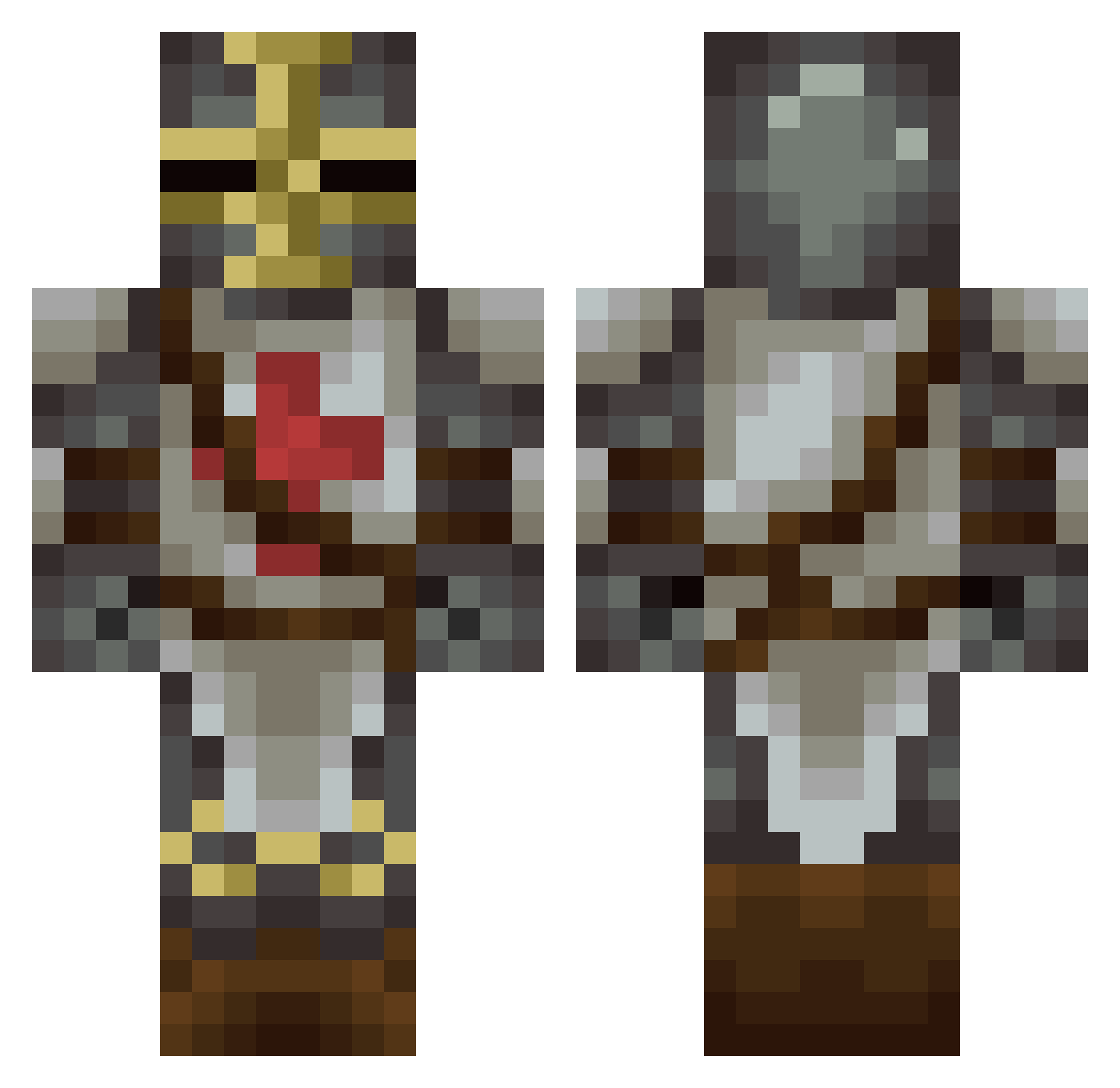
Current Minecraft skin of the player ImSpid3rman, loaded from the official Mojang API. Rotate the 3D model with your mouse or finger, then download the skin as a PNG file and use it in Minecraft: Bedrock Edition or Java Edition for free. When ImSpid3rman changes their skin, this page updates automatically and the old skin stays in the history below.
Other players with this skin (75)
ImSpid3rman was the 36th player we have seen with this skin, first spotted on 06.09.2026. The same skin was seen on these players. Open a nickname to see their current skin and skin history.
 GBDeville07 DarkKnight320 Saulcreed Acker_06 Mucusinator Kameron04 ChainReactions RedScareRusky JAR_JAR_B0INKS EZ41XIPrime Dominx_BG Asgaurd159 Hyperion_Castien brucejs GravelV2 1NonlyTomaToshi SJFa Michael_Jeffrey Breadstickinator Dman_32 scorpion6293 gobblegunk Admiral_Chubbles Abysmal_Knight Wokie06 Mateusz1525 Mr_Rybka Gh345 Omuraa EZ41XI HidingBear97 Wolfblood92 AleilSandro Pullopantti Crusader55 Moist_Wiener escrubbby Louis1407 __Apache__ Sceluswe iluvastra Abaddon2402 ShiftedMoon TheElmore corysoup95 _mfs_ epicgamer201 Spartanorj Clauselle pjsBot2 Dutcherman K3nyy NEMESISX9922 Dek1k1 2spoooky ThirdTerminator StriderSword20 Curbymop NikzmO Jave131
More Crusader Minecraft skins
How to install the ImSpid3rman skin
- Press the Download button above to save the skin as a PNG file.
- Minecraft: Bedrock Edition (PE): open the Dressing Room from the main menu (or tap your character → Edit Character), go to Classic Skins → Owned, press the + (new skin) button, choose the downloaded PNG and pick the Classic (Steve) model. Works on PC and mobile; consoles cannot import custom skins.
- Minecraft: Java Edition: open the Minecraft Launcher, go to the Skins tab, click New Skin, load the PNG, pick the Classic (Steve) model and press Save & Use. You can also upload it at minecraft.net → Profile → Change Skin.
The skin does not show up after import - what should I do?
Restart Minecraft and open the Dressing Room again - imported skins sometimes appear only after a restart. Also make sure you selected the imported skin and picked the Classic (Steve) model.
Which model should I choose, Classic or Slim?
This skin is designed for the Classic (Steve) model. If you pick the wrong model, the arms of the skin will look stretched or squeezed.
Is the skin of ImSpid3rman free to download?
Yes. Press Download, save the PNG file and use it in Minecraft: Bedrock Edition or Java Edition - no payment or registration needed. The skin also works on multiplayer servers and Realms.
More skins
Looking for more? Go back to all Minecraft skins and check the top skins of the week, month and all time, or find any player's skin by nickname.