
ImSpectroz - Minecraft Skins & Skin History
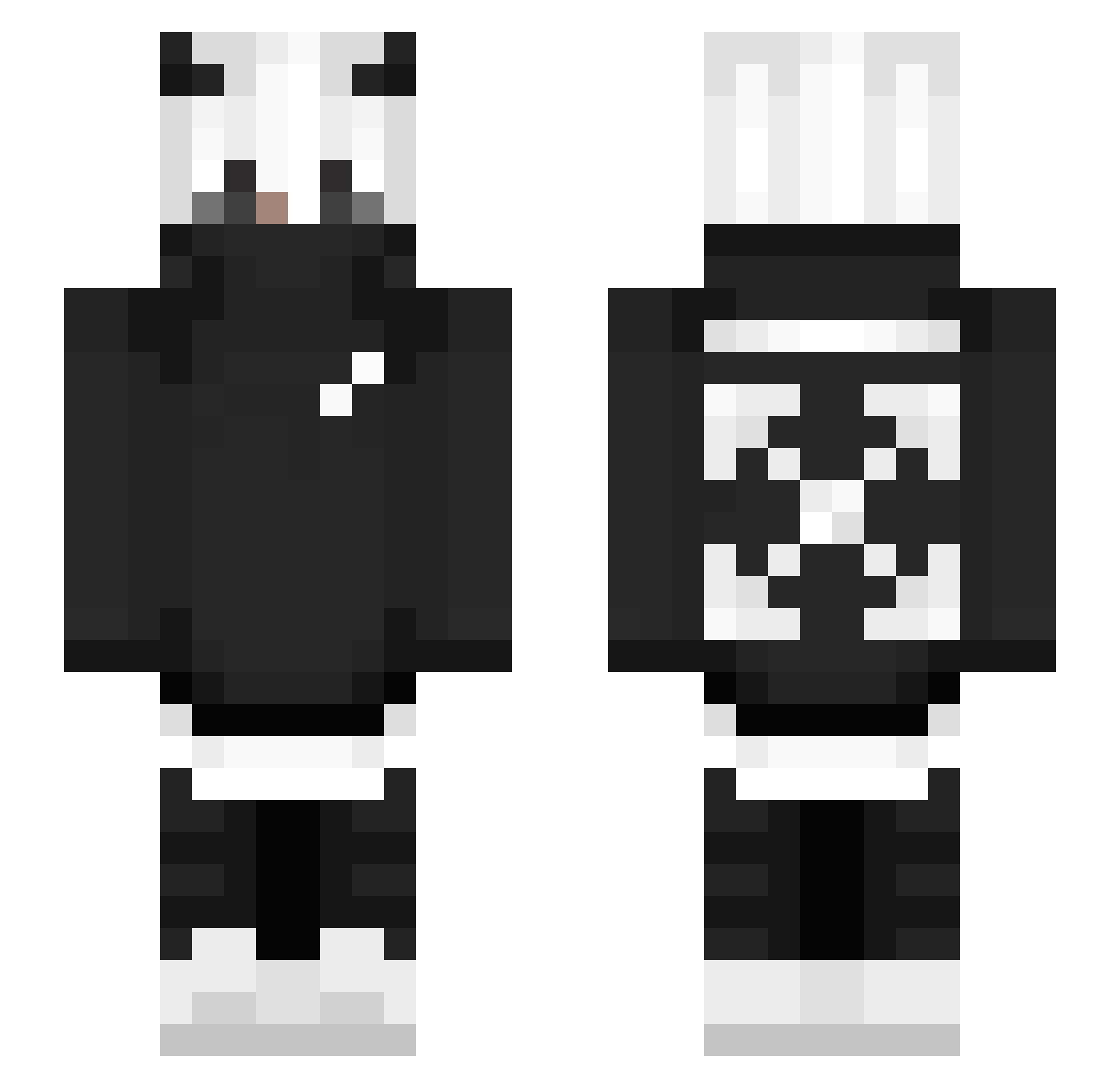
Current Minecraft skin of the player ImSpectroz, loaded from the official Mojang API. Rotate the 3D model with your mouse or finger, then download the skin as a PNG file and use it in Minecraft: Bedrock Edition or Java Edition for free. When ImSpectroz changes their skin, this page updates automatically and the old skin stays in the history below.
Other players with this skin (250)
ImSpectroz was the 142nd player we have seen with this skin, first spotted on 24.09.2026. The same skin was seen on these players. Open a nickname to see their current skin and skin history.
 _IgmFX_ MaxAMillion2391 matheusz1537 ImElusive TTV_NotLucasYT Genos_X1 MeDigaEntao Raihut xMangoDragonx Edmond_xh SilentBTW OliEdmis97 yilanserdar2 BoodieBlocks Itz_Zygodd GTJaylen drxgon21 hedell319 GeneralMuffinMan _STKxSOxSAD_ Gus1203 jBomb114805 Natas6666 Tanjixchi oMxtt_ Fusacq kamichl528 TkeonFPM peepwasgone ItsMeSparks BBungieBunnie MaxRobotYT DOMkkfc _DiFyKNotFound_ XLuca23X MAD_LuffY R3aperZer0 Paul_shlo Simao23k yukito011 dins789 hal0139 Kdlee9775 Mikiry Harneet_s3334 Nohjin0116 PUFFMaryjane _Matiko_ ammar14 byTimsche JohannQt failBlack1778 Auratel apexlegendsisgod WorkTrolls zZIO Himitano ThunderthBth SzymszymV7 Nep_ZA
More Streetwear Minecraft skins
How to install the ImSpectroz skin
- Press the Download button above to save the skin as a PNG file.
- Minecraft: Bedrock Edition (PE): open the Dressing Room from the main menu (or tap your character → Edit Character), go to Classic Skins → Owned, press the + (new skin) button, choose the downloaded PNG and pick the Slim (Alex) model. Works on PC and mobile; consoles cannot import custom skins.
- Minecraft: Java Edition: open the Minecraft Launcher, go to the Skins tab, click New Skin, load the PNG, pick the Slim (Alex) model and press Save & Use. You can also upload it at minecraft.net → Profile → Change Skin.
The skin does not show up after import - what should I do?
Restart Minecraft and open the Dressing Room again - imported skins sometimes appear only after a restart. Also make sure you selected the imported skin and picked the Slim (Alex) model.
Which model should I choose, Classic or Slim?
This skin is designed for the Slim (Alex) model. If you pick the wrong model, the arms of the skin will look stretched or squeezed.
Is the skin of ImSpectroz free to download?
Yes. Press Download, save the PNG file and use it in Minecraft: Bedrock Edition or Java Edition - no payment or registration needed. The skin also works on multiplayer servers and Realms.
More skins
Looking for more? Go back to all Minecraft skins and check the top skins of the week, month and all time, or find any player's skin by nickname.