
ImB103 - Minecraft Skins & Skin History
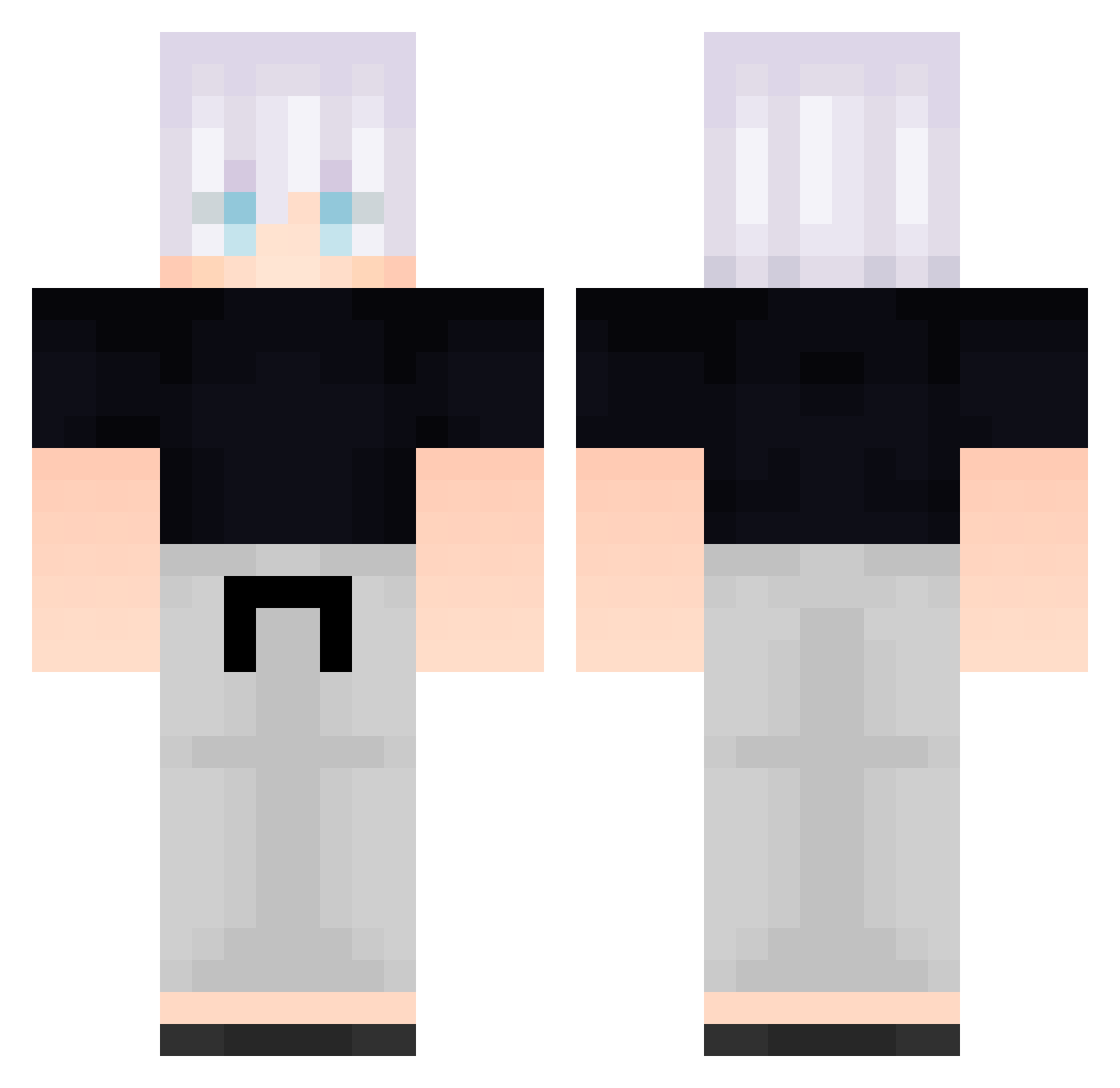
Current Minecraft skin of the player ImB103, loaded from the official Mojang API. Rotate the 3D model with your mouse or finger, then download the skin as a PNG file and use it in Minecraft: Bedrock Edition or Java Edition for free. When ImB103 changes their skin, this page updates automatically and the old skin stays in the history below.
Other players with this skin (584)
ImB103 was the 123rd player we have seen with this skin, first spotted on 17.08.2026. The same skin was seen on these players. Open a nickname to see their current skin and skin history.
 Ali3nIng OvverDoze cUX627 AjXihQlQGKstd390 Particularize058 VhK947 tiG720 Gonzo5539 bUt137 FolloMinecraft30 DGg902 AuswOlClyyIkY658 FreeLoganRain792 QQv760 qoqjacks131 ST_MB vUo398 _backbeingasp307 collosfate Spy89 B_STeyRlKoSiu680 FolloMinecraft43 bqW408 VHz296 FreeLoganRain447 FreeLoganRain541 RenzoVzo kyf885 B_YWUrjiORPMT243 NetYswatch FreeLoganRain102 icepaperhands66 Gunnar77 vex437 GhostlySuicune Yu_Juu FreeLoganRain535 kie156 Rapha240703 PSY385 FreeLoganRain65 C13H RyY598 Lkd327 ipg592 pwX252 Ncn138 THESUPERJJ _backbeingafr342 B_nMMLVAqZaNC244 cPN930 rebornxo ArTongTong RojoNazu yAV986 FreeLoganRain222 vUm8 B_fBgUhSUhptf275 naC266 mRT598
More Satoru Gojo Minecraft skins
See all 1317 Satoru Gojo skins
How to install the ImB103 skin
- Press the Download button above to save the skin as a PNG file.
- Minecraft: Bedrock Edition (PE): open the Dressing Room from the main menu (or tap your character → Edit Character), go to Classic Skins → Owned, press the + (new skin) button, choose the downloaded PNG and pick the Classic (Steve) model. Works on PC and mobile; consoles cannot import custom skins.
- Minecraft: Java Edition: open the Minecraft Launcher, go to the Skins tab, click New Skin, load the PNG, pick the Classic (Steve) model and press Save & Use. You can also upload it at minecraft.net → Profile → Change Skin.
The skin does not show up after import - what should I do?
Restart Minecraft and open the Dressing Room again - imported skins sometimes appear only after a restart. Also make sure you selected the imported skin and picked the Classic (Steve) model.
Which model should I choose, Classic or Slim?
This skin is designed for the Classic (Steve) model. If you pick the wrong model, the arms of the skin will look stretched or squeezed.
Is the skin of ImB103 free to download?
Yes. Press Download, save the PNG file and use it in Minecraft: Bedrock Edition or Java Edition - no payment or registration needed. The skin also works on multiplayer servers and Realms.
More skins
Looking for more? Go back to all Minecraft skins and check the top skins of the week, month and all time, or find any player's skin by nickname.