
IllicitHeckler - Minecraft Skins & Skin History
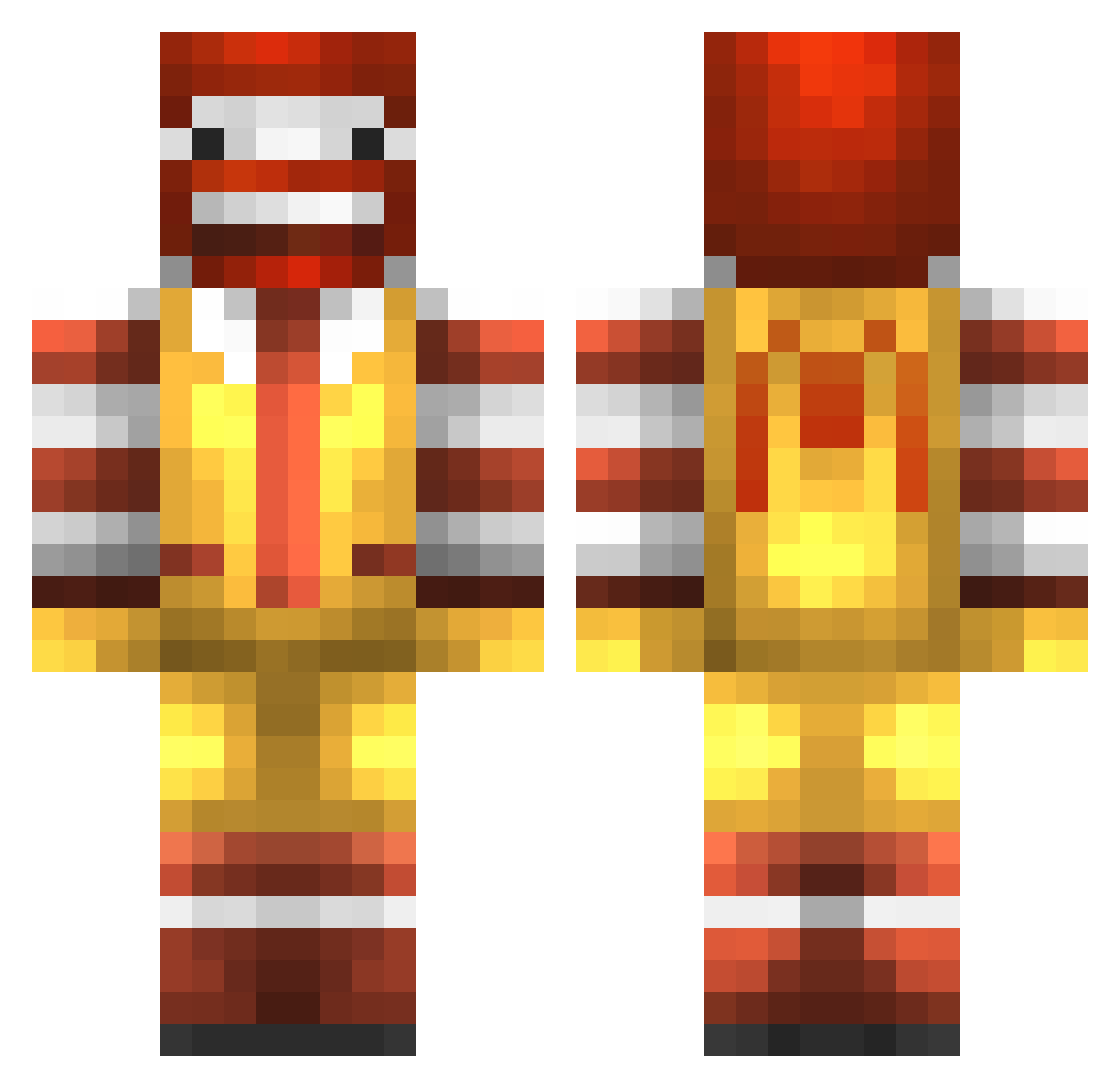
Current Minecraft skin of the player IllicitHeckler, loaded from the official Mojang API. Rotate the 3D model with your mouse or finger, then download the skin as a PNG file and use it in Minecraft: Bedrock Edition or Java Edition for free. When IllicitHeckler changes their skin, this page updates automatically and the old skin stays in the history below.
Other players with this skin (117)
IllicitHeckler was the 66th player we have seen with this skin, first spotted on 22.09.2026. The same skin was seen on these players. Open a nickname to see their current skin and skin history.
 aksna_kaisu leesuwon0914 DALANPA1214 sakuyasummer gookmailman TunThuynk Sonecacrl LZIST2K Gasty3001 yamashirx Flash_SB tmakdlf2019 lemonovf saumnmn xSpicyBoy BuddySquid SKII00 Kunorama FranIs_Hot Aixin310 kodlich ifhom Taro0312 BetterZanU DarkNebulaGalaxy Phitsu DauphinLaZip InI615 kkfonix seikinav IDCkuz Vinnyito Qeih ALBERTO___o k1l4le Allyyy7 fksiwu HelloIamND guailing izakoboar hardlySmoker tyyalex1 WagyuPlz mooyaho0317 SIMAZAKING Gus_Polinski Dretlaw Hoesome Nekardius Hoyemikasa Waiifuulesss TomysPizza Winiih DDSv1 CK_HORNET Zielelele mzs324 MajesticSaxman02 Zomp0 Pajer
More Ronald Mcdonald Minecraft skins
See all 125 Ronald Mcdonald skins
How to install the IllicitHeckler skin
- Press the Download button above to save the skin as a PNG file.
- Minecraft: Bedrock Edition (PE): open the Dressing Room from the main menu (or tap your character → Edit Character), go to Classic Skins → Owned, press the + (new skin) button, choose the downloaded PNG and pick the Classic (Steve) model. Works on PC and mobile; consoles cannot import custom skins.
- Minecraft: Java Edition: open the Minecraft Launcher, go to the Skins tab, click New Skin, load the PNG, pick the Classic (Steve) model and press Save & Use. You can also upload it at minecraft.net → Profile → Change Skin.
The skin does not show up after import - what should I do?
Restart Minecraft and open the Dressing Room again - imported skins sometimes appear only after a restart. Also make sure you selected the imported skin and picked the Classic (Steve) model.
Which model should I choose, Classic or Slim?
This skin is designed for the Classic (Steve) model. If you pick the wrong model, the arms of the skin will look stretched or squeezed.
Is the skin of IllicitHeckler free to download?
Yes. Press Download, save the PNG file and use it in Minecraft: Bedrock Edition or Java Edition - no payment or registration needed. The skin also works on multiplayer servers and Realms.
More skins
Looking for more? Go back to all Minecraft skins and check the top skins of the week, month and all time, or find any player's skin by nickname.