
IddraAstrea - Minecraft Skins & Skin History
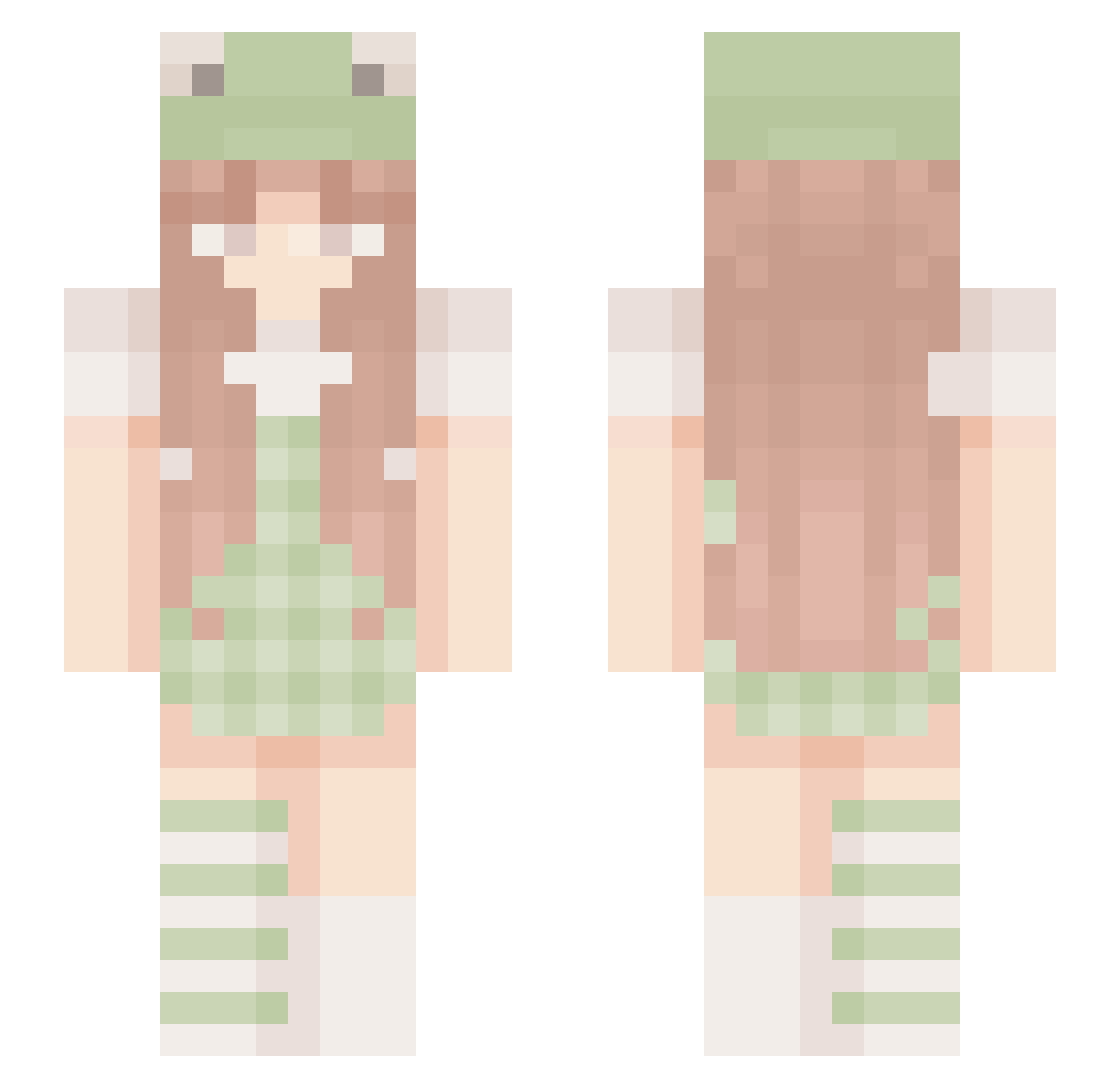
Current Minecraft skin of the player IddraAstrea, loaded from the official Mojang API. Rotate the 3D model with your mouse or finger, then download the skin as a PNG file and use it in Minecraft: Bedrock Edition or Java Edition for free. When IddraAstrea changes their skin, this page updates automatically and the old skin stays in the history below.
Other players with this skin (202)
IddraAstrea was the 146th player we have seen with this skin, first spotted on 06.10.2026. The same skin was seen on these players. Open a nickname to see their current skin and skin history.
 Yaniii_ PeachKujo gabrielle04x lilypqd simplyxsophie pureum_2 Teugi Sugar_PlumFairy Mashirocha honeyberry1 _LuvSky_ SoftVybz _Moon_child_ Immy_xoxo dmssally Ghostiexx kxiira Kaylanicksue21 Cat_princess101 MaravyLhosa Getuoos styI3s venus_ruled OlaJa07 Fredofrog06 syd_277 Guimeme24 spankoczas avopeanut Hanka3001 softPeachy Fr0ggOoOO Kitty770 JikiDoll lindra YYUKK Marhuitre Nymphaea19 LoveStephyBear hmbhannah lyssuhs emilybrookee HappyDay777 iamshybean Yuzu_una Arueru907 R0sieee_ emwooo0 Sweet_Carolina Shi_nai_nai strawbrrryfrog khuwuii lailiejo CutePhroggie Eneruku ronnieraisin Firekitsune27 Unicornweirdo100 SixtyShadesOfGay Godsped
More Frog Hat Minecraft skins
How to install the IddraAstrea skin
- Press the Download button above to save the skin as a PNG file.
- Minecraft: Bedrock Edition (PE): open the Dressing Room from the main menu (or tap your character → Edit Character), go to Classic Skins → Owned, press the + (new skin) button, choose the downloaded PNG and pick the Slim (Alex) model. Works on PC and mobile; consoles cannot import custom skins.
- Minecraft: Java Edition: open the Minecraft Launcher, go to the Skins tab, click New Skin, load the PNG, pick the Slim (Alex) model and press Save & Use. You can also upload it at minecraft.net → Profile → Change Skin.
The skin does not show up after import - what should I do?
Restart Minecraft and open the Dressing Room again - imported skins sometimes appear only after a restart. Also make sure you selected the imported skin and picked the Slim (Alex) model.
Which model should I choose, Classic or Slim?
This skin is designed for the Slim (Alex) model. If you pick the wrong model, the arms of the skin will look stretched or squeezed.
Is the skin of IddraAstrea free to download?
Yes. Press Download, save the PNG file and use it in Minecraft: Bedrock Edition or Java Edition - no payment or registration needed. The skin also works on multiplayer servers and Realms.
More skins
Looking for more? Go back to all Minecraft skins and check the top skins of the week, month and all time, or find any player's skin by nickname.