
IcyyWings - Minecraft Skins & Skin History
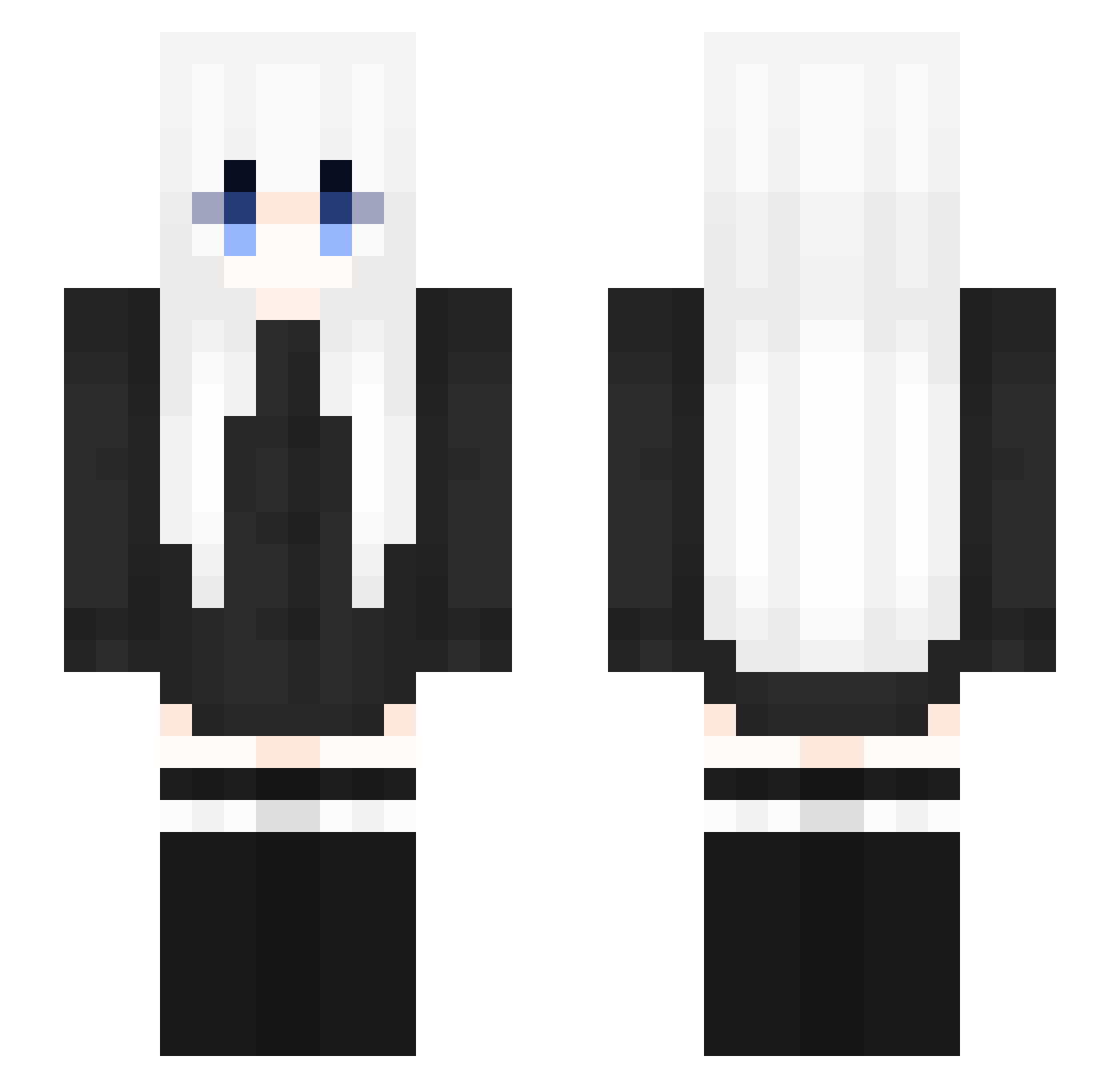
Current Minecraft skin of the player IcyyWings, loaded from the official Mojang API. Rotate the 3D model with your mouse or finger, then download the skin as a PNG file and use it in Minecraft: Bedrock Edition or Java Edition for free. When IcyyWings changes their skin, this page updates automatically and the old skin stays in the history below.
Other players with this skin (353)
IcyyWings was the 185th player we have seen with this skin, first spotted on 27.09.2026. The same skin was seen on these players. Open a nickname to see their current skin and skin history.
 ReimuHakurei494 Theyranintherain AloneBoy656 Ymsx2345 lowsad ARWAY520 loveskyee Dragon0714 Slvgfish JOJO258953154 MyeongKim ciialloooooooooo AtomBarbossa Zbramus Chai_Fan mvtich ggac MxxMike ss660 Gwaelyn Evlo9 Atian519 Kevin_em yuamoing S_y_l_ jiuxiangfm Tscyf Untouchable Syshiiii woshi__SB Scythiaa ILOVELEANL9 kreze000 NamelessWM207 Ersilingb PTK1206 Kizielek space1252 aryeel Fuzzy_Iron mingri1 WaityyVFX Raclip Azbal AoiNova_Nia xXW0LF3YXx Dusty_030 BenKao0207 jb2051 PlacidoChan Magikarp0822 Patchvolt aihniis materazzi158 eunalli statyczny_69 RIPs96 SugarLife2 Reasong billionaireEgirl
More Anime Girl Minecraft skins
See all 13731 Anime Girl skins
How to install the IcyyWings skin
- Press the Download button above to save the skin as a PNG file.
- Minecraft: Bedrock Edition (PE): open the Dressing Room from the main menu (or tap your character → Edit Character), go to Classic Skins → Owned, press the + (new skin) button, choose the downloaded PNG and pick the Slim (Alex) model. Works on PC and mobile; consoles cannot import custom skins.
- Minecraft: Java Edition: open the Minecraft Launcher, go to the Skins tab, click New Skin, load the PNG, pick the Slim (Alex) model and press Save & Use. You can also upload it at minecraft.net → Profile → Change Skin.
The skin does not show up after import - what should I do?
Restart Minecraft and open the Dressing Room again - imported skins sometimes appear only after a restart. Also make sure you selected the imported skin and picked the Slim (Alex) model.
Which model should I choose, Classic or Slim?
This skin is designed for the Slim (Alex) model. If you pick the wrong model, the arms of the skin will look stretched or squeezed.
Is the skin of IcyyWings free to download?
Yes. Press Download, save the PNG file and use it in Minecraft: Bedrock Edition or Java Edition - no payment or registration needed. The skin also works on multiplayer servers and Realms.
More skins
Looking for more? Go back to all Minecraft skins and check the top skins of the week, month and all time, or find any player's skin by nickname.