
ITwist02 - Minecraft Skins & Skin History
Current Minecraft skin of the player ITwist02, loaded from the official Mojang API. Rotate the 3D model with your mouse or finger, then download the skin as a PNG file and use it in Minecraft: Bedrock Edition or Java Edition for free. When ITwist02 changes their skin, this page updates automatically and the old skin stays in the history below.
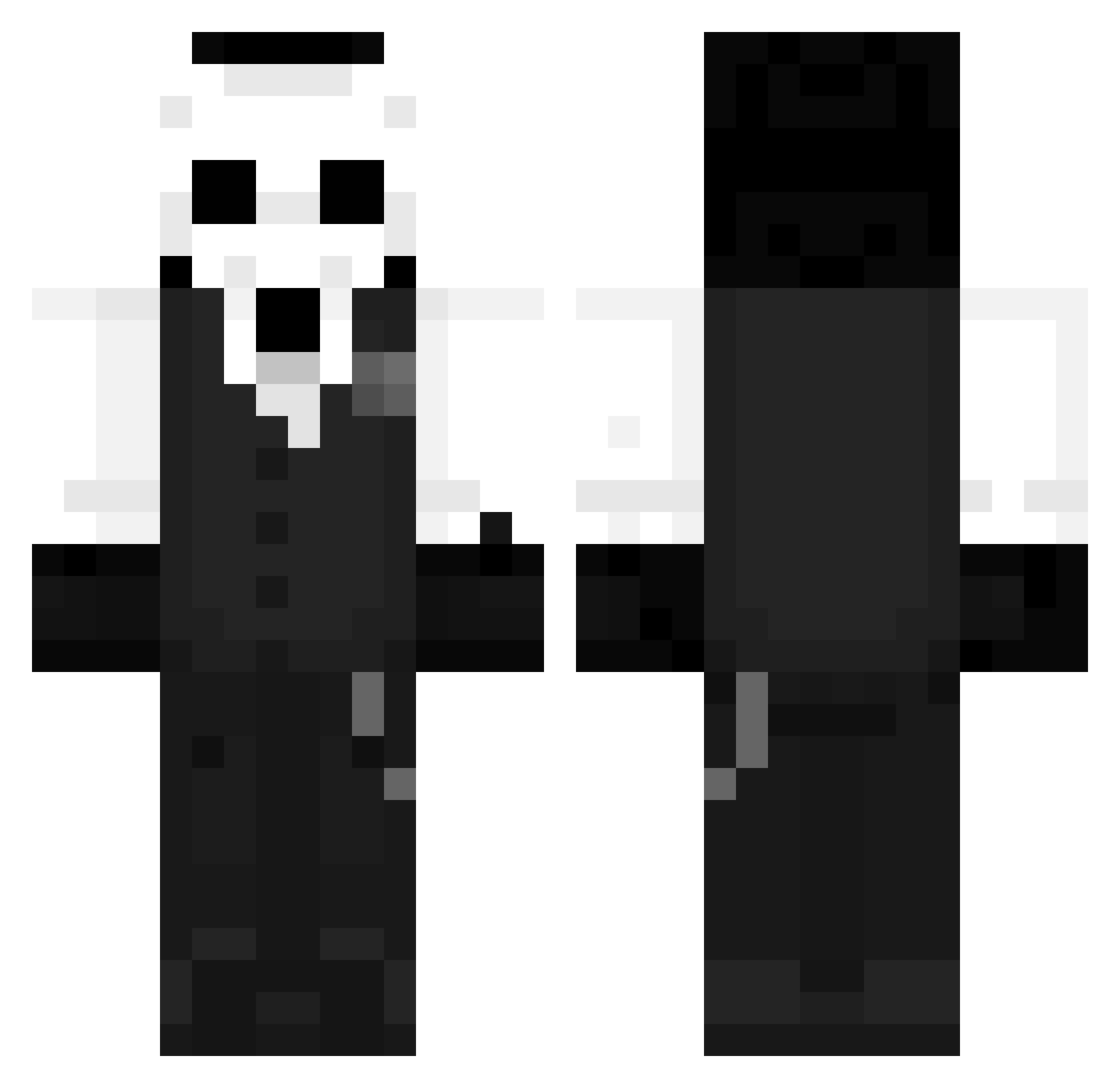
Other players with this skin (983)
ITwist02 was the 695th player we have seen with this skin, first spotted on 26.09.2026. The same skin was seen on these players. Open a nickname to see their current skin and skin history.
 iFzic Matt_03_G Eragon1331 Joris712 kuroki2ka monktrip Frederik3800 Laeezzy LiuLei123 Dima0428 Arles117 SaeBom_manager quitiam DKR1 GoTo13 Ellisya_ KianIan NskRakan Pachonb Zairyx Gahel18 itzrealmeandy takumin9000 LocoGamerZ def_pd Artuti008 skinny_noodle04 kikin_vZvDi_1220 leo_ddz L9yeyo9 Paradokku LoFi_Skies TheRealThalrix Y7531 NicooAya AllLayln Chriss31 ovelisco00 Enzodgg20 Fujnnee congqian Brandao3719 jicardu XxAspectxX2 GrimKnight869 Ak1ra_1829 Mud222 LordSnow505 ZyruPop JESUSDERIVA Cadbrix slyerzz hulingtian_yyds aintz Cayde_44 iSystemLag_ HuskyPNG Uyzi Bergamaschii QRETOZ
More Sans Minecraft skins
How to install the ITwist02 skin
- Press the Download button above to save the skin as a PNG file.
- Minecraft: Bedrock Edition (PE): open the Dressing Room from the main menu (or tap your character → Edit Character), go to Classic Skins → Owned, press the + (new skin) button, choose the downloaded PNG and pick the Classic (Steve) model. Works on PC and mobile; consoles cannot import custom skins.
- Minecraft: Java Edition: open the Minecraft Launcher, go to the Skins tab, click New Skin, load the PNG, pick the Classic (Steve) model and press Save & Use. You can also upload it at minecraft.net → Profile → Change Skin.
The skin does not show up after import - what should I do?
Restart Minecraft and open the Dressing Room again - imported skins sometimes appear only after a restart. Also make sure you selected the imported skin and picked the Classic (Steve) model.
Which model should I choose, Classic or Slim?
This skin is designed for the Classic (Steve) model. If you pick the wrong model, the arms of the skin will look stretched or squeezed.
Is the skin of ITwist02 free to download?
Yes. Press Download, save the PNG file and use it in Minecraft: Bedrock Edition or Java Edition - no payment or registration needed. The skin also works on multiplayer servers and Realms.
More skins
Looking for more? Go back to all Minecraft skins and check the top skins of the week, month and all time, or find any player's skin by nickname.