
IKuzynI - Minecraft Skins & Skin History
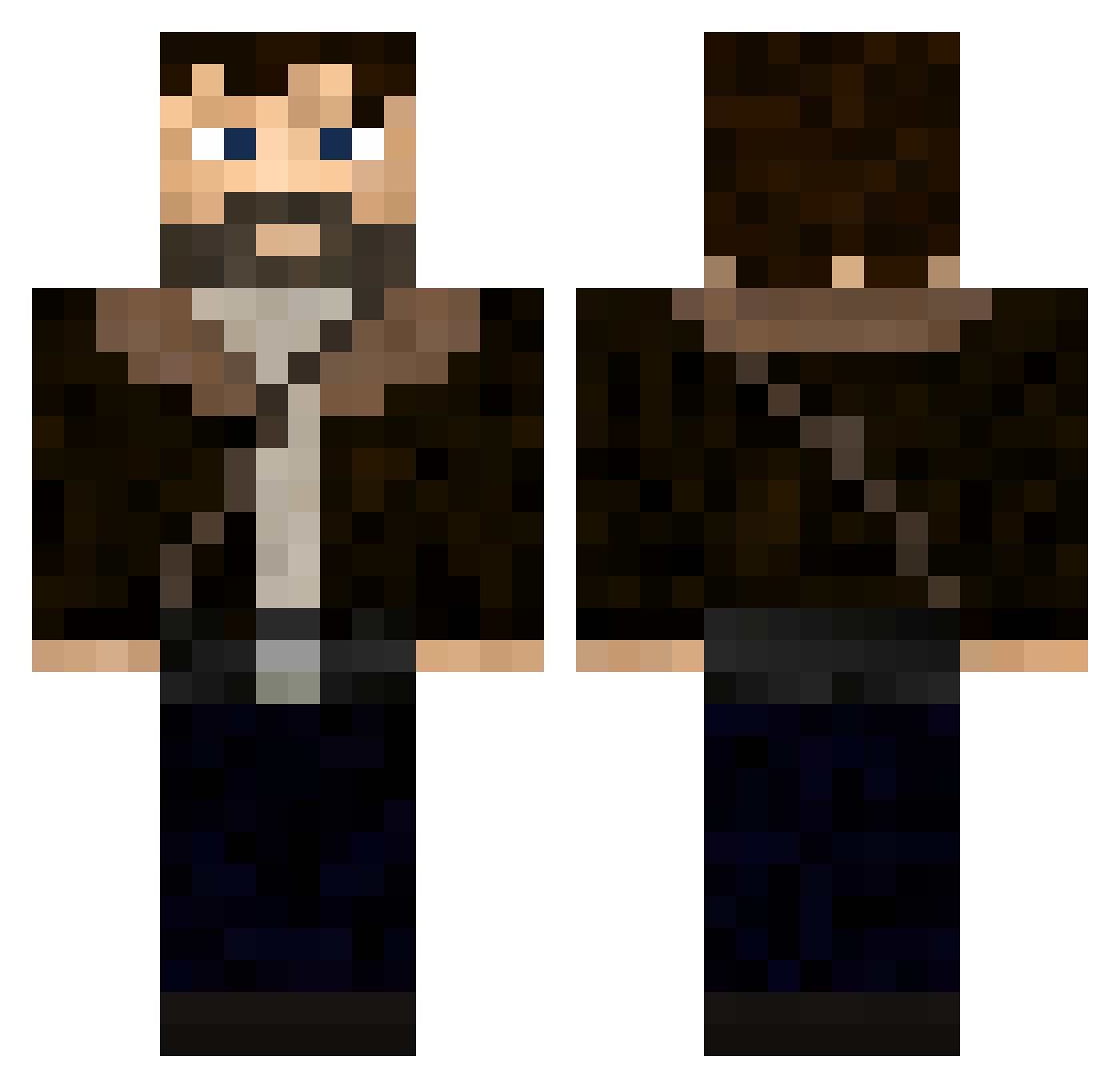
Current Minecraft skin of the player IKuzynI, loaded from the official Mojang API. Rotate the 3D model with your mouse or finger, then download the skin as a PNG file and use it in Minecraft: Bedrock Edition or Java Edition for free. When IKuzynI changes their skin, this page updates automatically and the old skin stays in the history below.
Other players with this skin (346)
IKuzynI was the 87th player we have seen with this skin, first spotted on 19.08.2026. The same skin was seen on these players. Open a nickname to see their current skin and skin history.
 Duckster54
 mYstolC TerreurEcarlate URSUS_inGame KennyBaba01 smyss26 samueledibiagio THE64lark11 Nikitusik Cobra_Lenny BornStatic amigoo_ bungusberry Arthvr83 JaccJMB Person83005 Grimes65 5ylph Sr0ka01
 HsynnYT gohran Glenn_33 Troshko1 PabloRedYT DannyDanger14 Daxter22490 JUICEDNB wuqx alexiito12 UberSlade araihando SashaMazyar ByManu02
 ToonyWise UnknownShado KobyGibbo MrBeta0 Vigofer Modmaker24 S3RBozz EW1NoX koudyy_ igorvill4r FatihBrk_1 Phoe_ix verdureitor maximus3423 Decrecy27 chillslug UberLuke STEFKOR_ DrippyApe489 Mazinga238 ZXPROPIO Ginger6087
 Jousten3 turacula Amiral_minizza ThiccChunguslol googel73
More Joel Miller Minecraft skins
How to install the IKuzynI skin
- Press the Download button above to save the skin as a PNG file.
- Minecraft: Bedrock Edition (PE): open the Dressing Room from the main menu (or tap your character → Edit Character), go to Classic Skins → Owned, press the + (new skin) button, choose the downloaded PNG and pick the Classic (Steve) model. Works on PC and mobile; consoles cannot import custom skins.
- Minecraft: Java Edition: open the Minecraft Launcher, go to the Skins tab, click New Skin, load the PNG, pick the Classic (Steve) model and press Save & Use. You can also upload it at minecraft.net → Profile → Change Skin.
The skin does not show up after import - what should I do?
Restart Minecraft and open the Dressing Room again - imported skins sometimes appear only after a restart. Also make sure you selected the imported skin and picked the Classic (Steve) model.
Which model should I choose, Classic or Slim?
This skin is designed for the Classic (Steve) model. If you pick the wrong model, the arms of the skin will look stretched or squeezed.
Is the skin of IKuzynI free to download?
Yes. Press Download, save the PNG file and use it in Minecraft: Bedrock Edition or Java Edition - no payment or registration needed. The skin also works on multiplayer servers and Realms.
More skins
Looking for more? Go back to all Minecraft skins and check the top skins of the week, month and all time, or find any player's skin by nickname.