
Hydro01 - Minecraft Skins & Skin History
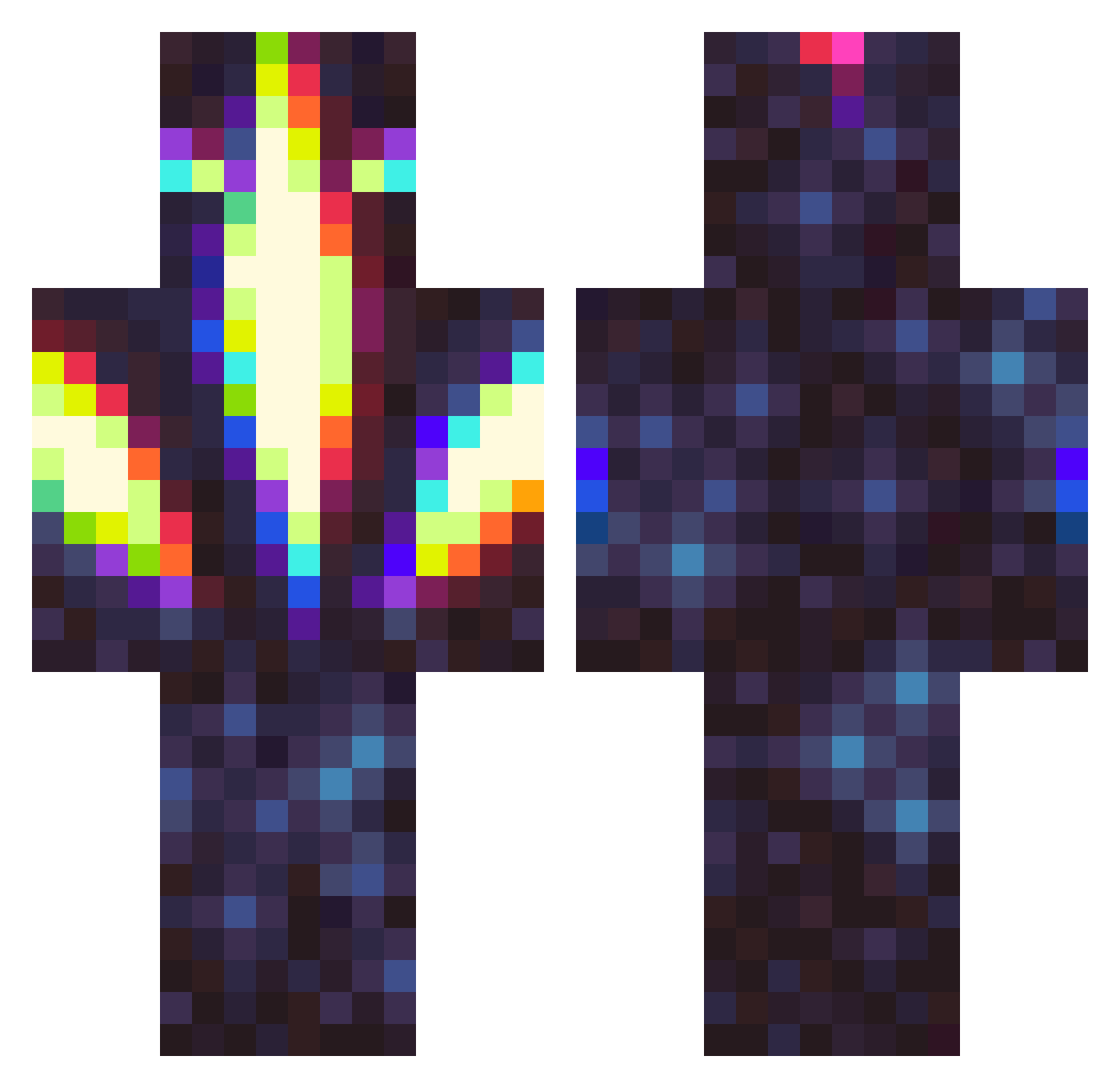
Current Minecraft skin of the player Hydro01, loaded from the official Mojang API. Rotate the 3D model with your mouse or finger, then download the skin as a PNG file and use it in Minecraft: Bedrock Edition or Java Edition for free. When Hydro01 changes their skin, this page updates automatically and the old skin stays in the history below.
Other players with this skin (326)
Hydro01 was the 93rd player we have seen with this skin, first spotted on 24.08.2026. The same skin was seen on these players. Open a nickname to see their current skin and skin history.
 savagelogan07 HolyCat14 Blisteer Ser_Paralyzia user777777777 NaughtyTwins Taliora Paco117 Bone_Fisher lichpit Luis_RC Dragon_bluefire0 RuthIess M3mePlayz Ratar123 WantanWei Kurayami_Kato AurumAlt CommandaPT Progamermc22 ChiefofChiefs TormentedZer0 XDFUNNY1 DylanRoberge drowsycyborg qcarver BiggCrazy TheInevitableEnd Zugyo Dumb_Idiot_Gay aatuukka Polynixs orthodoxbin Chaddus_McGee GDMCA _Saladmander_ DrMeloDie LightdarkNC ma5spartan _Scorp1on_ BaGG_ Saint_Lucien BrodatyElo MutingMew517 YamQtr Sandmonster13 Glacial Igoomaster clown_josee dj21095 HEAVYWHIP huskers23 Muffin1o9 MadiNW BanMeBruhh sw0rdmachine Mykeytoe jartos TJK104 JackLoser101
More Glowing Minecraft skins
How to install the Hydro01 skin
- Press the Download button above to save the skin as a PNG file.
- Minecraft: Bedrock Edition (PE): open the Dressing Room from the main menu (or tap your character → Edit Character), go to Classic Skins → Owned, press the + (new skin) button, choose the downloaded PNG and pick the Classic (Steve) model. Works on PC and mobile; consoles cannot import custom skins.
- Minecraft: Java Edition: open the Minecraft Launcher, go to the Skins tab, click New Skin, load the PNG, pick the Classic (Steve) model and press Save & Use. You can also upload it at minecraft.net → Profile → Change Skin.
The skin does not show up after import - what should I do?
Restart Minecraft and open the Dressing Room again - imported skins sometimes appear only after a restart. Also make sure you selected the imported skin and picked the Classic (Steve) model.
Which model should I choose, Classic or Slim?
This skin is designed for the Classic (Steve) model. If you pick the wrong model, the arms of the skin will look stretched or squeezed.
Is the skin of Hydro01 free to download?
Yes. Press Download, save the PNG file and use it in Minecraft: Bedrock Edition or Java Edition - no payment or registration needed. The skin also works on multiplayer servers and Realms.
More skins
Looking for more? Go back to all Minecraft skins and check the top skins of the week, month and all time, or find any player's skin by nickname.