
Husgo__ - Minecraft Skins & Skin History
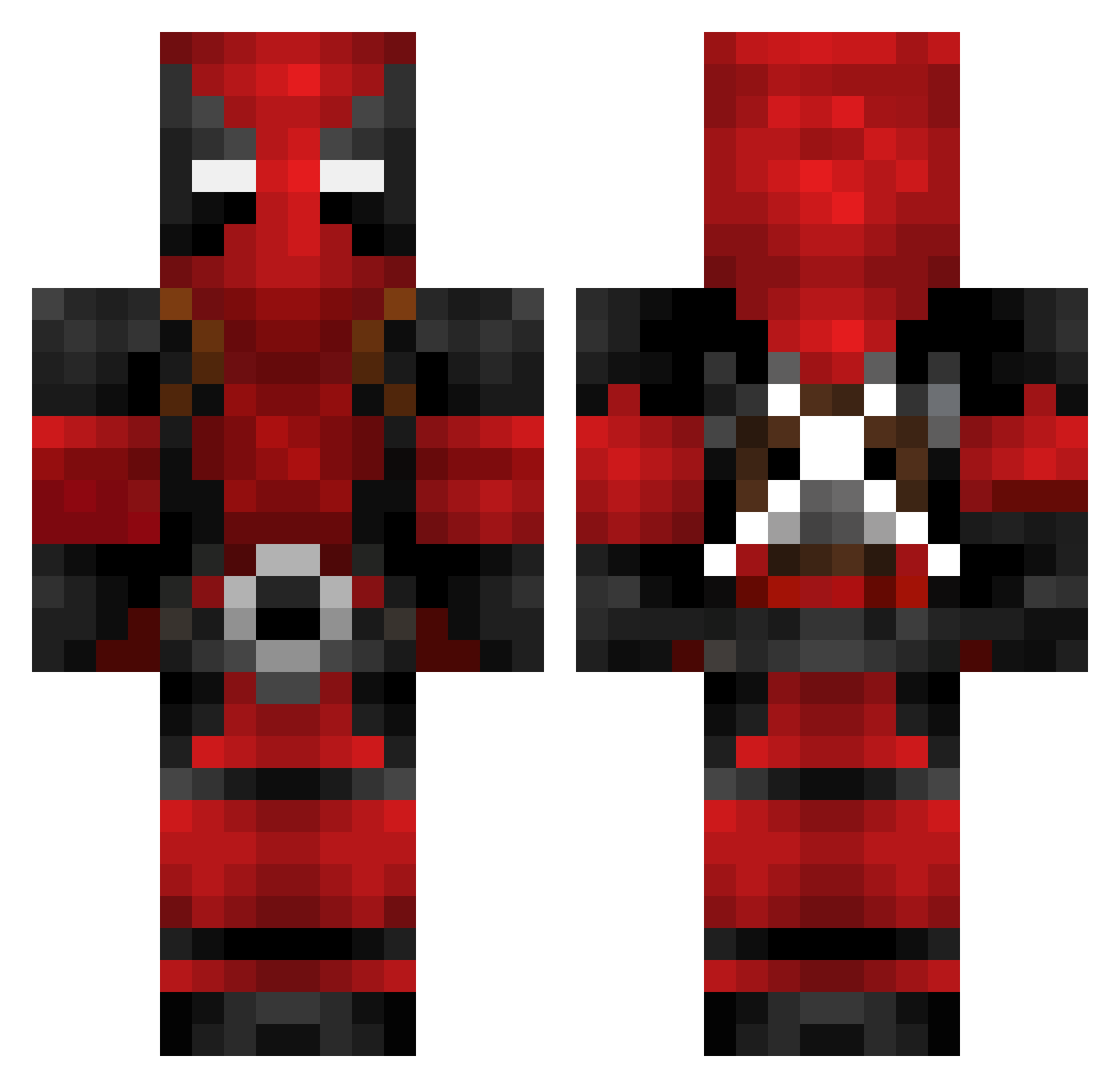
Current Minecraft skin of the player Husgo__, loaded from the official Mojang API. Rotate the 3D model with your mouse or finger, then download the skin as a PNG file and use it in Minecraft: Bedrock Edition or Java Edition for free. When Husgo__ changes their skin, this page updates automatically and the old skin stays in the history below.
Other players with this skin (602)
Husgo__ was the 478th player we have seen with this skin, first spotted on 04.10.2026. The same skin was seen on these players. Open a nickname to see their current skin and skin history.
 AdopaX TheShyElephant Unterbeckst EmmieDisa123 EArasta Stifyy tftboris XMAXimumxEffortX DeadpoolJones Desert_Grim_Reap Eric_oO StStar77777 Galactico2000 samuelissnel MATHEW_55 frangen3853D Touged mouseboy101 JoeShmoe teng0118 tpne999 aidenthemessiah kman0318 WhiteChedda61 Redstoo1 Gary628 Kuhlio137 Mugitya375 Reaper2Death El_quique Unl0n FinnedChimp htlamo HysterikEricttv _Mikiel_ lgbtq_gxblin Gix3612 g0d0fg0ds AaronRodgers_12 TheNiko660 mega10mania Lunis555 Kineee DaNodl DEADPOOL_TW Dad_Im_Only_9 EricXon Wchele Leutzev alegannn BakDam uoy_kuf martinthenewbie Raven_Bunny_ Marinofan20 MaxVerstappen2 Slimeyiuv Eleyond8 xSMooKYx NINJAxRED
More Deadpool Minecraft skins
How to install the Husgo__ skin
- Press the Download button above to save the skin as a PNG file.
- Minecraft: Bedrock Edition (PE): open the Dressing Room from the main menu (or tap your character → Edit Character), go to Classic Skins → Owned, press the + (new skin) button, choose the downloaded PNG and pick the Classic (Steve) model. Works on PC and mobile; consoles cannot import custom skins.
- Minecraft: Java Edition: open the Minecraft Launcher, go to the Skins tab, click New Skin, load the PNG, pick the Classic (Steve) model and press Save & Use. You can also upload it at minecraft.net → Profile → Change Skin.
The skin does not show up after import - what should I do?
Restart Minecraft and open the Dressing Room again - imported skins sometimes appear only after a restart. Also make sure you selected the imported skin and picked the Classic (Steve) model.
Which model should I choose, Classic or Slim?
This skin is designed for the Classic (Steve) model. If you pick the wrong model, the arms of the skin will look stretched or squeezed.
Is the skin of Husgo__ free to download?
Yes. Press Download, save the PNG file and use it in Minecraft: Bedrock Edition or Java Edition - no payment or registration needed. The skin also works on multiplayer servers and Realms.
More skins
Looking for more? Go back to all Minecraft skins and check the top skins of the week, month and all time, or find any player's skin by nickname.