
Howland1234 - Minecraft Skins & Skin History
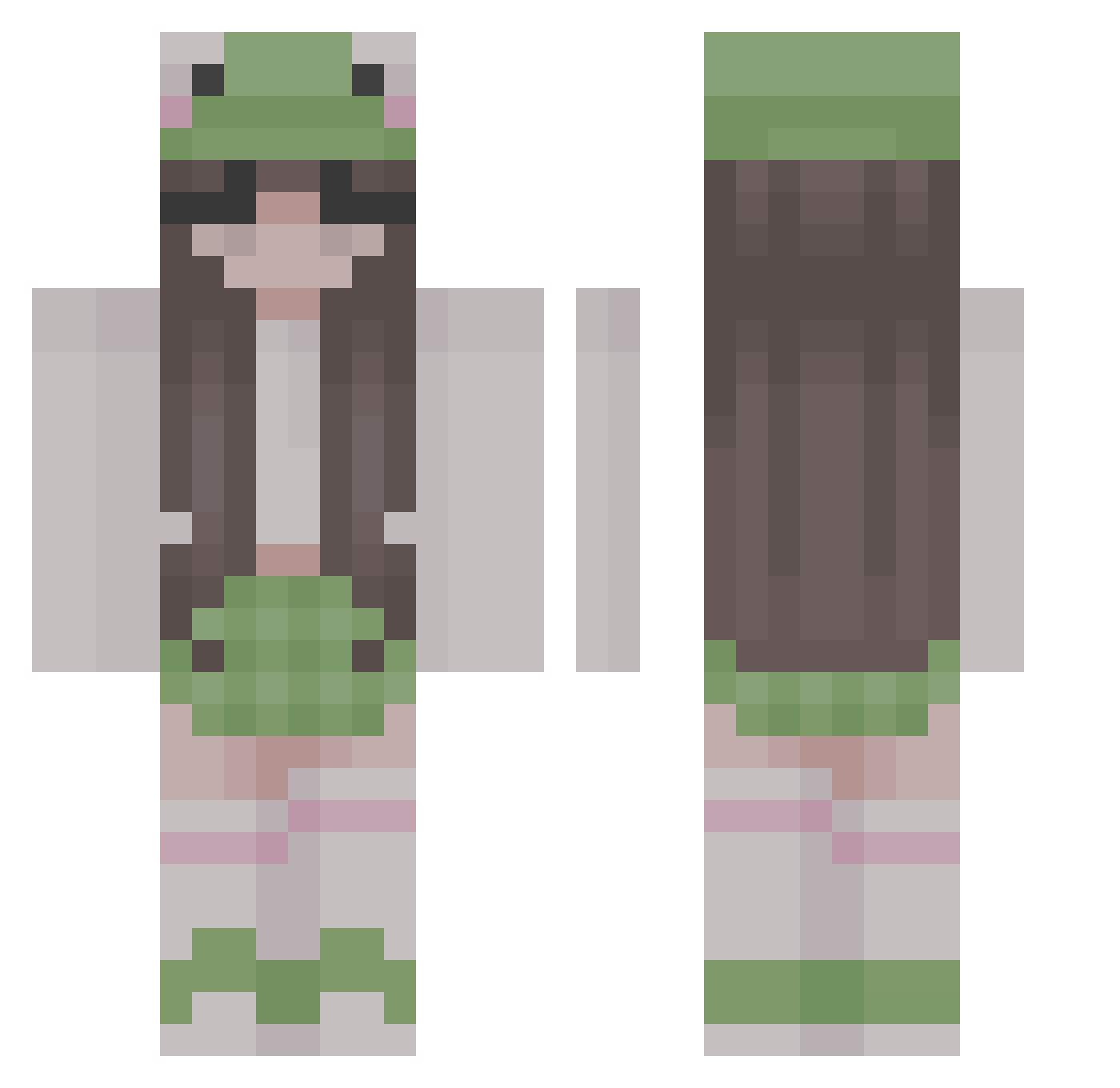
Current Minecraft skin of the player Howland1234, loaded from the official Mojang API. Rotate the 3D model with your mouse or finger, then download the skin as a PNG file and use it in Minecraft: Bedrock Edition or Java Edition for free. When Howland1234 changes their skin, this page updates automatically and the old skin stays in the history below.
Other players with this skin (313)
Howland1234 was the 196th player we have seen with this skin, first spotted on 07.10.2026. The same skin was seen on these players. Open a nickname to see their current skin and skin history.
 littleshe Artflufy Saraey ooRainbowKittyoo izzygoodnight g4i13 beckyslayys123 kitsoonette fr0gblush3 mooollie nataliel4588 AmamielSanks itsgreyyy rainbowman89759 kosukos c4reb34r emillija Mogeens Limonqe Rocker629 Irradicate itsleamarie AppleCloud_ xCloverist st1nki3frog chrysalxsm__ BeepBoop0987 xoxooxo hopeofdespairr maddypurcell Sjurlie StepOnMe18 overthebridgeTTV Itsyukki Rania_art altbabyy paulaa6 Emmigarfi JarFullOfFrogs CharlieRose1201 Amandoa mrbigjoe594 ahhhbread ambernoble_ chaehy0 Ayleen1806 konari1231 MMitsukII LLuxas Emichaelis Bunny3452 Jonahm25 zaritha7u7 SweatyChud eq1ix koffievlekje Bart_ek10 Diamond7224 Meyabouh Arielyy
More Frog Hat Minecraft skins
How to install the Howland1234 skin
- Press the Download button above to save the skin as a PNG file.
- Minecraft: Bedrock Edition (PE): open the Dressing Room from the main menu (or tap your character → Edit Character), go to Classic Skins → Owned, press the + (new skin) button, choose the downloaded PNG and pick the Classic (Steve) model. Works on PC and mobile; consoles cannot import custom skins.
- Minecraft: Java Edition: open the Minecraft Launcher, go to the Skins tab, click New Skin, load the PNG, pick the Classic (Steve) model and press Save & Use. You can also upload it at minecraft.net → Profile → Change Skin.
The skin does not show up after import - what should I do?
Restart Minecraft and open the Dressing Room again - imported skins sometimes appear only after a restart. Also make sure you selected the imported skin and picked the Classic (Steve) model.
Which model should I choose, Classic or Slim?
This skin is designed for the Classic (Steve) model. If you pick the wrong model, the arms of the skin will look stretched or squeezed.
Is the skin of Howland1234 free to download?
Yes. Press Download, save the PNG file and use it in Minecraft: Bedrock Edition or Java Edition - no payment or registration needed. The skin also works on multiplayer servers and Realms.
More skins
Looking for more? Go back to all Minecraft skins and check the top skins of the week, month and all time, or find any player's skin by nickname.