
Horake - Minecraft Skins & Skin History
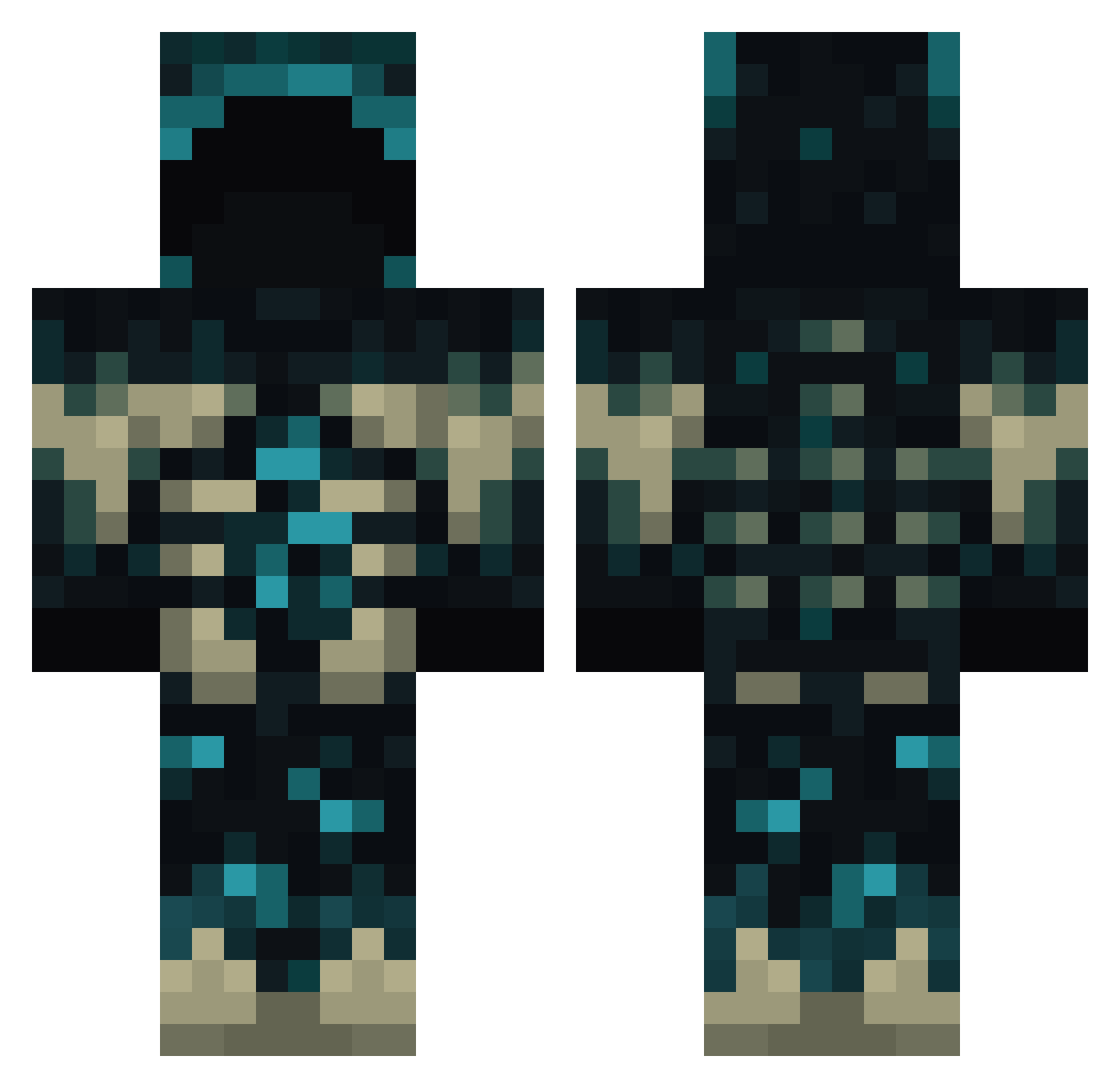
Current Minecraft skin of the player Horake, loaded from the official Mojang API. Rotate the 3D model with your mouse or finger, then download the skin as a PNG file and use it in Minecraft: Bedrock Edition or Java Edition for free. When Horake changes their skin, this page updates automatically and the old skin stays in the history below.
Other players with this skin (791)
Horake was the 326th player we have seen with this skin, first spotted on 09.09.2026. The same skin was seen on these players. Open a nickname to see their current skin and skin history.
 WarDoon ShaquilleUrself Lodomi__ LordBulten ThorTorndal snaggygoose kriskross15 Santila Parabox111 CcaCalamity Galinho91 _SprINt3r420_ ClownFish____ Tlaloc23 jantschke GeneticZZ xfox970 viper967 Drag0ns1ayer11 XD_ARM Vissin Error_4094 MOCHOK Raiden_Rogers Tamazito blolly SillygooseFromDc Tenshoxs ClearlyRaj KnightTales Darknesslt25 RageQuiter1694 JotaEsee Talhaakyl kirby1077 Kediletto godyoutuber Eladai DaOgFoxspaceship _Nimot_ uiel_ventis jackerspro Amor0 Rockerzeppi13 Despairos filiploek shoe_bully wopzer ItsReyd Quaiza Vadrigar94 LerbyM Apaullo_21 toxiclion9 Ni_Gan_Ma_1 PattyGx Leleko17072010 ZX8THL ZDBNS Jian_0016
More Sculk Minecraft skins
How to install the Horake skin
- Press the Download button above to save the skin as a PNG file.
- Minecraft: Bedrock Edition (PE): open the Dressing Room from the main menu (or tap your character → Edit Character), go to Classic Skins → Owned, press the + (new skin) button, choose the downloaded PNG and pick the Classic (Steve) model. Works on PC and mobile; consoles cannot import custom skins.
- Minecraft: Java Edition: open the Minecraft Launcher, go to the Skins tab, click New Skin, load the PNG, pick the Classic (Steve) model and press Save & Use. You can also upload it at minecraft.net → Profile → Change Skin.
The skin does not show up after import - what should I do?
Restart Minecraft and open the Dressing Room again - imported skins sometimes appear only after a restart. Also make sure you selected the imported skin and picked the Classic (Steve) model.
Which model should I choose, Classic or Slim?
This skin is designed for the Classic (Steve) model. If you pick the wrong model, the arms of the skin will look stretched or squeezed.
Is the skin of Horake free to download?
Yes. Press Download, save the PNG file and use it in Minecraft: Bedrock Edition or Java Edition - no payment or registration needed. The skin also works on multiplayer servers and Realms.
More skins
Looking for more? Go back to all Minecraft skins and check the top skins of the week, month and all time, or find any player's skin by nickname.