
Hongshaoyu233 - Minecraft Skins & Skin History
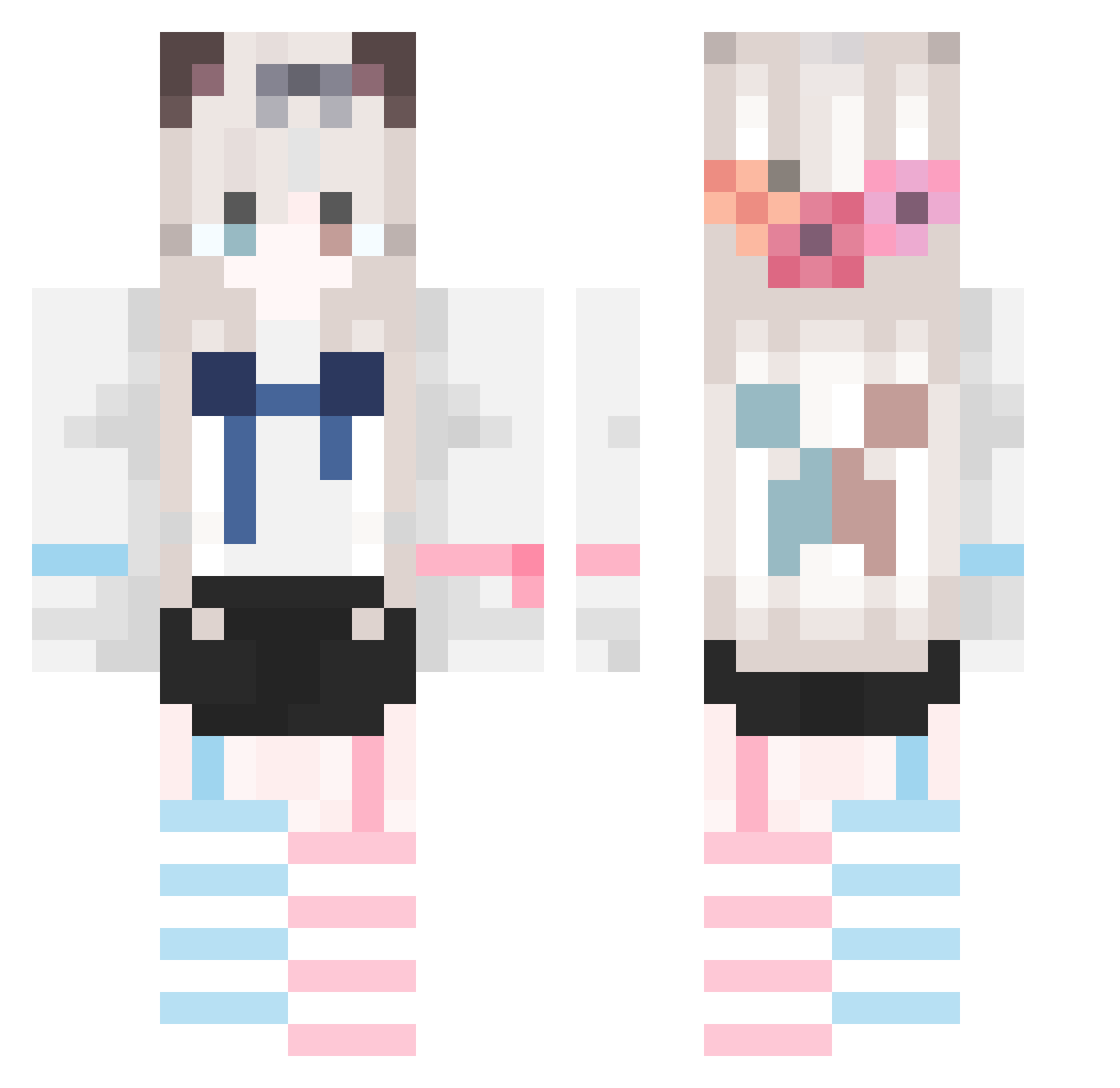
Current Minecraft skin of the player Hongshaoyu233, loaded from the official Mojang API. Rotate the 3D model with your mouse or finger, then download the skin as a PNG file and use it in Minecraft: Bedrock Edition or Java Edition for free. When Hongshaoyu233 changes their skin, this page updates automatically and the old skin stays in the history below.
Other players with this skin (747)
Hongshaoyu233 was the 88th player we have seen with this skin, first spotted on 04.08.2026. The same skin was seen on these players. Open a nickname to see their current skin and skin history.
 jyychina MVMYE CthulhuComet xheiy Ero1011 Wu_wind Tian_Y1 stary_cat2 Merloter gl0409 lsx6534 HJLOVEL Miss_QCQC yulian122 KawaiiNela ouyanghaiyu jf_jy LI0801 Yuki_85 Espthwd MY_Loong tsandem3 terraria01 xingyun127 by_xiao_yu Doubizong FatCatY HolderSea hirahito Yii04 ggjjg Ayanamiamia sakura6868 Tokai_TeioV malatutou1 12311211212 Niuduoduodt Bigsuo Name911 ASBreeze QIQIwawa lovesforever qingtian521 Toesniffer459 zhongshiji sensei10086 Satori517 xiaozhi101 adadawaf yhcw TIOPWXNL shino_003 Chihorika JCJiang FrveCoi cinthy AdamLevin lumujun Xinxin0524 CCCCCCCCCCyk
More Cat Ears Minecraft skins
How to install the Hongshaoyu233 skin
- Press the Download button above to save the skin as a PNG file.
- Minecraft: Bedrock Edition (PE): open the Dressing Room from the main menu (or tap your character → Edit Character), go to Classic Skins → Owned, press the + (new skin) button, choose the downloaded PNG and pick the Classic (Steve) model. Works on PC and mobile; consoles cannot import custom skins.
- Minecraft: Java Edition: open the Minecraft Launcher, go to the Skins tab, click New Skin, load the PNG, pick the Classic (Steve) model and press Save & Use. You can also upload it at minecraft.net → Profile → Change Skin.
The skin does not show up after import - what should I do?
Restart Minecraft and open the Dressing Room again - imported skins sometimes appear only after a restart. Also make sure you selected the imported skin and picked the Classic (Steve) model.
Which model should I choose, Classic or Slim?
This skin is designed for the Classic (Steve) model. If you pick the wrong model, the arms of the skin will look stretched or squeezed.
Is the skin of Hongshaoyu233 free to download?
Yes. Press Download, save the PNG file and use it in Minecraft: Bedrock Edition or Java Edition - no payment or registration needed. The skin also works on multiplayer servers and Realms.
More skins
Looking for more? Go back to all Minecraft skins and check the top skins of the week, month and all time, or find any player's skin by nickname.