
Hobo_6 - Minecraft Skins & Skin History
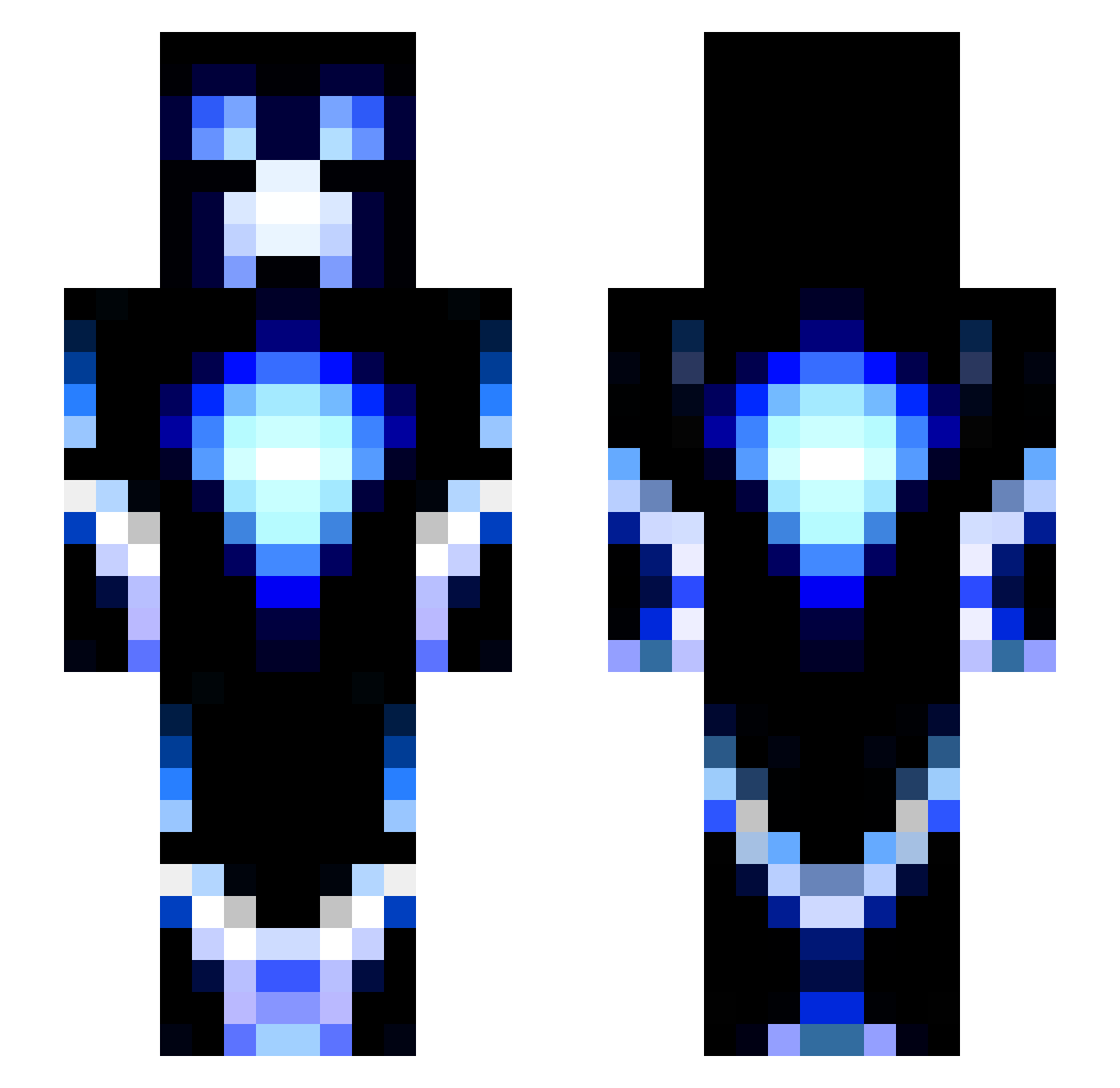
Current Minecraft skin of the player Hobo_6, loaded from the official Mojang API. Rotate the 3D model with your mouse or finger, then download the skin as a PNG file and use it in Minecraft: Bedrock Edition or Java Edition for free. When Hobo_6 changes their skin, this page updates automatically and the old skin stays in the history below.
Other players with this skin (143)
Hobo_6 was the 103rd player we have seen with this skin, first spotted on 25.10.2026. The same skin was seen on these players. Open a nickname to see their current skin and skin history.
 Steve91804 Cniavf Octoburn AwesomeAJ11 Griffindor10110 Gilly089 trickyspider m17078 Aurora_xian MeTasend copsy142 Immortal_2 FIRST_DESTROYER __Fawkes__ Snackchips BlueRavin BiFa24 Diabloz33 Iluvatar2000 Xidemon_PC SlumGodSimp xXHowToXx jsports28 ManicMorty montana44444 Crazy_Kai Josh1000 Valiant11223344 Lubie Zxrrox BigBubbaaa p4trickod xEduardian526x Cvrcek2000 Runwulf79 lightningmadness LD97 Appleman1111 NsGS2K Jackiner TheBigBubba nick112801 ACDC123333 Jonas2628 LUO666 voned007 Savage865 Sanshyy MrEpicBrony hendrik_T2001 SiXXT Amazin_Steve RyBoy77 Suz1001 Typlayz36 names_calc_bro YaYiDingZhen SuperDood2929 Alexito3034 BLESSED_12
More Glowing Minecraft skins
How to install the Hobo_6 skin
- Press the Download button above to save the skin as a PNG file.
- Minecraft: Bedrock Edition (PE): open the Dressing Room from the main menu (or tap your character → Edit Character), go to Classic Skins → Owned, press the + (new skin) button, choose the downloaded PNG and pick the Slim (Alex) model. Works on PC and mobile; consoles cannot import custom skins.
- Minecraft: Java Edition: open the Minecraft Launcher, go to the Skins tab, click New Skin, load the PNG, pick the Slim (Alex) model and press Save & Use. You can also upload it at minecraft.net → Profile → Change Skin.
The skin does not show up after import - what should I do?
Restart Minecraft and open the Dressing Room again - imported skins sometimes appear only after a restart. Also make sure you selected the imported skin and picked the Slim (Alex) model.
Which model should I choose, Classic or Slim?
This skin is designed for the Slim (Alex) model. If you pick the wrong model, the arms of the skin will look stretched or squeezed.
Is the skin of Hobo_6 free to download?
Yes. Press Download, save the PNG file and use it in Minecraft: Bedrock Edition or Java Edition - no payment or registration needed. The skin also works on multiplayer servers and Realms.
More skins
Looking for more? Go back to all Minecraft skins and check the top skins of the week, month and all time, or find any player's skin by nickname.