
HiccupHH3 - Minecraft Skins & Skin History
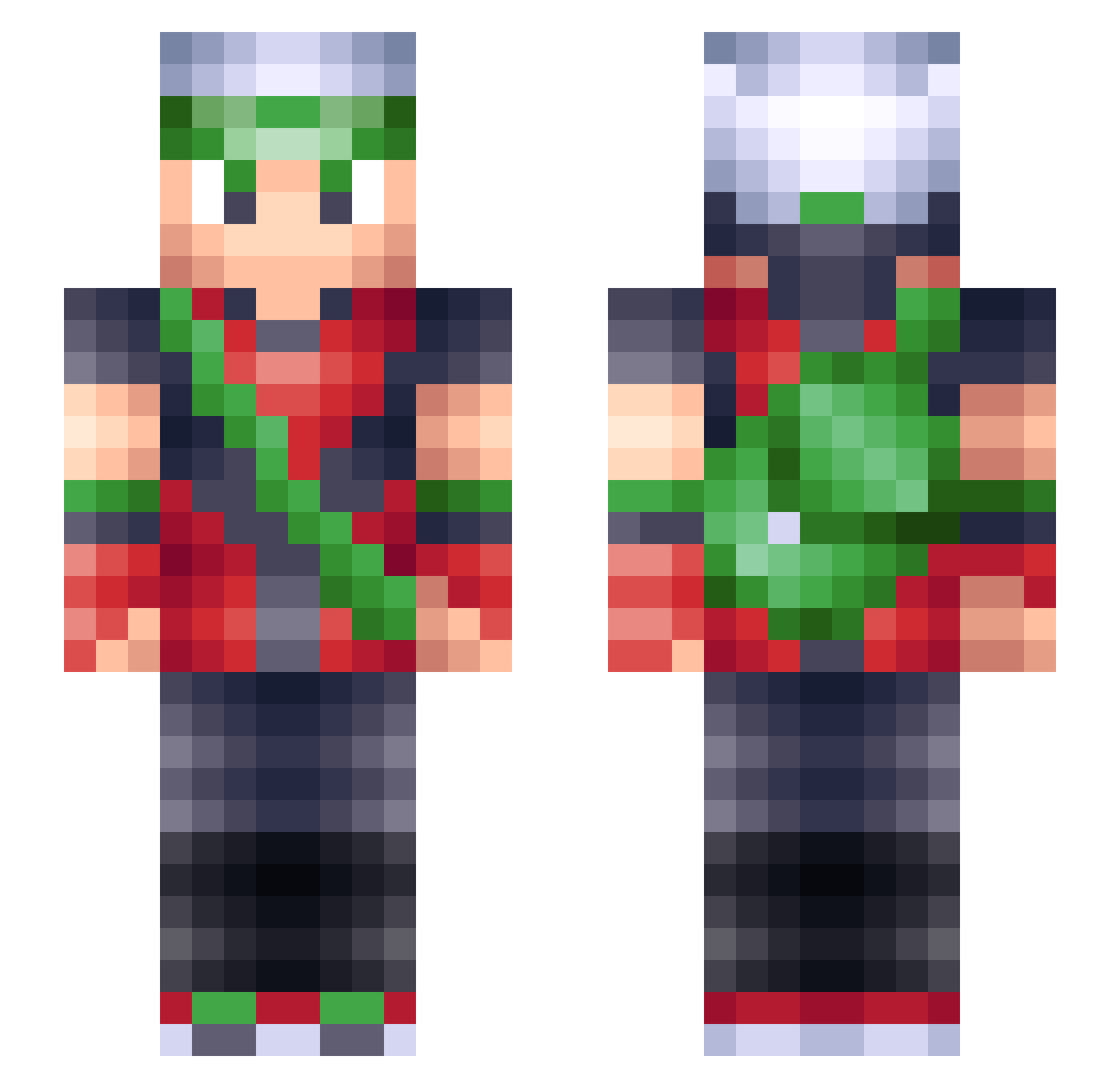
Current Minecraft skin of the player HiccupHH3, loaded from the official Mojang API. Rotate the 3D model with your mouse or finger, then download the skin as a PNG file and use it in Minecraft: Bedrock Edition or Java Edition for free. When HiccupHH3 changes their skin, this page updates automatically and the old skin stays in the history below.
Other players with this skin (220)
HiccupHH3 was the 57th player we have seen with this skin, first spotted on 20.08.2026. The same skin was seen on these players. Open a nickname to see their current skin and skin history.
 Yeefffrey LonelyMicrowave Wooooooit SeanYoshi Memetrix ilChurch PowerQuin NLA_Vegemite NoxEther Gerardo109 LaMarash8 EpicMedz N8Violino Gabrunetti alienmaster2001 DrakeCPKMN luludandan
 kunada ForeignShyguy ao346 Psionicflash willyg0 Yukimi23 JJgames721 Iamkonsn Suerdake Midas136 SeanDre csrxg invisibleWizard numbin HoheitYGO ProNuke69 Zachchan6 Anuluca Hypevolterox Aller_City iiSobz FreakyMonkey434 Takamatsu2 TehMiner JotaPe96 michelmich20 RoopDogg __IRENE__ LeKamikaze Xelxias abbacarabba Jowhisky Redplum23 Superchin57 SuperLuckAbsol Jonstrauss Ginganinja1095 iMyCoal Senriii Too_Excited Lankyboy6 rob1092 KidChoar42
More Brendan Minecraft skins
How to install the HiccupHH3 skin
- Press the Download button above to save the skin as a PNG file.
- Minecraft: Bedrock Edition (PE): open the Dressing Room from the main menu (or tap your character → Edit Character), go to Classic Skins → Owned, press the + (new skin) button, choose the downloaded PNG and pick the Slim (Alex) model. Works on PC and mobile; consoles cannot import custom skins.
- Minecraft: Java Edition: open the Minecraft Launcher, go to the Skins tab, click New Skin, load the PNG, pick the Slim (Alex) model and press Save & Use. You can also upload it at minecraft.net → Profile → Change Skin.
The skin does not show up after import - what should I do?
Restart Minecraft and open the Dressing Room again - imported skins sometimes appear only after a restart. Also make sure you selected the imported skin and picked the Slim (Alex) model.
Which model should I choose, Classic or Slim?
This skin is designed for the Slim (Alex) model. If you pick the wrong model, the arms of the skin will look stretched or squeezed.
Is the skin of HiccupHH3 free to download?
Yes. Press Download, save the PNG file and use it in Minecraft: Bedrock Edition or Java Edition - no payment or registration needed. The skin also works on multiplayer servers and Realms.
More skins
Looking for more? Go back to all Minecraft skins and check the top skins of the week, month and all time, or find any player's skin by nickname.