
Hibiki_NMSL - Minecraft Skins & Skin History
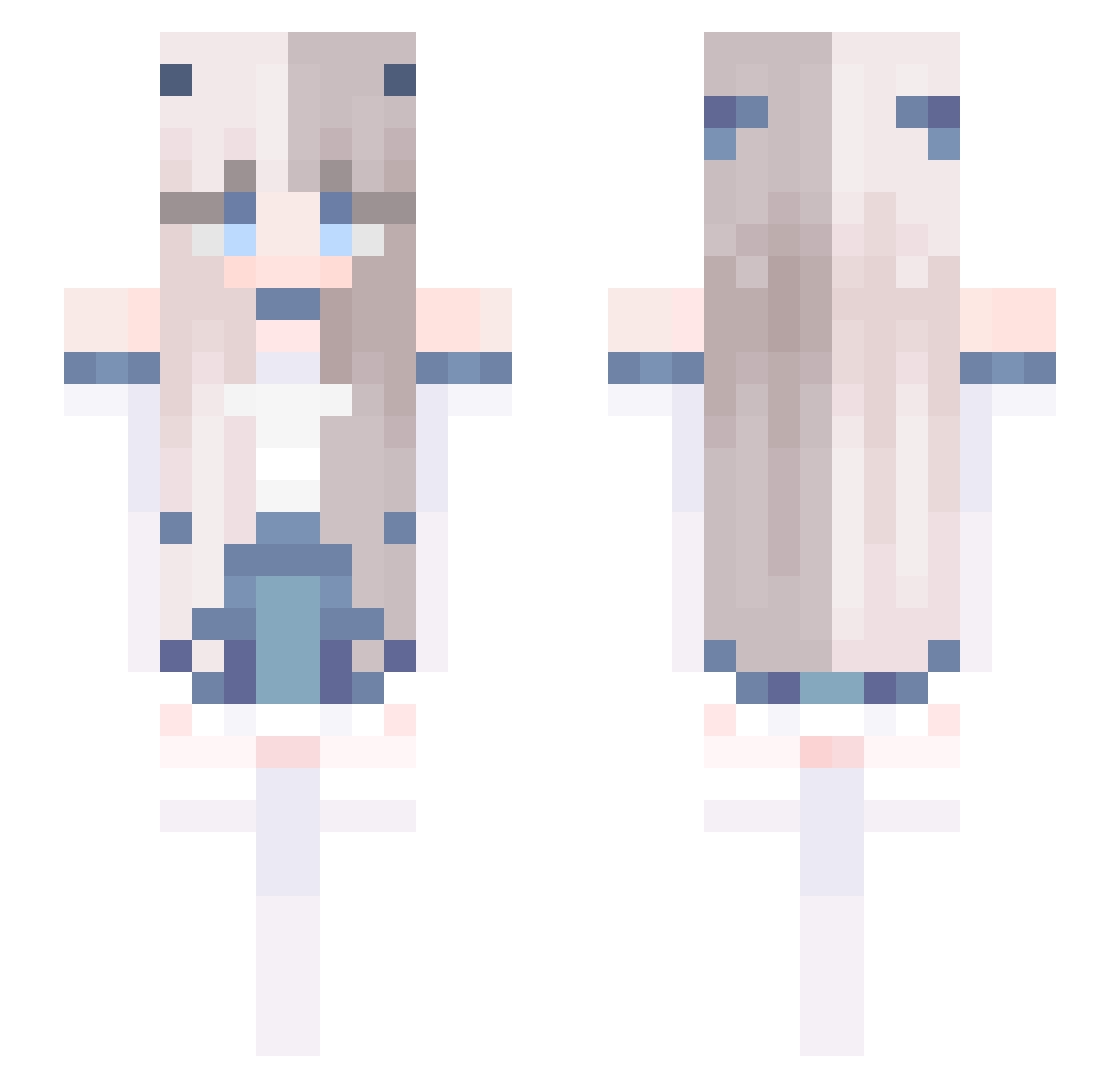
Current Minecraft skin of the player Hibiki_NMSL, loaded from the official Mojang API. Rotate the 3D model with your mouse or finger, then download the skin as a PNG file and use it in Minecraft: Bedrock Edition or Java Edition for free. When Hibiki_NMSL changes their skin, this page updates automatically and the old skin stays in the history below.
Other players with this skin (678)
Hibiki_NMSL was the 405th player we have seen with this skin, first spotted on 01.10.2026. The same skin was seen on these players. Open a nickname to see their current skin and skin history.
 yannwan weichendawn Ruggsi xiaoh1368 ade_xp kemer404 Ruin_My_Life EvilGamerHD 9_Cheng Every_Second juliofurtadu EctFood Mystique19 AzsL LekaNotFound The_Last_Kitten GoRsTV su03377 BBiscuit666 ScorpioGame Wiaqoio Its_RG Honih PenguinTNT AugustZQ ash1433223 MICHINGAE Lazy_xinxin RainbowKitti960 chaezi CX_i YUYUN_25 JustTommy_PvPz hejialing NeigeForest Wafurung DAEKurumi wuyue4187 Kya_burd U_ww MirrorForcee PiperPlaysGames Krysia0224 Satisfyme bluedolphin1004 Love_Redstone LikeYShan BieberP1205 MeowUwU13 sirius010306 aadsa15 Rilla_ling Bl4nche DynnoXD Startofhistory LeelooShadow RaShunn Zeromooon520 VeniVenn SIZ_Allison
More Horns Minecraft skins
How to install the Hibiki_NMSL skin
- Press the Download button above to save the skin as a PNG file.
- Minecraft: Bedrock Edition (PE): open the Dressing Room from the main menu (or tap your character → Edit Character), go to Classic Skins → Owned, press the + (new skin) button, choose the downloaded PNG and pick the Slim (Alex) model. Works on PC and mobile; consoles cannot import custom skins.
- Minecraft: Java Edition: open the Minecraft Launcher, go to the Skins tab, click New Skin, load the PNG, pick the Slim (Alex) model and press Save & Use. You can also upload it at minecraft.net → Profile → Change Skin.
The skin does not show up after import - what should I do?
Restart Minecraft and open the Dressing Room again - imported skins sometimes appear only after a restart. Also make sure you selected the imported skin and picked the Slim (Alex) model.
Which model should I choose, Classic or Slim?
This skin is designed for the Slim (Alex) model. If you pick the wrong model, the arms of the skin will look stretched or squeezed.
Is the skin of Hibiki_NMSL free to download?
Yes. Press Download, save the PNG file and use it in Minecraft: Bedrock Edition or Java Edition - no payment or registration needed. The skin also works on multiplayer servers and Realms.
More skins
Looking for more? Go back to all Minecraft skins and check the top skins of the week, month and all time, or find any player's skin by nickname.