
HeyPablos - Minecraft Skins & Skin History
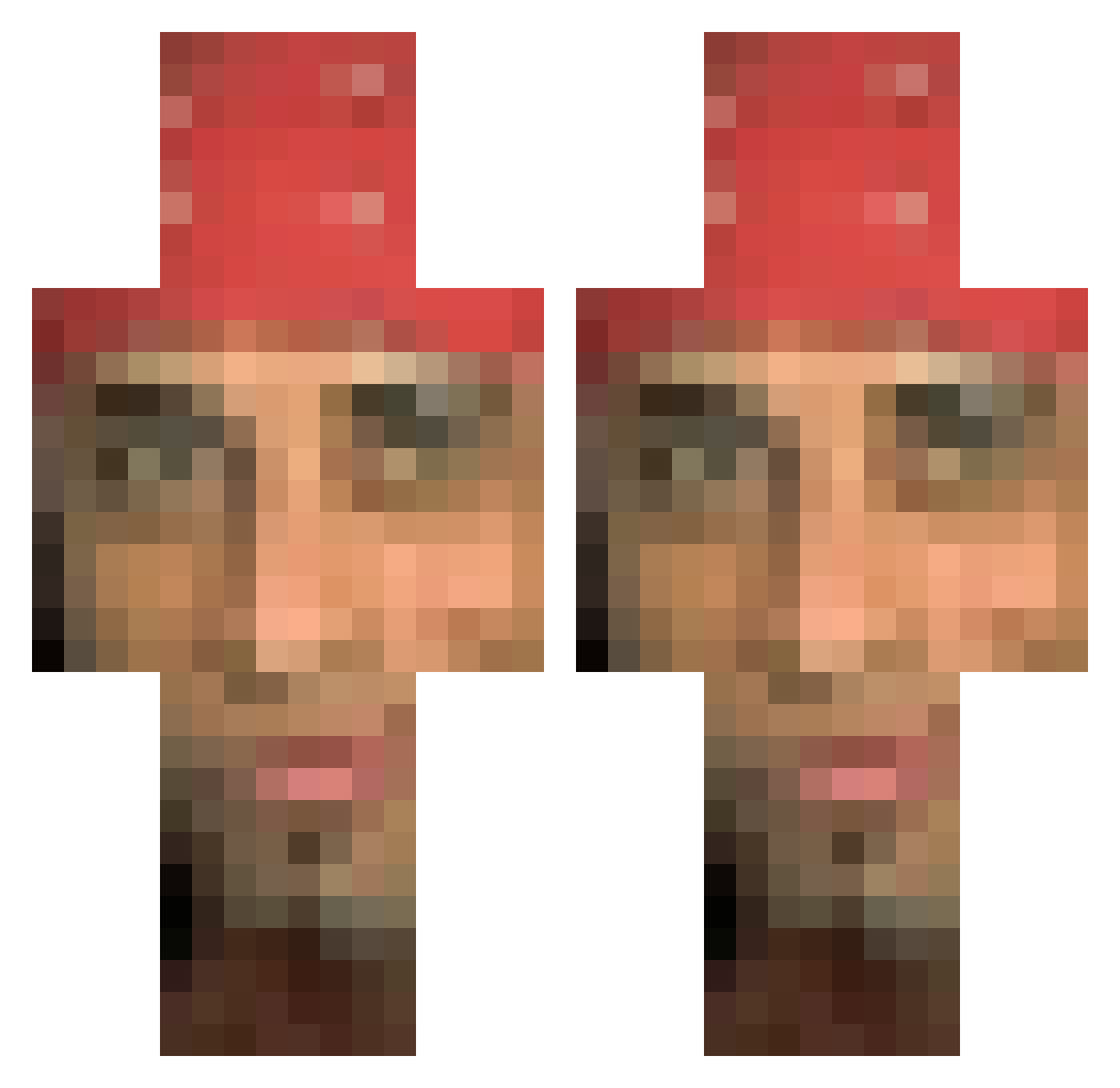
Current Minecraft skin of the player HeyPablos, loaded from the official Mojang API. Rotate the 3D model with your mouse or finger, then download the skin as a PNG file and use it in Minecraft: Bedrock Edition or Java Edition for free. When HeyPablos changes their skin, this page updates automatically and the old skin stays in the history below.
Other players with this skin (105)
HeyPablos was the 22nd player we have seen with this skin, first spotted on 19.08.2026. The same skin was seen on these players. Open a nickname to see their current skin and skin history.
 Nopelele PTC_Waifu krommme Carbi_D Holyrootbeer DooriBS DarkNationHD ptyxx Menevrau blackkidsarebad
 grilled_egg
 MBLM15 Grhogue CHIckenG4nG kustilaps Jeimondeu Tiago15k Saylort Tenshi_0San flappelapper Filipe_Bm z3446 ababbaab BEREN07355 Bakro ZOODKAK punch_man LolaPichu7 Toxic_Chilean Mix_Egg123456 mutantkemal Pin_Pin_ buyak juanyoon bbun0312 Diego1101 jinjeopcexking 7120497830958 James7457 LilDvcx rajed AgentPatrik069 tenn1010 Eri0n clafastlifepoto Djensen_ Alvesszz Cybersword999 F3LPS_A Kurkuraaa the_duck_side dbtmdgus THVV_ nsh_109 Lqvis Leo1204 takasinanodesu Imposter_xsos Samuel_1227 CubeDubois
More Nicolas Cage Minecraft skins
How to install the HeyPablos skin
- Press the Download button above to save the skin as a PNG file.
- Minecraft: Bedrock Edition (PE): open the Dressing Room from the main menu (or tap your character → Edit Character), go to Classic Skins → Owned, press the + (new skin) button, choose the downloaded PNG and pick the Classic (Steve) model. Works on PC and mobile; consoles cannot import custom skins.
- Minecraft: Java Edition: open the Minecraft Launcher, go to the Skins tab, click New Skin, load the PNG, pick the Classic (Steve) model and press Save & Use. You can also upload it at minecraft.net → Profile → Change Skin.
The skin does not show up after import - what should I do?
Restart Minecraft and open the Dressing Room again - imported skins sometimes appear only after a restart. Also make sure you selected the imported skin and picked the Classic (Steve) model.
Which model should I choose, Classic or Slim?
This skin is designed for the Classic (Steve) model. If you pick the wrong model, the arms of the skin will look stretched or squeezed.
Is the skin of HeyPablos free to download?
Yes. Press Download, save the PNG file and use it in Minecraft: Bedrock Edition or Java Edition - no payment or registration needed. The skin also works on multiplayer servers and Realms.
More skins
Looking for more? Go back to all Minecraft skins and check the top skins of the week, month and all time, or find any player's skin by nickname.