
Heinz1996 - Minecraft Skins & Skin History
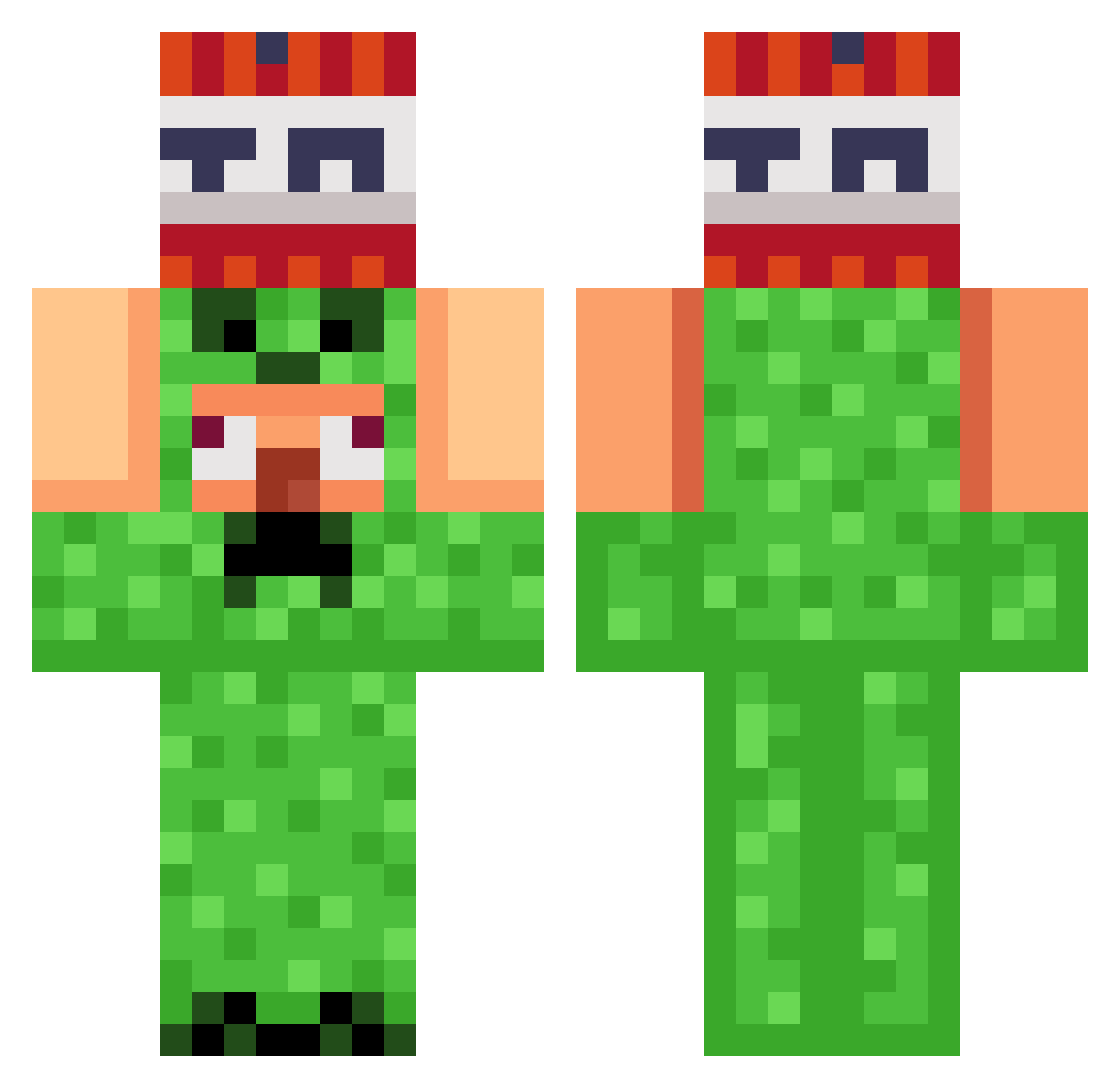
Current Minecraft skin of the player Heinz1996, loaded from the official Mojang API. Rotate the 3D model with your mouse or finger, then download the skin as a PNG file and use it in Minecraft: Bedrock Edition or Java Edition for free. When Heinz1996 changes their skin, this page updates automatically and the old skin stays in the history below.
Other players with this skin (822)
Heinz1996 was the 66th player we have seen with this skin, first spotted on 30.07.2026. The same skin was seen on these players. Open a nickname to see their current skin and skin history.
 Wazawulf boterhamworst33 X_Zelda goat_creature Eminemaly
 Dirtcomputer
 Marshmallowman7 JHester puyopjc Minekart20 KAKA69420 snowkid19 Pueep Krouga zitn Heny_Guy tylerca_07 beatboxer_ 1grapes lioner25 AntiDuudy Tacopizza176
 RyvxCarrot TheVikingPlayZ jiho66931 Bomberkid23 Dlipe28 Krakkras _ez_name_ GangstaGreenGuy Felix_2k18 WongKalahan67 standonbidness12
 BCRCM KoukeNeko
 Boubou64 gougougougua JavaSaturn BigMrLloyd fastrust Rhedge Licolico1111 henrysaurus4 Neitas332 Cooldogs111
 Jake3798 DeathKicker306 Sleepstm monkey_boy28 skitter_ Borix666 TimiboyK Trentai FortunatoC TazaniVT
 ayodaiv Its_Shivansh_yt
 RadioactivumGMD Mumisasin minnexit
More TNT Minecraft skins
How to install the Heinz1996 skin
- Press the Download button above to save the skin as a PNG file.
- Minecraft: Bedrock Edition (PE): open the Dressing Room from the main menu (or tap your character → Edit Character), go to Classic Skins → Owned, press the + (new skin) button, choose the downloaded PNG and pick the Classic (Steve) model. Works on PC and mobile; consoles cannot import custom skins.
- Minecraft: Java Edition: open the Minecraft Launcher, go to the Skins tab, click New Skin, load the PNG, pick the Classic (Steve) model and press Save & Use. You can also upload it at minecraft.net → Profile → Change Skin.
The skin does not show up after import - what should I do?
Restart Minecraft and open the Dressing Room again - imported skins sometimes appear only after a restart. Also make sure you selected the imported skin and picked the Classic (Steve) model.
Which model should I choose, Classic or Slim?
This skin is designed for the Classic (Steve) model. If you pick the wrong model, the arms of the skin will look stretched or squeezed.
Is the skin of Heinz1996 free to download?
Yes. Press Download, save the PNG file and use it in Minecraft: Bedrock Edition or Java Edition - no payment or registration needed. The skin also works on multiplayer servers and Realms.
More skins
Looking for more? Go back to all Minecraft skins and check the top skins of the week, month and all time, or find any player's skin by nickname.