
Harvey9969 - Minecraft Skins & Skin History
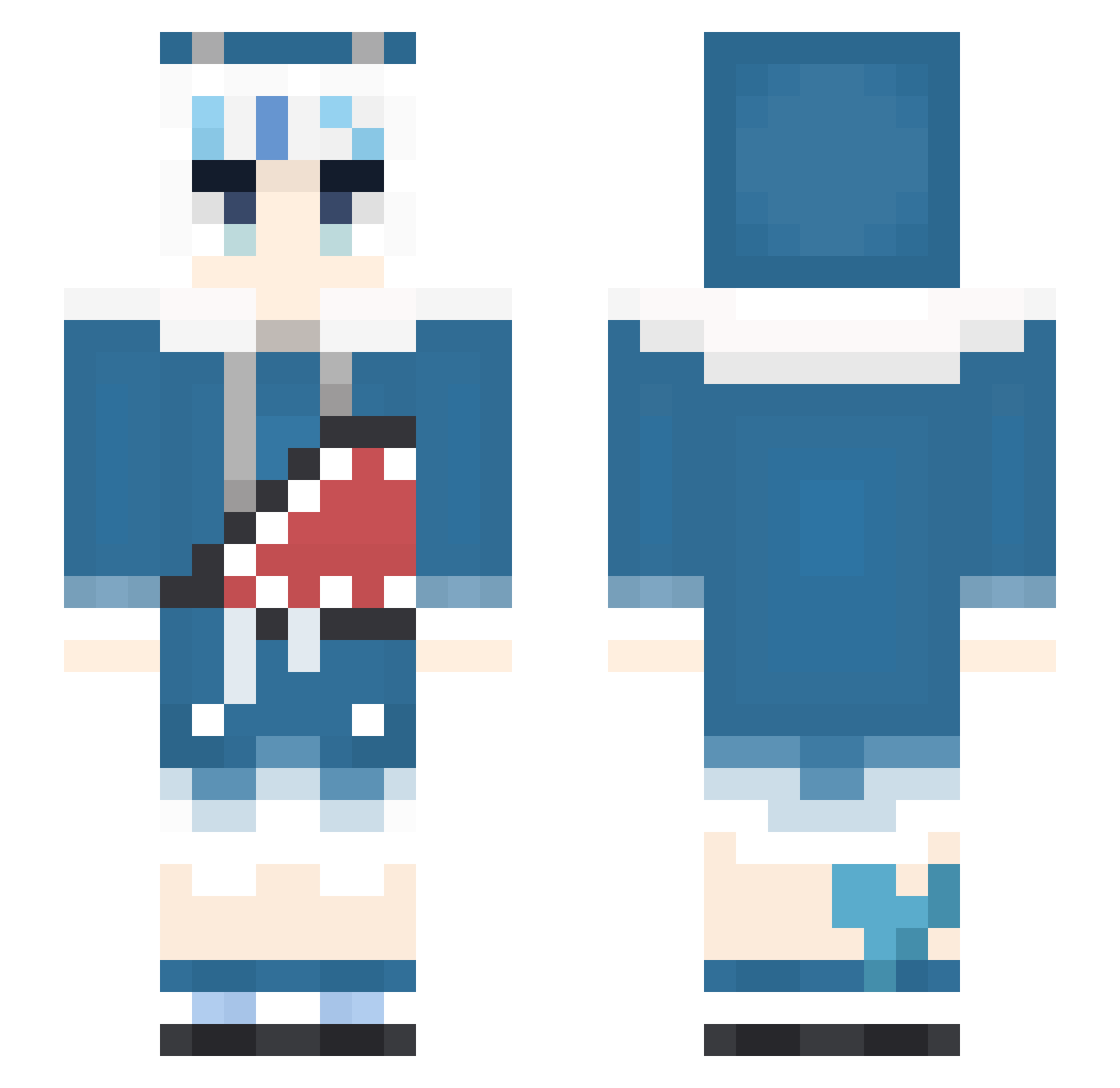
Current Minecraft skin of the player Harvey9969, loaded from the official Mojang API. Rotate the 3D model with your mouse or finger, then download the skin as a PNG file and use it in Minecraft: Bedrock Edition or Java Edition for free. When Harvey9969 changes their skin, this page updates automatically and the old skin stays in the history below.
Other players with this skin (548)
Harvey9969 was the 501st player we have seen with this skin, first spotted on 10.11.2026. The same skin was seen on these players. Open a nickname to see their current skin and skin history.
 Gatszs macaroniXslurpee D3Alien MavisV_ Ruinous_Effigy _Sanakan_ igtm11 Utopia_JBG whdyddk Deco011 Allenckk Bishop_001 nishipori EmoMaoNan Sukura_2077 Queen06100 Howtothis Nagisa_OuO PARN01183386 _KenYuu_ PF_Kation MOOMIN002 apple890629 Khyowen Rra12 ADobi6012 e9996663 singingshark Ijnekono ryancola alex320320 cuteCatShark PinkHefalump kajigaya 6gilu kyubzi Amayuiiii BreadBoy26 M4t0nl33 bergenrode ringo_akai Snow_YiCyan chufey _YoungDanny_ WindrangerTV GuraSoCute8964 GawrGura_ GODIVIA Kanway Kelly0614 ushijun gura520 Rage_Tyke tuolin XOBSD vincent0886449 Actoria ZZ966SC _Hoyi_ Manta9048
More Gawr Gura Minecraft skins
How to install the Harvey9969 skin
- Press the Download button above to save the skin as a PNG file.
- Minecraft: Bedrock Edition (PE): open the Dressing Room from the main menu (or tap your character → Edit Character), go to Classic Skins → Owned, press the + (new skin) button, choose the downloaded PNG and pick the Slim (Alex) model. Works on PC and mobile; consoles cannot import custom skins.
- Minecraft: Java Edition: open the Minecraft Launcher, go to the Skins tab, click New Skin, load the PNG, pick the Slim (Alex) model and press Save & Use. You can also upload it at minecraft.net → Profile → Change Skin.
The skin does not show up after import - what should I do?
Restart Minecraft and open the Dressing Room again - imported skins sometimes appear only after a restart. Also make sure you selected the imported skin and picked the Slim (Alex) model.
Which model should I choose, Classic or Slim?
This skin is designed for the Slim (Alex) model. If you pick the wrong model, the arms of the skin will look stretched or squeezed.
Is the skin of Harvey9969 free to download?
Yes. Press Download, save the PNG file and use it in Minecraft: Bedrock Edition or Java Edition - no payment or registration needed. The skin also works on multiplayer servers and Realms.
More skins
Looking for more? Go back to all Minecraft skins and check the top skins of the week, month and all time, or find any player's skin by nickname.