
Hakka2424 - Minecraft Skins & Skin History
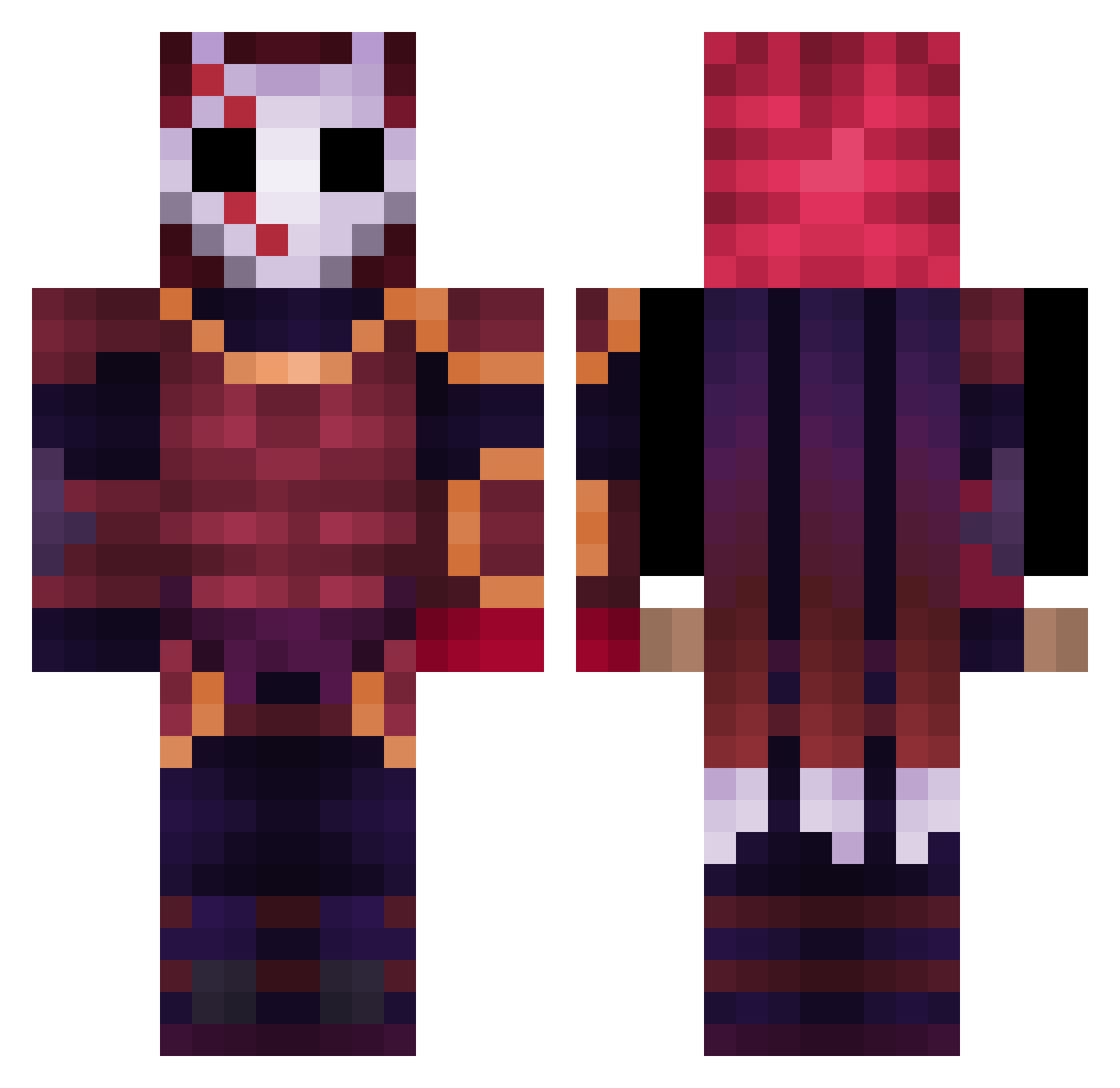
Current Minecraft skin of the player Hakka2424, loaded from the official Mojang API. Rotate the 3D model with your mouse or finger, then download the skin as a PNG file and use it in Minecraft: Bedrock Edition or Java Edition for free. When Hakka2424 changes their skin, this page updates automatically and the old skin stays in the history below.
Other players with this skin (409)
Hakka2424 was the 141st player we have seen with this skin, first spotted on 31.08.2026. The same skin was seen on these players. Open a nickname to see their current skin and skin history.
 Black_Shuck_ Tukka21 JustME_UwU DeadbeatLime Sentinelbutcher5 Cool_Gorl XxNinja_62xX VassagoPoH esteplayer ByFenek Claylay Serebroo Vxnom2 istyMC OG_Red60 _valeriio Daragord Zhomky Dekatasimpvajeni Sebastianeczek Chriszflow27 Ryoksuki Rumpel99 Kaiser_ZG RoseyRainDrop puermalus Deliba pequenoguts Litheraticrival ThomasShelb Droniys juhudadu Keyrura Jundol1 AceDragon1000 xYoka Punish21 kappakaykay Santiago02020202 Swaydo XAlone_DarkX cadecaide Mashonga BeanRoach Pajerok Zedcarnate WeFoundLove vang168 xHashirax Rivval AdaSan8 SparkLR CarterH31 Kikinzombie Shadow_HD_xX Dekness gigogoblin D261 N080DY912 Hoehlenherbert
More Warrior Minecraft skins
How to install the Hakka2424 skin
- Press the Download button above to save the skin as a PNG file.
- Minecraft: Bedrock Edition (PE): open the Dressing Room from the main menu (or tap your character → Edit Character), go to Classic Skins → Owned, press the + (new skin) button, choose the downloaded PNG and pick the Classic (Steve) model. Works on PC and mobile; consoles cannot import custom skins.
- Minecraft: Java Edition: open the Minecraft Launcher, go to the Skins tab, click New Skin, load the PNG, pick the Classic (Steve) model and press Save & Use. You can also upload it at minecraft.net → Profile → Change Skin.
The skin does not show up after import - what should I do?
Restart Minecraft and open the Dressing Room again - imported skins sometimes appear only after a restart. Also make sure you selected the imported skin and picked the Classic (Steve) model.
Which model should I choose, Classic or Slim?
This skin is designed for the Classic (Steve) model. If you pick the wrong model, the arms of the skin will look stretched or squeezed.
Is the skin of Hakka2424 free to download?
Yes. Press Download, save the PNG file and use it in Minecraft: Bedrock Edition or Java Edition - no payment or registration needed. The skin also works on multiplayer servers and Realms.
More skins
Looking for more? Go back to all Minecraft skins and check the top skins of the week, month and all time, or find any player's skin by nickname.