
Hakenzahn999 - Minecraft Skins & Skin History
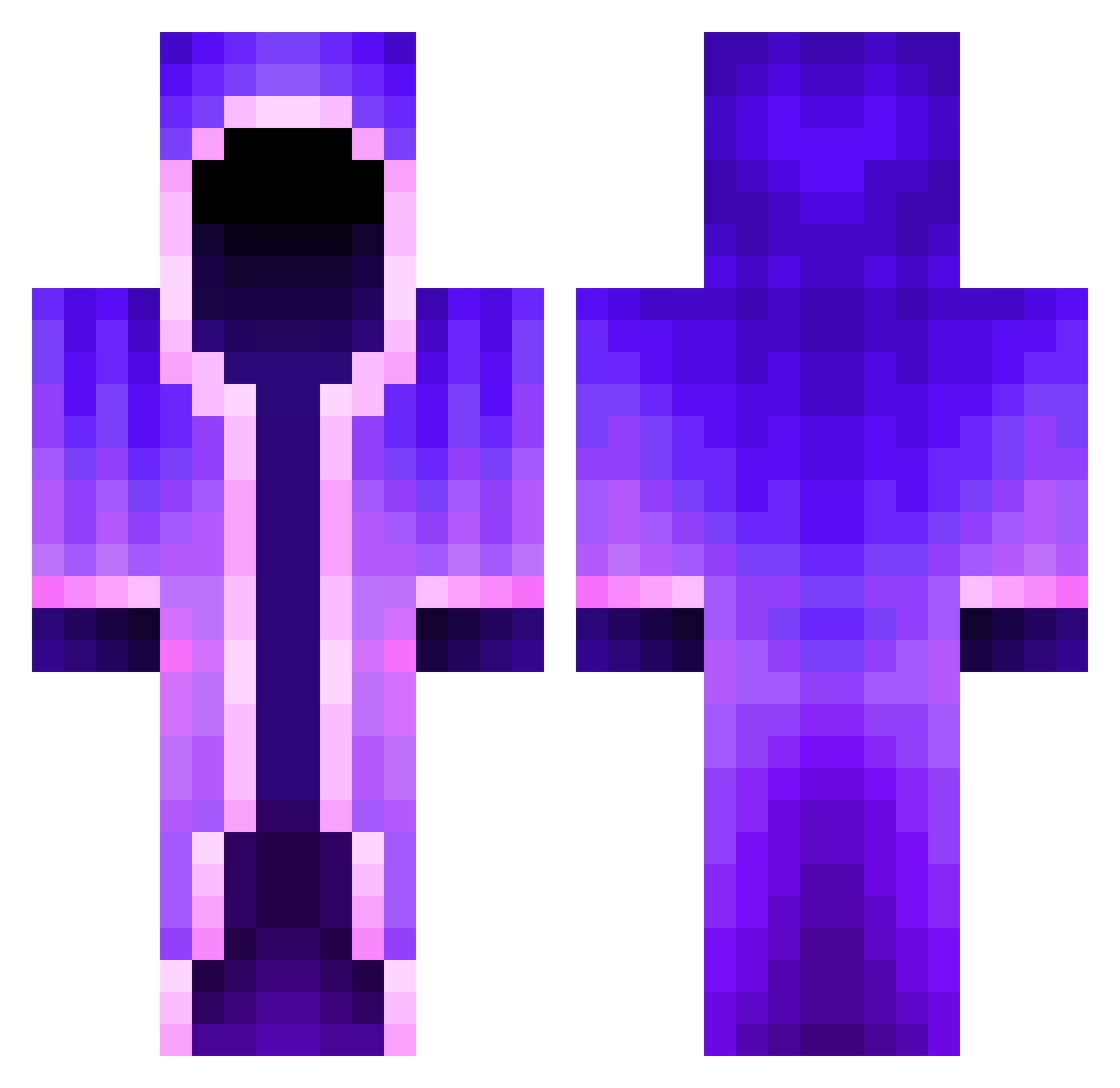
Current Minecraft skin of the player Hakenzahn999, loaded from the official Mojang API. Rotate the 3D model with your mouse or finger, then download the skin as a PNG file and use it in Minecraft: Bedrock Edition or Java Edition for free. When Hakenzahn999 changes their skin, this page updates automatically and the old skin stays in the history below.
Other players with this skin (462)
Hakenzahn999 was the 138th player we have seen with this skin, first spotted on 27.08.2026. The same skin was seen on these players. Open a nickname to see their current skin and skin history.
 xiaououo Strangerjx PurpleDuck19 iSipSillyJuice JakeShawty MiniChina69 Jankevvv KOR_buffalo aurantius_ ArjunNRGamer ZombieToken DON_TRIMONE FightNakamori pepson13579 Akiiyu_ littlekitty36 SuperTomar753 MinecraftWiki123 Caper6687 Maxsoesters xSplcy Thescarebear1 guyfarhy Chlemonice CuteJellyFish Kamui5743 Daangulitz anglerjoe3245 doct0r_who callahan811 Syrano88 sergioexeni Flasche_Cola FluffyWater Placekkk___ hyeon__10 L30n2011 Papa_Smelbs Stole407 Asinus32 M3lyy MF44 Areshir Nanji69 sussy_boi109 Balthasar08 Blackwolf2757 Zaeran24 Ghostly_X_ __VJ__ Dregle hugosa TypMitDenNikess fasterra9581 MTGSarthakRao charizard25 Popgo4823 Daemonium8 volvlad _BETAversioN_
More Mage Minecraft skins
How to install the Hakenzahn999 skin
- Press the Download button above to save the skin as a PNG file.
- Minecraft: Bedrock Edition (PE): open the Dressing Room from the main menu (or tap your character → Edit Character), go to Classic Skins → Owned, press the + (new skin) button, choose the downloaded PNG and pick the Classic (Steve) model. Works on PC and mobile; consoles cannot import custom skins.
- Minecraft: Java Edition: open the Minecraft Launcher, go to the Skins tab, click New Skin, load the PNG, pick the Classic (Steve) model and press Save & Use. You can also upload it at minecraft.net → Profile → Change Skin.
The skin does not show up after import - what should I do?
Restart Minecraft and open the Dressing Room again - imported skins sometimes appear only after a restart. Also make sure you selected the imported skin and picked the Classic (Steve) model.
Which model should I choose, Classic or Slim?
This skin is designed for the Classic (Steve) model. If you pick the wrong model, the arms of the skin will look stretched or squeezed.
Is the skin of Hakenzahn999 free to download?
Yes. Press Download, save the PNG file and use it in Minecraft: Bedrock Edition or Java Edition - no payment or registration needed. The skin also works on multiplayer servers and Realms.
More skins
Looking for more? Go back to all Minecraft skins and check the top skins of the week, month and all time, or find any player's skin by nickname.