
HEMOPHILIAC_ - Minecraft Skins & Skin History
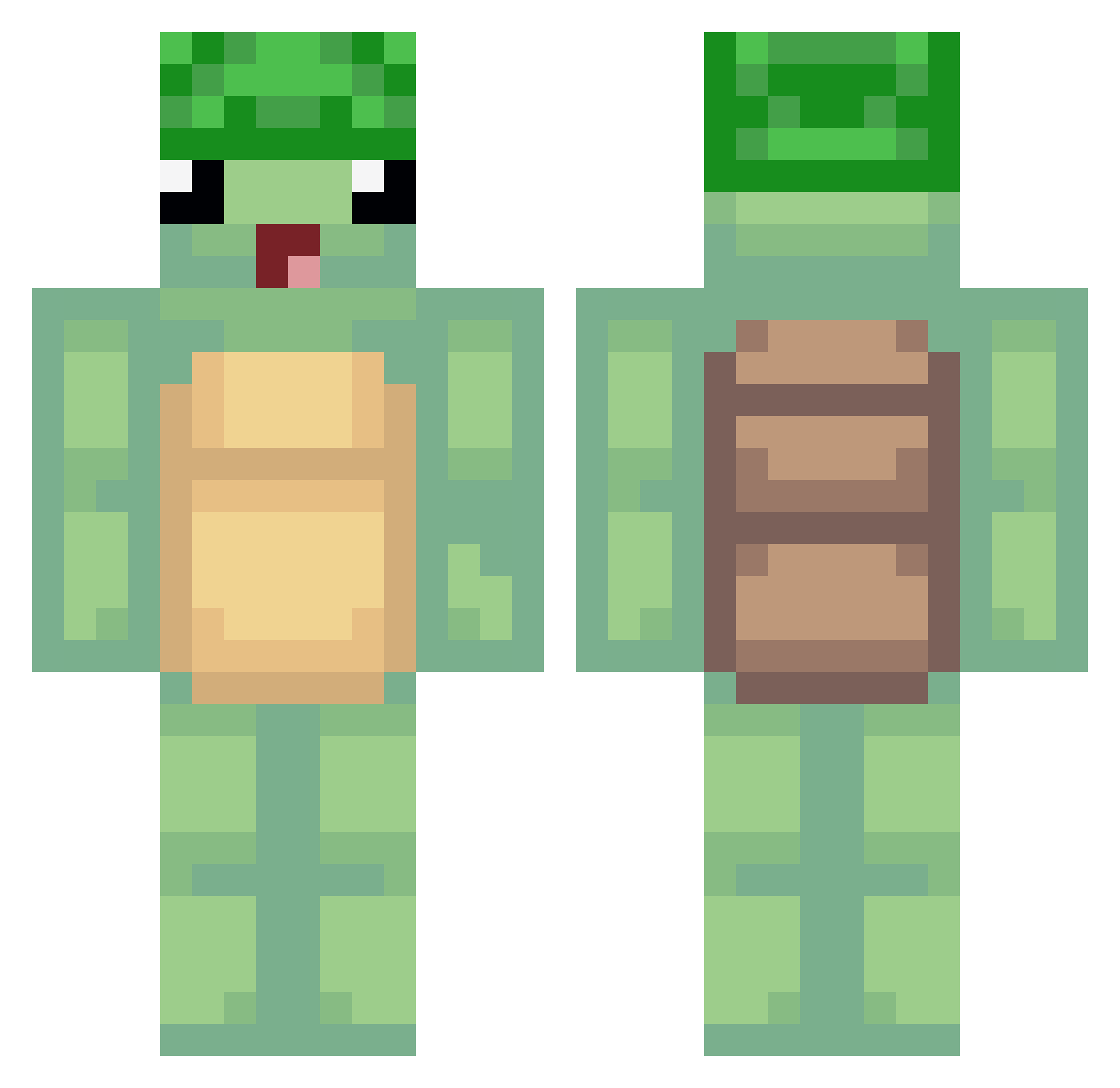
Current Minecraft skin of the player HEMOPHILIAC_, loaded from the official Mojang API. Rotate the 3D model with your mouse or finger, then download the skin as a PNG file and use it in Minecraft: Bedrock Edition or Java Edition for free. When HEMOPHILIAC_ changes their skin, this page updates automatically and the old skin stays in the history below.
Other players with this skin (491)
HEMOPHILIAC_ was the 308th player we have seen with this skin, first spotted on 02.10.2026. The same skin was seen on these players. Open a nickname to see their current skin and skin history.
 TETE411 Tomdron aninima MattDao madboy248 komo2 teppiro Toffetti medi0607 angelsome Dieguz87mg oTikTok VROUUUMVROUUUM HamerX6 lucasvlc Poppaq Mintbar ghooo Henddo Bueno__ ItsMisTify17 MAYOxmz SeGaZa Yakatabo magicsirus tortuekoala scord__ iMeelk giqm1234 Grandkidsherman PewPew87 baum787 kingdomty Blockbar soylechugaaa koiwashere MWM_Phoenix AnimeshnickNick TurtleBoy86 Teledubby tmdduqdl SOYYX KANGWOOSEOK SONSH Sly_Tortoise RoltOn777 starbug1015 YoonBJIN Mannola20 ILostMyTurtel currysosu04 heatheroni Ptazzek_ xTirun buzzyg poopyvitoria CLAPSIAK Giiorgia _sonopa L3Cache
More Turtle Minecraft skins
How to install the HEMOPHILIAC_ skin
- Press the Download button above to save the skin as a PNG file.
- Minecraft: Bedrock Edition (PE): open the Dressing Room from the main menu (or tap your character → Edit Character), go to Classic Skins → Owned, press the + (new skin) button, choose the downloaded PNG and pick the Classic (Steve) model. Works on PC and mobile; consoles cannot import custom skins.
- Minecraft: Java Edition: open the Minecraft Launcher, go to the Skins tab, click New Skin, load the PNG, pick the Classic (Steve) model and press Save & Use. You can also upload it at minecraft.net → Profile → Change Skin.
The skin does not show up after import - what should I do?
Restart Minecraft and open the Dressing Room again - imported skins sometimes appear only after a restart. Also make sure you selected the imported skin and picked the Classic (Steve) model.
Which model should I choose, Classic or Slim?
This skin is designed for the Classic (Steve) model. If you pick the wrong model, the arms of the skin will look stretched or squeezed.
Is the skin of HEMOPHILIAC_ free to download?
Yes. Press Download, save the PNG file and use it in Minecraft: Bedrock Edition or Java Edition - no payment or registration needed. The skin also works on multiplayer servers and Realms.
More skins
Looking for more? Go back to all Minecraft skins and check the top skins of the week, month and all time, or find any player's skin by nickname.