
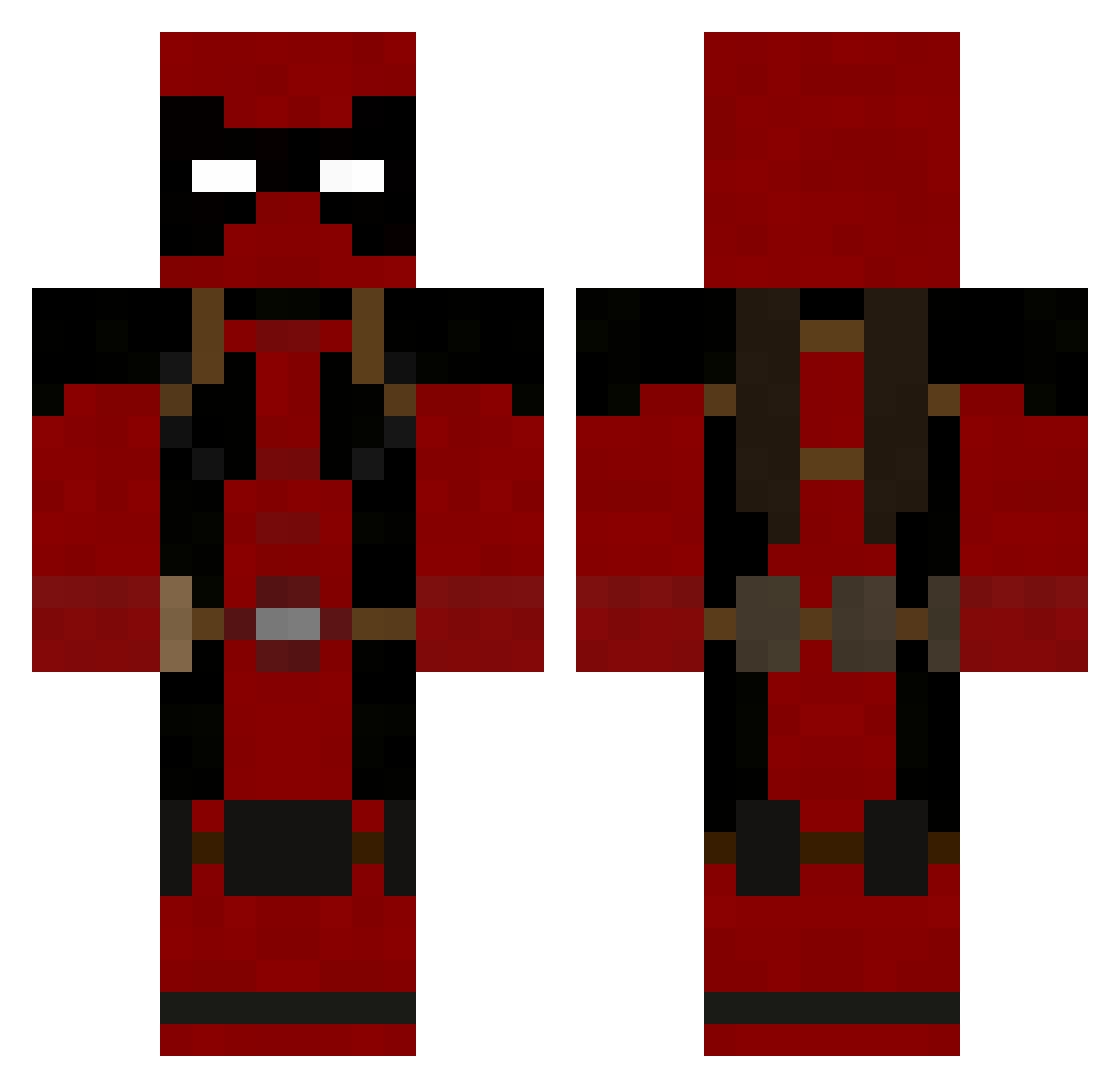
Current Minecraft skin of the player HDsk, loaded from the official Mojang API. Rotate the 3D model with your mouse or finger, then download the skin as a PNG file and use it in Minecraft: Bedrock Edition or Java Edition for free. When HDsk changes their skin, this page updates automatically and the old skin stays in the history below.
Other players with this skin (692)
HDsk was the 113th player we have seen with this skin, first spotted on 08.08.2026. The same skin was seen on these players. Open a nickname to see their current skin and skin history.
 corewhore Alien_PVP01 TheBuddhistFist cartwurst Homeslice_Lemon unproductive CapChoco ayamesama0417 thunderbruhh mandofreaky AvenSlays timmah66 0p3r4t1oN famasccjordan Helianthus_1316 Uncodable cmase20 Mr_Pouki EarthlyNooby sebachas15 Brownman18 olly1965 Catlah Shabango KG64 asdfwwer KUB15A chillin247 Shadow_Stalker12 XxChunkyMonkey thalia101 LukaCG xlmhx Tetriss13 SargePoopa bigglebog pino60 HoplaBOOM T9Deathcrow RogerRabit Envahisseur BallsOFury King_Conor123 cskerbo Covahn GriffinKnight100 Kyrchi Jackmario06 Rayne511 Sgtroach26 shadowraider2010 thatmuppet zemounette Deatpool RockyP91 Moodyman90 Telumex KANE38 Sobac McAwesomeshit
More Deadpool Minecraft skins
How to install the HDsk skin
- Press the Download button above to save the skin as a PNG file.
- Minecraft: Bedrock Edition (PE): open the Dressing Room from the main menu (or tap your character → Edit Character), go to Classic Skins → Owned, press the + (new skin) button, choose the downloaded PNG and pick the Classic (Steve) model. Works on PC and mobile; consoles cannot import custom skins.
- Minecraft: Java Edition: open the Minecraft Launcher, go to the Skins tab, click New Skin, load the PNG, pick the Classic (Steve) model and press Save & Use. You can also upload it at minecraft.net → Profile → Change Skin.
The skin does not show up after import - what should I do?
Restart Minecraft and open the Dressing Room again - imported skins sometimes appear only after a restart. Also make sure you selected the imported skin and picked the Classic (Steve) model.
Which model should I choose, Classic or Slim?
This skin is designed for the Classic (Steve) model. If you pick the wrong model, the arms of the skin will look stretched or squeezed.
Is the skin of HDsk free to download?
Yes. Press Download, save the PNG file and use it in Minecraft: Bedrock Edition or Java Edition - no payment or registration needed. The skin also works on multiplayer servers and Realms.
More skins
Looking for more? Go back to all Minecraft skins and check the top skins of the week, month and all time, or find any player's skin by nickname.