
HARUTO_006 - Minecraft Skins & Skin History
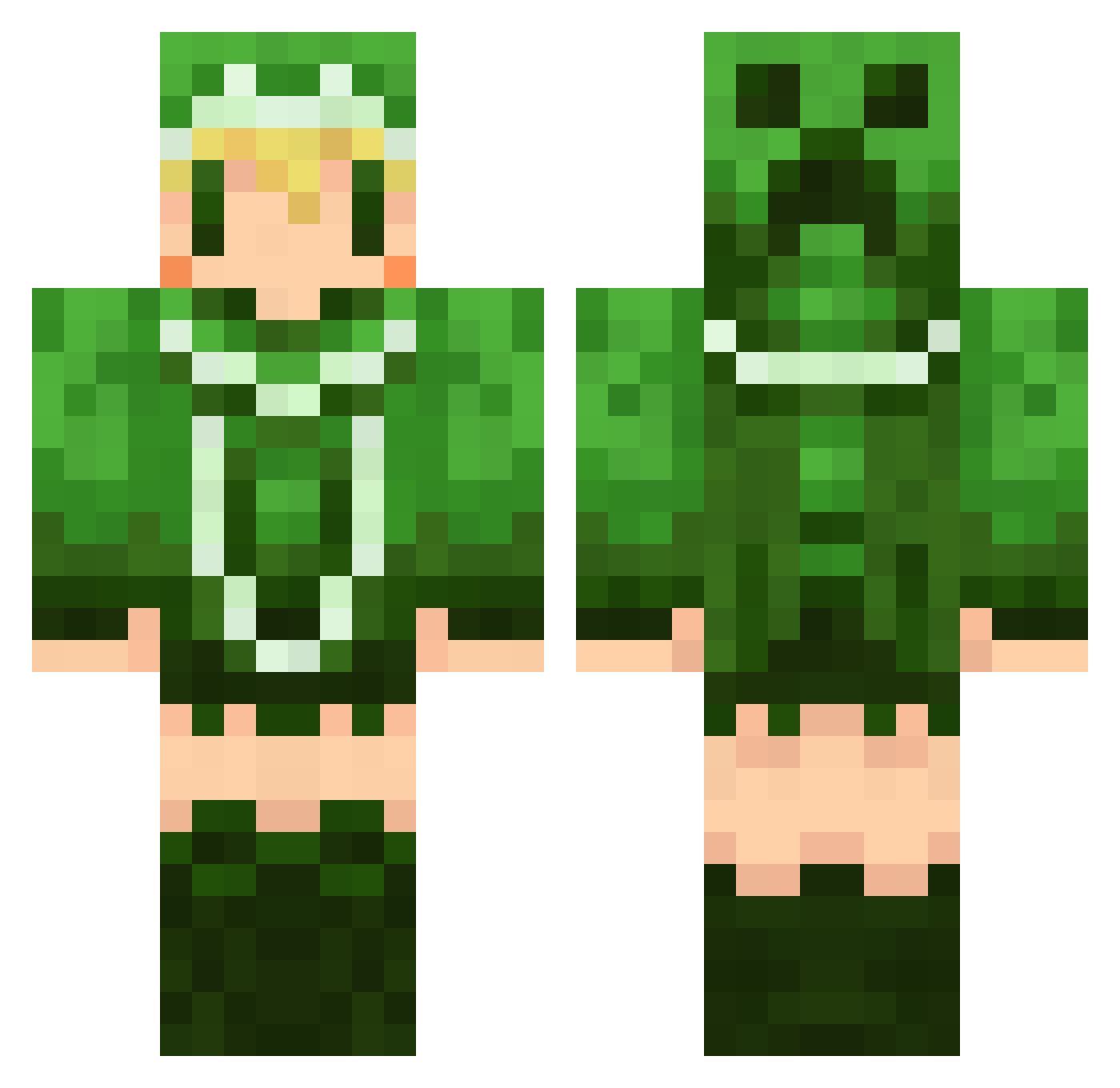
Current Minecraft skin of the player HARUTO_006, loaded from the official Mojang API. Rotate the 3D model with your mouse or finger, then download the skin as a PNG file and use it in Minecraft: Bedrock Edition or Java Edition for free. When HARUTO_006 changes their skin, this page updates automatically and the old skin stays in the history below.
Other players with this skin (499)
HARUTO_006 was the 292nd player we have seen with this skin, first spotted on 18.09.2026. The same skin was seen on these players. Open a nickname to see their current skin and skin history.
 porno74 rnqq3 CirrusYM 00DREAM00 verdigrisgreen solt_51 kaguyan_niconama kanro22 matsu922 39ryo taka4756 rantan1221 02Rak niconicoC kei7179 arc_cherry MAX_V5 YunaCat12 toushuu yurara823 Olfere hikaneco Ta_E_chan negamander bio61 Ruifi reno9029 nagorinn atkm beatsv dadadadaaan C_SPIRIT anisakis724 neeeeeo SatoTeto fa_cham ekokon micl165 xHIR0x kerosa777 momojipon baron2525 MASASHI2121 meron1122 Sheryl7 amusakup nijiiro_hanabi kogerouBT saka429 kingdom331 Mikan_457 turumine ricky1616 NAOJI merimeri1224 kuro96neko96 noaoxo MeRrors KTR0777 mimigaru
More Creeper Minecraft skins
How to install the HARUTO_006 skin
- Press the Download button above to save the skin as a PNG file.
- Minecraft: Bedrock Edition (PE): open the Dressing Room from the main menu (or tap your character → Edit Character), go to Classic Skins → Owned, press the + (new skin) button, choose the downloaded PNG and pick the Classic (Steve) model. Works on PC and mobile; consoles cannot import custom skins.
- Minecraft: Java Edition: open the Minecraft Launcher, go to the Skins tab, click New Skin, load the PNG, pick the Classic (Steve) model and press Save & Use. You can also upload it at minecraft.net → Profile → Change Skin.
The skin does not show up after import - what should I do?
Restart Minecraft and open the Dressing Room again - imported skins sometimes appear only after a restart. Also make sure you selected the imported skin and picked the Classic (Steve) model.
Which model should I choose, Classic or Slim?
This skin is designed for the Classic (Steve) model. If you pick the wrong model, the arms of the skin will look stretched or squeezed.
Is the skin of HARUTO_006 free to download?
Yes. Press Download, save the PNG file and use it in Minecraft: Bedrock Edition or Java Edition - no payment or registration needed. The skin also works on multiplayer servers and Realms.
More skins
Looking for more? Go back to all Minecraft skins and check the top skins of the week, month and all time, or find any player's skin by nickname.