
Guy_From_Toronto - Minecraft Skins & Skin History
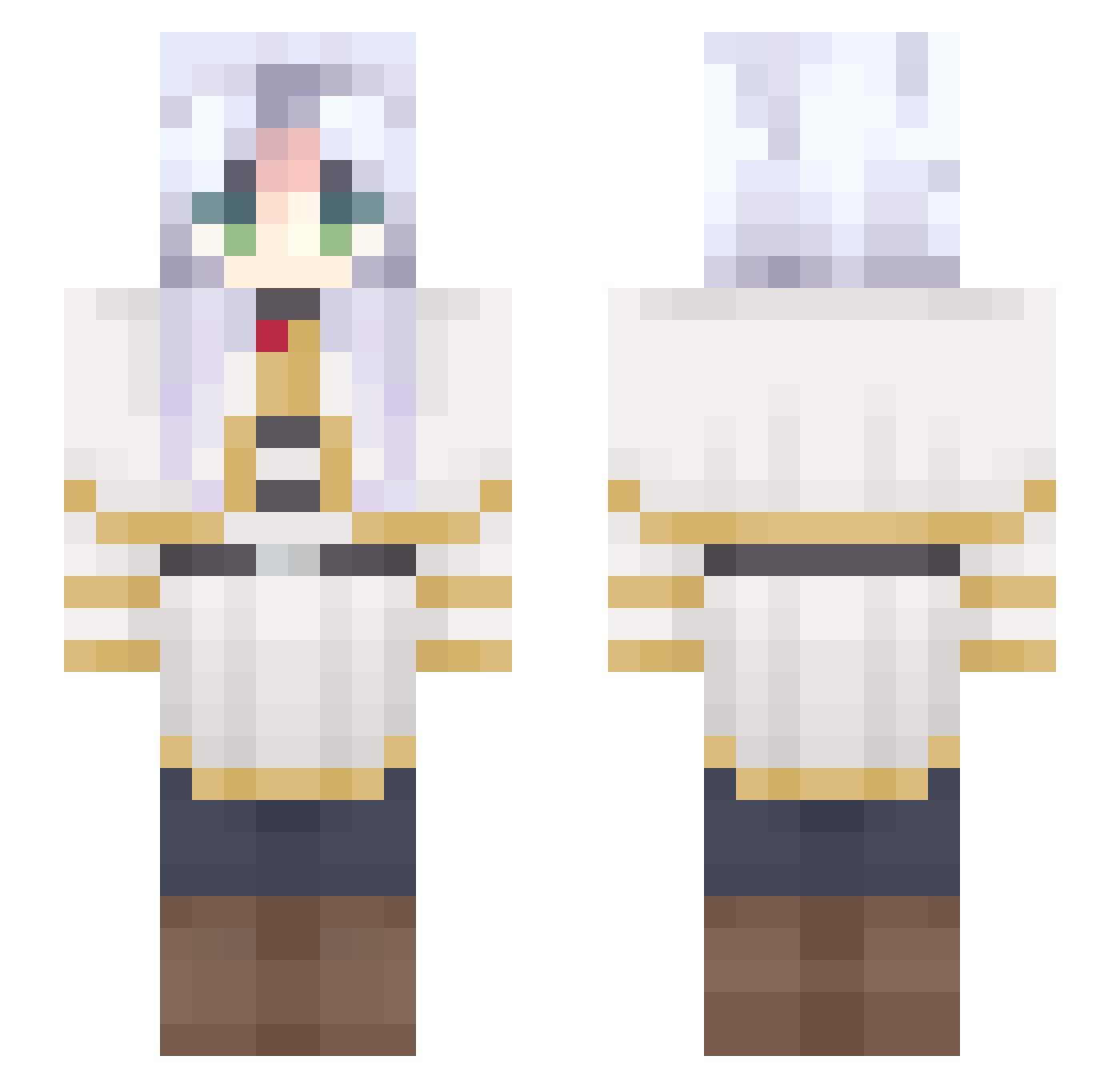
Current Minecraft skin of the player Guy_From_Toronto, loaded from the official Mojang API. Rotate the 3D model with your mouse or finger, then download the skin as a PNG file and use it in Minecraft: Bedrock Edition or Java Edition for free. When Guy_From_Toronto changes their skin, this page updates automatically and the old skin stays in the history below.
Other players with this skin (691)
Guy_From_Toronto was the 403rd player we have seen with this skin, first spotted on 01.10.2026. The same skin was seen on these players. Open a nickname to see their current skin and skin history.
 Me300 Mad_Is_Chris Valeria133 Ebah2668 Sooren4 SmilkyPilky tlipp31 layerxd veeeferd Ril233 utu0_0kl hnd1 NicolasGurrich RAW797 Yuan0131 matyqlo chuwi__ hejiulan Oasking helidoni21 Empereur_Pengu eddy26269220 Cenourazul nam_hogu YummyInMyTummy yup_999 Shry00747 ying_ie Ld14982 haox100224 5bu Nicky_Dicky20101 MarbinV8 Danchik3 Myszu15 Felipao_do_Forro Bocchi_The_Goat Fr1eren_ moonlight8181 thatdude5252 Anesqua ugi_62 Vasshira Monoha Arqne lemmon12 OrionMinchl Basilisk_KA Dissociation Jellyyfish_ JENSLAYY TacoDeBirria KimAir Maxmilman Viriannn HamAndEggs yocizawa juahra Deserty9 DAN1LEW
More Frieren Beyond Journeys End Minecraft skins
See all 132 Frieren Beyond Journeys End skins
How to install the Guy_From_Toronto skin
- Press the Download button above to save the skin as a PNG file.
- Minecraft: Bedrock Edition (PE): open the Dressing Room from the main menu (or tap your character → Edit Character), go to Classic Skins → Owned, press the + (new skin) button, choose the downloaded PNG and pick the Slim (Alex) model. Works on PC and mobile; consoles cannot import custom skins.
- Minecraft: Java Edition: open the Minecraft Launcher, go to the Skins tab, click New Skin, load the PNG, pick the Slim (Alex) model and press Save & Use. You can also upload it at minecraft.net → Profile → Change Skin.
The skin does not show up after import - what should I do?
Restart Minecraft and open the Dressing Room again - imported skins sometimes appear only after a restart. Also make sure you selected the imported skin and picked the Slim (Alex) model.
Which model should I choose, Classic or Slim?
This skin is designed for the Slim (Alex) model. If you pick the wrong model, the arms of the skin will look stretched or squeezed.
Is the skin of Guy_From_Toronto free to download?
Yes. Press Download, save the PNG file and use it in Minecraft: Bedrock Edition or Java Edition - no payment or registration needed. The skin also works on multiplayer servers and Realms.
More skins
Looking for more? Go back to all Minecraft skins and check the top skins of the week, month and all time, or find any player's skin by nickname.