
Guggek - Minecraft Skins & Skin History
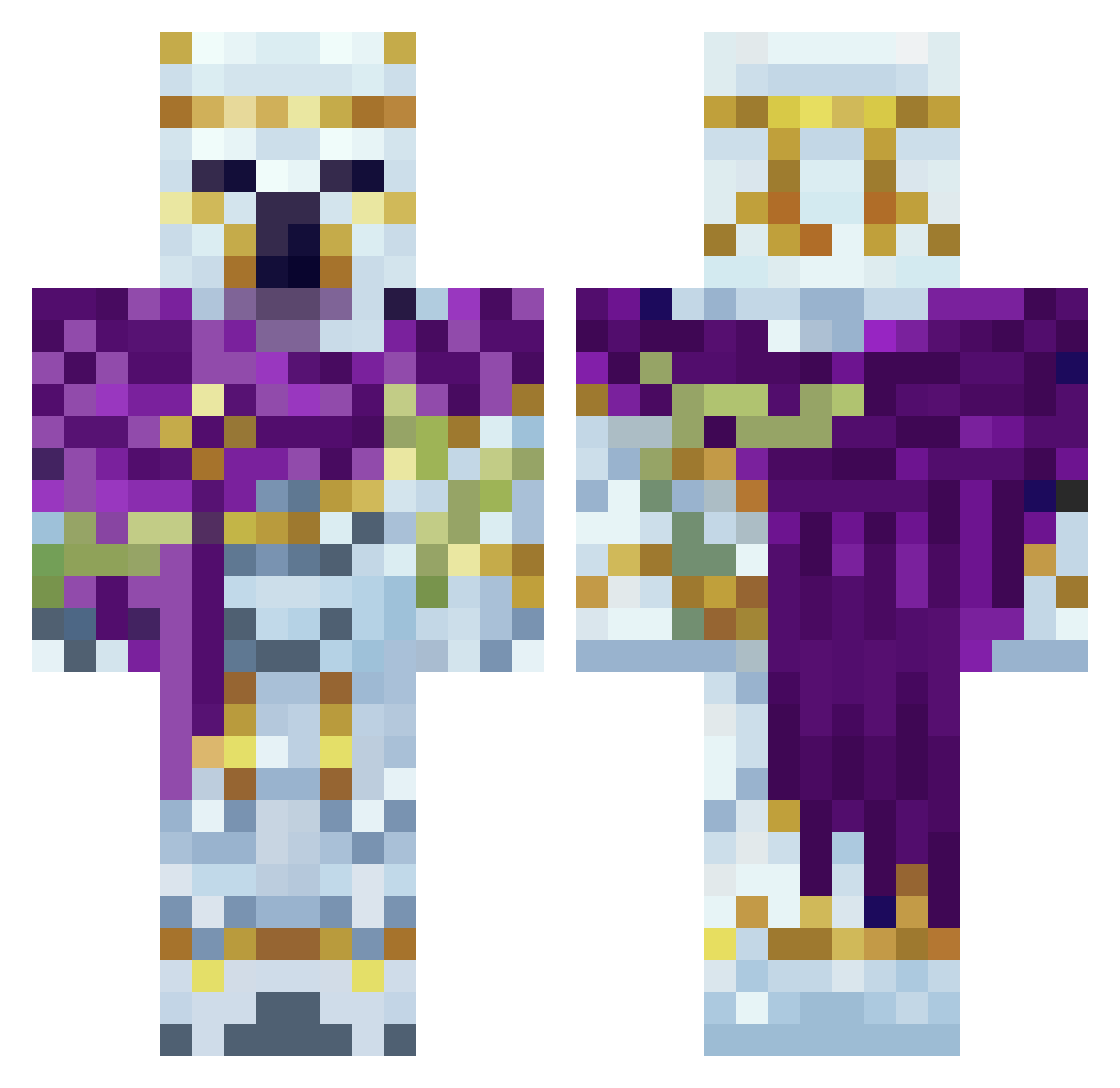
Current Minecraft skin of the player Guggek, loaded from the official Mojang API. Rotate the 3D model with your mouse or finger, then download the skin as a PNG file and use it in Minecraft: Bedrock Edition or Java Edition for free. When Guggek changes their skin, this page updates automatically and the old skin stays in the history below.
Other players with this skin (61)
Guggek was the 15th player we have seen with this skin, first spotted on 23.08.2026. The same skin was seen on these players. Open a nickname to see their current skin and skin history.
 CanttGamer Skunk__bunny CalebDaVillage Schurik1705 Voffoyra6 GamingCool2421 MCPro2013 Uncle_Tabs Alex_robux HOREsssUWU Beskarr666 SpiderHunder FrapzMc RockBeast0952 tenwoe1 TheEgoist11 Starmanes Throngonium akhelus Monsterwut007 LeLe_12 itz_Mateo1 Deeklan Snowman_Denny maxiscrazy561 Matluk1 Umbryx_ Ondra35 raijin7589 driftedsmile schembri15 TheKingOG _Az0x_ Walisthefish Lil_Thickems Arimon510
 ratamahata72 Wicher777 SOOMAAA Affepuffen nikojan Updating_gamer Astolfo1945 D0cC_D0c Banana_keks vule_20 SuperTauriel RulyCrayfish88 KennethRG Mooney123 justcallmeclap zzzziii Ysyn deezeater Ch4ot1 SlymeZ Hakuryuu200 OweeZ7 Phonokles gonnabeaGOD
More Polar Bear Minecraft skins
How to install the Guggek skin
- Press the Download button above to save the skin as a PNG file.
- Minecraft: Bedrock Edition (PE): open the Dressing Room from the main menu (or tap your character → Edit Character), go to Classic Skins → Owned, press the + (new skin) button, choose the downloaded PNG and pick the Classic (Steve) model. Works on PC and mobile; consoles cannot import custom skins.
- Minecraft: Java Edition: open the Minecraft Launcher, go to the Skins tab, click New Skin, load the PNG, pick the Classic (Steve) model and press Save & Use. You can also upload it at minecraft.net → Profile → Change Skin.
The skin does not show up after import - what should I do?
Restart Minecraft and open the Dressing Room again - imported skins sometimes appear only after a restart. Also make sure you selected the imported skin and picked the Classic (Steve) model.
Which model should I choose, Classic or Slim?
This skin is designed for the Classic (Steve) model. If you pick the wrong model, the arms of the skin will look stretched or squeezed.
Is the skin of Guggek free to download?
Yes. Press Download, save the PNG file and use it in Minecraft: Bedrock Edition or Java Edition - no payment or registration needed. The skin also works on multiplayer servers and Realms.
More skins
Looking for more? Go back to all Minecraft skins and check the top skins of the week, month and all time, or find any player's skin by nickname.