
Gu317 - Minecraft Skins & Skin History
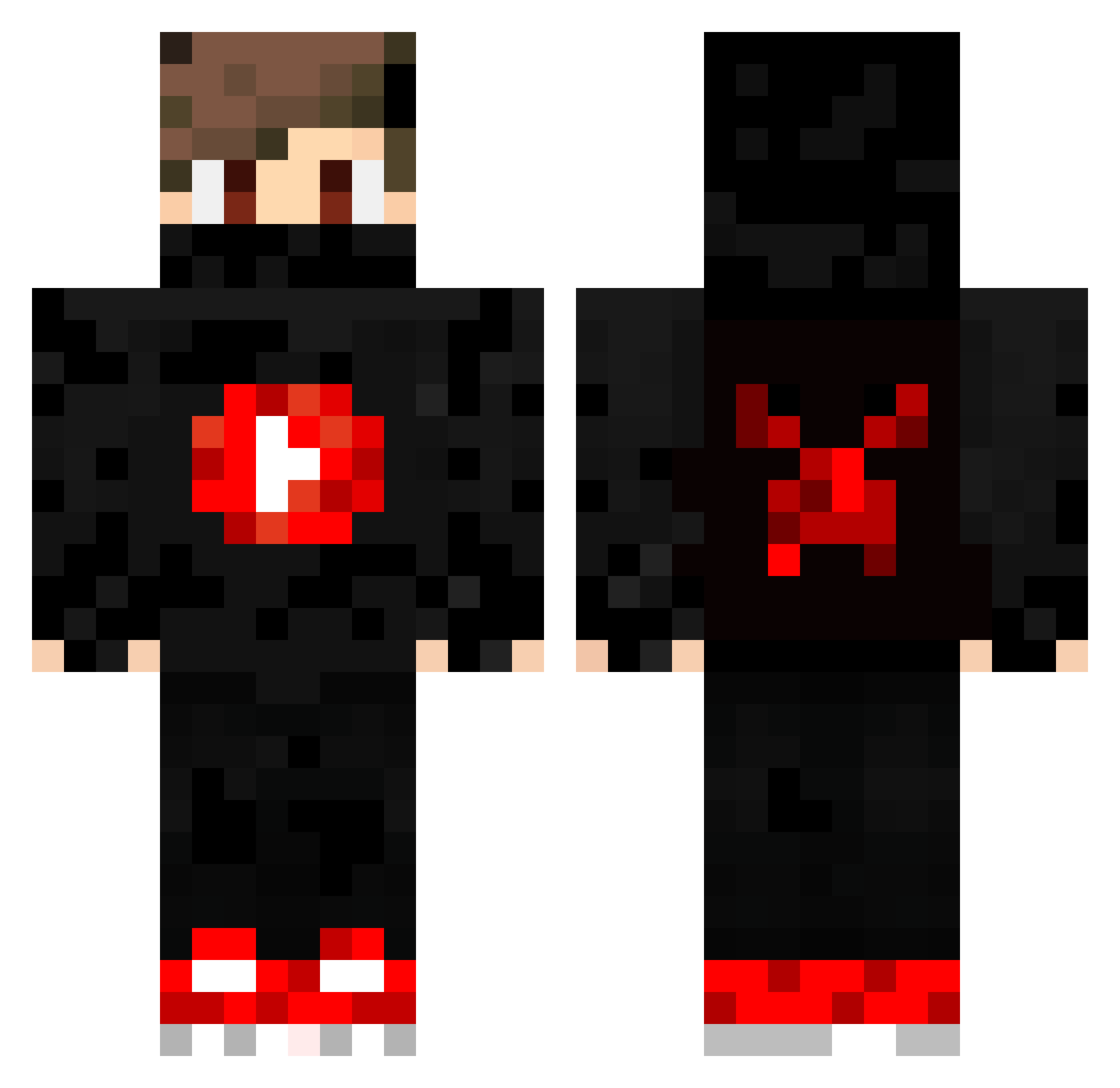
Current Minecraft skin of the player Gu317, loaded from the official Mojang API. Rotate the 3D model with your mouse or finger, then download the skin as a PNG file and use it in Minecraft: Bedrock Edition or Java Edition for free. When Gu317 changes their skin, this page updates automatically and the old skin stays in the history below.
Other players with this skin (381)
Gu317 was the 328th player we have seen with this skin, first spotted on 21.10.2026. The same skin was seen on these players. Open a nickname to see their current skin and skin history.
 Burkot_XD chaffylocO Dwolking JsAMeee_ cretucatalin15 ReadyLi WolfyEuropa ElBaDry Mayeur1976 Julian_Gao Sir_Minato Kobsta hexicblade65 gagster_turkey NeffeX3890 kauanlsbarreto UltraLeon123 AlePls_ Tucanero Gabriel5727 Spitzbauch zFantasy7 PROTAIN114514 NIKITASGR10 TrixStixYT Mod_Leon BeeWall RachenFors DanielCYK KumoriNL UmutFlame lost_boy45 NotLukasBoy Kekfreund NINJUPLAYS Julian2222222 Molt_YouTube Nesse__II MarcoL1306 DARKIS31 Viexu_ ChaosM55 jackk2_ VongLinhDauKho anthonysarro sama_sour Felix_Kick Delrihur xTheDarkShadow majd_game_over CalinProGaming VIKINGGAMERDK LEM_mufn lollostunt ToEasy310 militorvg HoRiZoN_Trappore TriTran Xcen67 Spindeel
More Mask Minecraft skins
How to install the Gu317 skin
- Press the Download button above to save the skin as a PNG file.
- Minecraft: Bedrock Edition (PE): open the Dressing Room from the main menu (or tap your character → Edit Character), go to Classic Skins → Owned, press the + (new skin) button, choose the downloaded PNG and pick the Classic (Steve) model. Works on PC and mobile; consoles cannot import custom skins.
- Minecraft: Java Edition: open the Minecraft Launcher, go to the Skins tab, click New Skin, load the PNG, pick the Classic (Steve) model and press Save & Use. You can also upload it at minecraft.net → Profile → Change Skin.
The skin does not show up after import - what should I do?
Restart Minecraft and open the Dressing Room again - imported skins sometimes appear only after a restart. Also make sure you selected the imported skin and picked the Classic (Steve) model.
Which model should I choose, Classic or Slim?
This skin is designed for the Classic (Steve) model. If you pick the wrong model, the arms of the skin will look stretched or squeezed.
Is the skin of Gu317 free to download?
Yes. Press Download, save the PNG file and use it in Minecraft: Bedrock Edition or Java Edition - no payment or registration needed. The skin also works on multiplayer servers and Realms.
More skins
Looking for more? Go back to all Minecraft skins and check the top skins of the week, month and all time, or find any player's skin by nickname.