
Griffiun - Minecraft Skins & Skin History
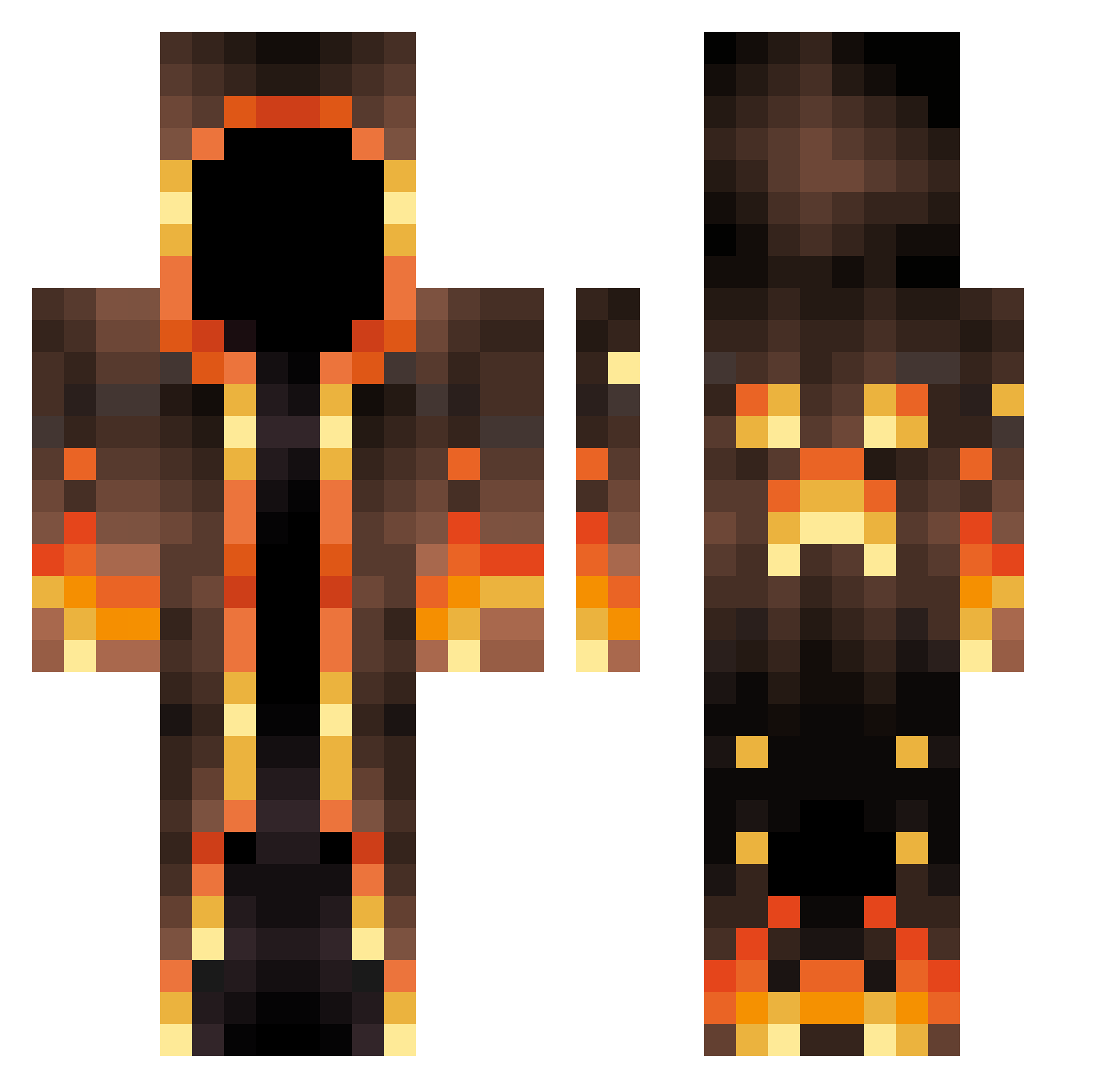
Current Minecraft skin of the player Griffiun, loaded from the official Mojang API. Rotate the 3D model with your mouse or finger, then download the skin as a PNG file and use it in Minecraft: Bedrock Edition or Java Edition for free. When Griffiun changes their skin, this page updates automatically and the old skin stays in the history below.
Other players with this skin (547)
Griffiun was the 213th player we have seen with this skin, first spotted on 30.08.2026. The same skin was seen on these players. Open a nickname to see their current skin and skin history.
 darklightOuO EDWARDBEAST86 AgonyEcstasy AkhekhWasTaken Moonfire23 Ashfield826 ewalwi31 SaMiLuR SoTipsyyy Yourmom97 facebook123 RFXKAR Flamingpig4667 Cr4zyf1ght3r DesiList753 Marcinso Dave_014 RooTx_ LoukinoGarcia31 Shockwavez_ Wizard02 Cemloz american_vorona racerap1 gildedgolem MomoFlash433 dragon1panic Finn3M Winstrolmf coldion Ibilix Psychondor DonnyMarbles maguloooooooo tlo_msmc_9n5 Davidr004CZ JoshI3oy Donatas114 keith_d34 olivergame11 PenguinNo0dles Thulphant Andre_20091 blockbuster_rj RandyMelodyy ItsAFreakinDeer KelpyJesus robotmarshmellow SlenderStone Oc_AK_Tw ItsaBeaver Ahmad398 SlayerBoah01 DR34MER_ El_Arabe DarkPinPin ShrillDesert438 Gizmonchi __przypadek__ LeoPool
More Magma Minecraft skins
How to install the Griffiun skin
- Press the Download button above to save the skin as a PNG file.
- Minecraft: Bedrock Edition (PE): open the Dressing Room from the main menu (or tap your character → Edit Character), go to Classic Skins → Owned, press the + (new skin) button, choose the downloaded PNG and pick the Classic (Steve) model. Works on PC and mobile; consoles cannot import custom skins.
- Minecraft: Java Edition: open the Minecraft Launcher, go to the Skins tab, click New Skin, load the PNG, pick the Classic (Steve) model and press Save & Use. You can also upload it at minecraft.net → Profile → Change Skin.
The skin does not show up after import - what should I do?
Restart Minecraft and open the Dressing Room again - imported skins sometimes appear only after a restart. Also make sure you selected the imported skin and picked the Classic (Steve) model.
Which model should I choose, Classic or Slim?
This skin is designed for the Classic (Steve) model. If you pick the wrong model, the arms of the skin will look stretched or squeezed.
Is the skin of Griffiun free to download?
Yes. Press Download, save the PNG file and use it in Minecraft: Bedrock Edition or Java Edition - no payment or registration needed. The skin also works on multiplayer servers and Realms.
More skins
Looking for more? Go back to all Minecraft skins and check the top skins of the week, month and all time, or find any player's skin by nickname.