
Gregmogus - Minecraft Skins & Skin History
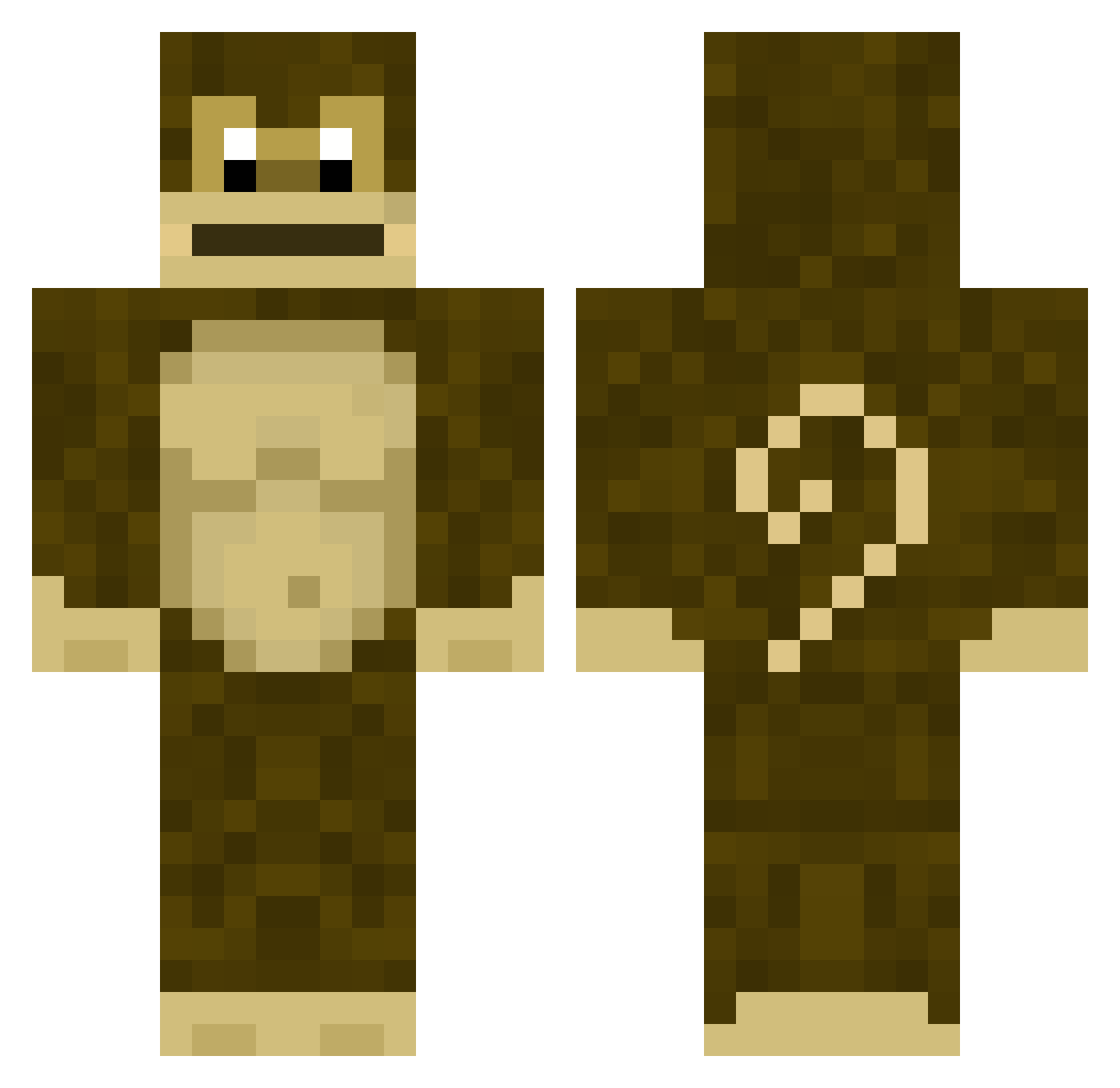
Current Minecraft skin of the player Gregmogus, loaded from the official Mojang API. Rotate the 3D model with your mouse or finger, then download the skin as a PNG file and use it in Minecraft: Bedrock Edition or Java Edition for free. When Gregmogus changes their skin, this page updates automatically and the old skin stays in the history below.
Other players with this skin (280)
Gregmogus was the 161st player we have seen with this skin, first spotted on 22.09.2026. The same skin was seen on these players. Open a nickname to see their current skin and skin history.
 SgtPointless Vapory250 ZiwiX_91 Hz69 NIKITTT ir0ncross ZestyRitz PUDod HIPKISSER Thurzos Infinitykid5453 Lempi_ zzxz REAL_EDP445 NetaCatt Claudo666 LCKKKKKK andrebertelli GranadoDoPivas ManiacDoberMan Don_chocro Monnkky Zestylemon522 CosmicHydra907 Mal_YOwreu SaltyplayshereXD Kler32 rensiepensie2004 WannYenn Olam84 Pitoco78795 FerNaNdes675 ElliottPlayzGame Saltyplayshere FancyMonkeyVR TWB786 ChickenBabyHD TremPMM DarcyOnFire sch_loonge efeoztepe mbappti111 abdelass thomsenMikkel pedrogaymer MacacoVeio1 DontHaveaUsernae Ebicx MonkeyMan1401 PolskiOmlet imwillom FatFard driptendo122 YB89 AlmondFox Puder1z ReiLhama14 BobderBaumaster Frezee04 LilPeels
More Donkey Kong Minecraft skins
How to install the Gregmogus skin
- Press the Download button above to save the skin as a PNG file.
- Minecraft: Bedrock Edition (PE): open the Dressing Room from the main menu (or tap your character → Edit Character), go to Classic Skins → Owned, press the + (new skin) button, choose the downloaded PNG and pick the Classic (Steve) model. Works on PC and mobile; consoles cannot import custom skins.
- Minecraft: Java Edition: open the Minecraft Launcher, go to the Skins tab, click New Skin, load the PNG, pick the Classic (Steve) model and press Save & Use. You can also upload it at minecraft.net → Profile → Change Skin.
The skin does not show up after import - what should I do?
Restart Minecraft and open the Dressing Room again - imported skins sometimes appear only after a restart. Also make sure you selected the imported skin and picked the Classic (Steve) model.
Which model should I choose, Classic or Slim?
This skin is designed for the Classic (Steve) model. If you pick the wrong model, the arms of the skin will look stretched or squeezed.
Is the skin of Gregmogus free to download?
Yes. Press Download, save the PNG file and use it in Minecraft: Bedrock Edition or Java Edition - no payment or registration needed. The skin also works on multiplayer servers and Realms.
More skins
Looking for more? Go back to all Minecraft skins and check the top skins of the week, month and all time, or find any player's skin by nickname.