
Grease_Guy - Minecraft Skins & Skin History
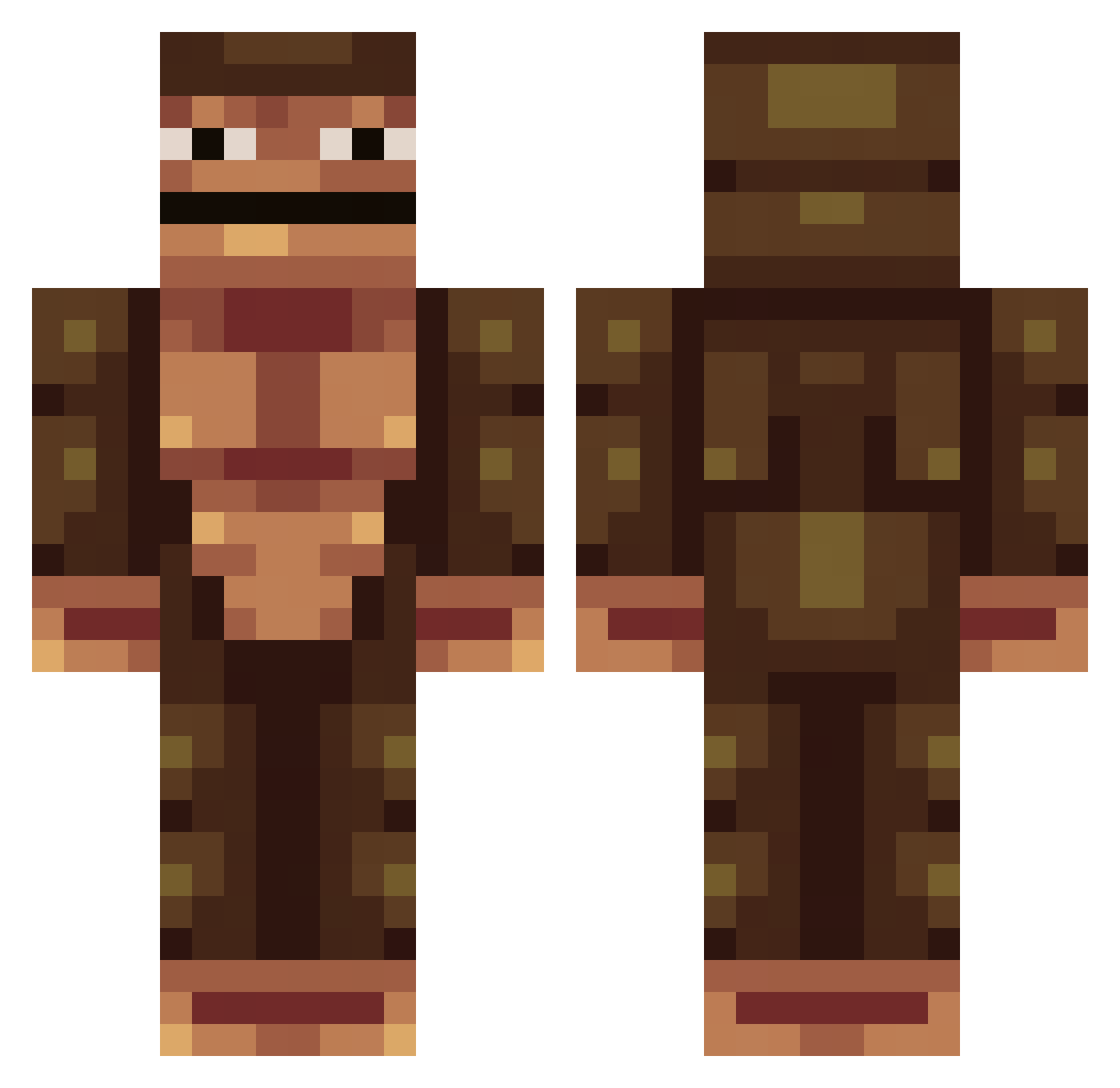
Current Minecraft skin of the player Grease_Guy, loaded from the official Mojang API. Rotate the 3D model with your mouse or finger, then download the skin as a PNG file and use it in Minecraft: Bedrock Edition or Java Edition for free. When Grease_Guy changes their skin, this page updates automatically and the old skin stays in the history below.
Other players with this skin (389)
Grease_Guy was the 22nd player we have seen with this skin, first spotted on 30.07.2026. The same skin was seen on these players. Open a nickname to see their current skin and skin history.
 Smurfpapi roy95 Wuxixi famjuul Makako01 pmsports205 TheusmaV danirdy4tuah Ciapata Thundermaster07 ladygaguiinha Splukter ohimsonoob mtz0001 Fulgoh InsaneNoodles212 Dephlowo Daddy4You Solows_ lutricid dunmaglass Drayfuss TheFanishka Impacto420 Macetero onJahston LeeeRayRay MiamPoulet yungweezy Fisky__
 Alexandre070812 zanderen0317 bonusoffer Scaeterth hungraydog rmrmrmrmr ImpKannon FieryPants23032 smallfroggy StinkyMan4 Shaicanfly BiduleChouette06 adamforde05 Profligacy2 Zoupai feidrev ajixdude SuperGutierreZ JPDBA banb0816 Rcl28 wraygun_ jiggis1 Broxino vDeemonZ Babyhorse9102 takeo0315 Xekiell Ruin_Seaz CovidJones
How to install the Grease_Guy skin
- Press the Download button above to save the skin as a PNG file.
- Minecraft: Bedrock Edition (PE): open the Dressing Room from the main menu (or tap your character → Edit Character), go to Classic Skins → Owned, press the + (new skin) button, choose the downloaded PNG and pick the Classic (Steve) model. Works on PC and mobile; consoles cannot import custom skins.
- Minecraft: Java Edition: open the Minecraft Launcher, go to the Skins tab, click New Skin, load the PNG, pick the Classic (Steve) model and press Save & Use. You can also upload it at minecraft.net → Profile → Change Skin.
The skin does not show up after import - what should I do?
Restart Minecraft and open the Dressing Room again - imported skins sometimes appear only after a restart. Also make sure you selected the imported skin and picked the Classic (Steve) model.
Which model should I choose, Classic or Slim?
This skin is designed for the Classic (Steve) model. If you pick the wrong model, the arms of the skin will look stretched or squeezed.
Is the skin of Grease_Guy free to download?
Yes. Press Download, save the PNG file and use it in Minecraft: Bedrock Edition or Java Edition - no payment or registration needed. The skin also works on multiplayer servers and Realms.
More skins
Looking for more? Go back to all Minecraft skins and check the top skins of the week, month and all time, or find any player's skin by nickname.