
Gr0byV2 - Minecraft Skins & Skin History
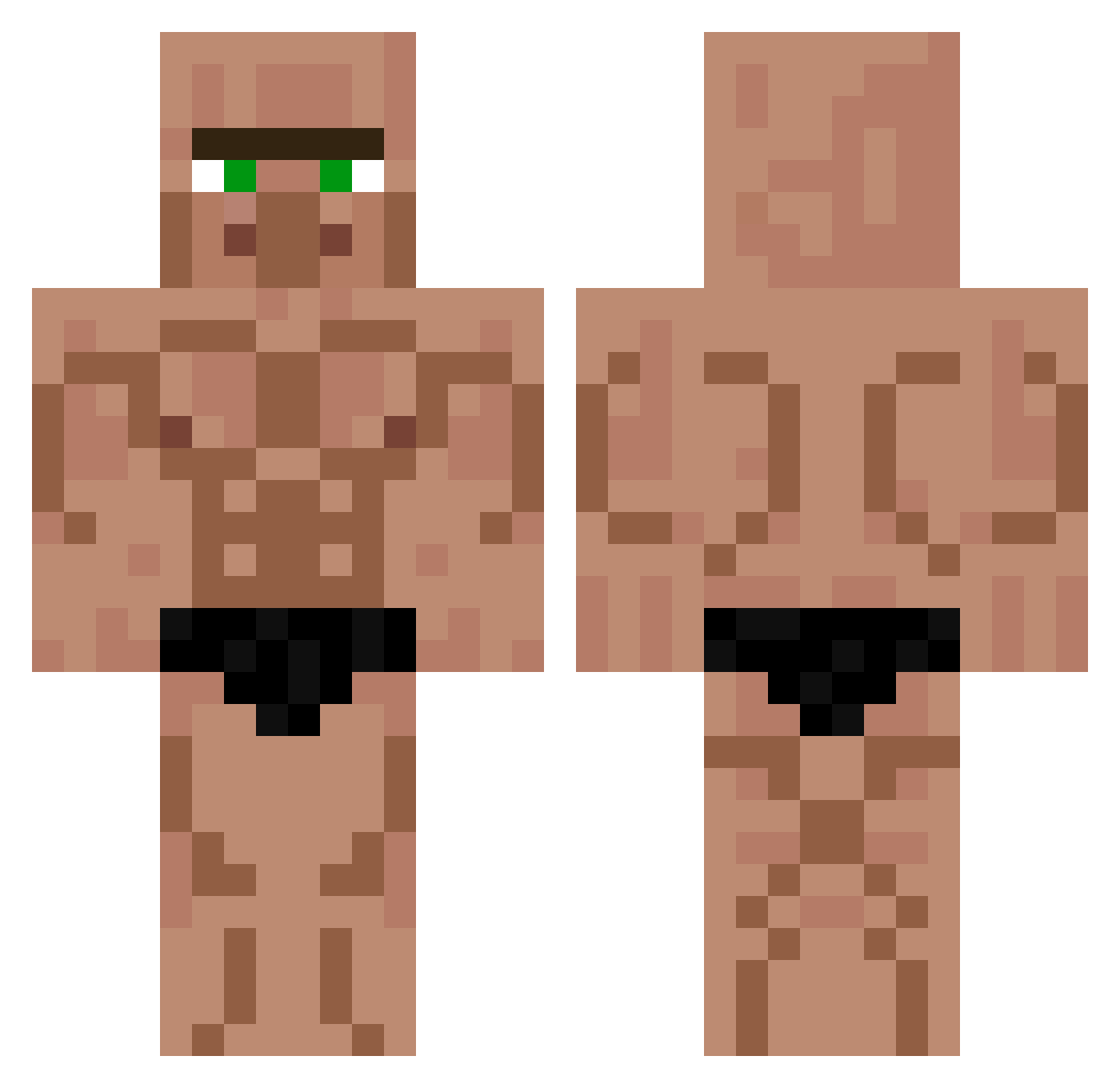
Current Minecraft skin of the player Gr0byV2, loaded from the official Mojang API. Rotate the 3D model with your mouse or finger, then download the skin as a PNG file and use it in Minecraft: Bedrock Edition or Java Edition for free. When Gr0byV2 changes their skin, this page updates automatically and the old skin stays in the history below.
Other players with this skin (735)
Gr0byV2 was the 574th player we have seen with this skin, first spotted on 22.10.2026. The same skin was seen on these players. Open a nickname to see their current skin and skin history.
 mojarat swoogity_swagity RandLand24 MaxCraftNL Sayadon Pototata ImaBox Hiroubrajn Skan1107 Reno0 Curiosidad_ FieserFummler88 Vael66 HelloManButtGuy Garriey Aigs_ S2ciEmo bamischijf1329 _Cannolo_ NoahCraft09 Viggo_M Allodien I_Might_Be_Gay cookiedesu7 b1orki Klausjrwolff FlickFlackYeet Str0nium InversedPie zeTOof Bob098 Levmontana Domexs squeek1mac BoomNoom1258 puroossonome YouDream djoninhio veos_ Poffi_ VITOOOORR Pyrlox42 ZachIsJewish Mango2026 leshiy532 ambarilio Sierox Dynamicsauce69 axel75c _Falcata_ Ipocxy LadnerBaptist Juppe003 Crishtbh Voltxgee _K3V1N Hiyato_ DinDog123 wayriz_ Otto_Is_Simp
More Buff Minecraft skins
How to install the Gr0byV2 skin
- Press the Download button above to save the skin as a PNG file.
- Minecraft: Bedrock Edition (PE): open the Dressing Room from the main menu (or tap your character → Edit Character), go to Classic Skins → Owned, press the + (new skin) button, choose the downloaded PNG and pick the Classic (Steve) model. Works on PC and mobile; consoles cannot import custom skins.
- Minecraft: Java Edition: open the Minecraft Launcher, go to the Skins tab, click New Skin, load the PNG, pick the Classic (Steve) model and press Save & Use. You can also upload it at minecraft.net → Profile → Change Skin.
The skin does not show up after import - what should I do?
Restart Minecraft and open the Dressing Room again - imported skins sometimes appear only after a restart. Also make sure you selected the imported skin and picked the Classic (Steve) model.
Which model should I choose, Classic or Slim?
This skin is designed for the Classic (Steve) model. If you pick the wrong model, the arms of the skin will look stretched or squeezed.
Is the skin of Gr0byV2 free to download?
Yes. Press Download, save the PNG file and use it in Minecraft: Bedrock Edition or Java Edition - no payment or registration needed. The skin also works on multiplayer servers and Realms.
More skins
Looking for more? Go back to all Minecraft skins and check the top skins of the week, month and all time, or find any player's skin by nickname.