
GordoMagico - Minecraft Skins & Skin History
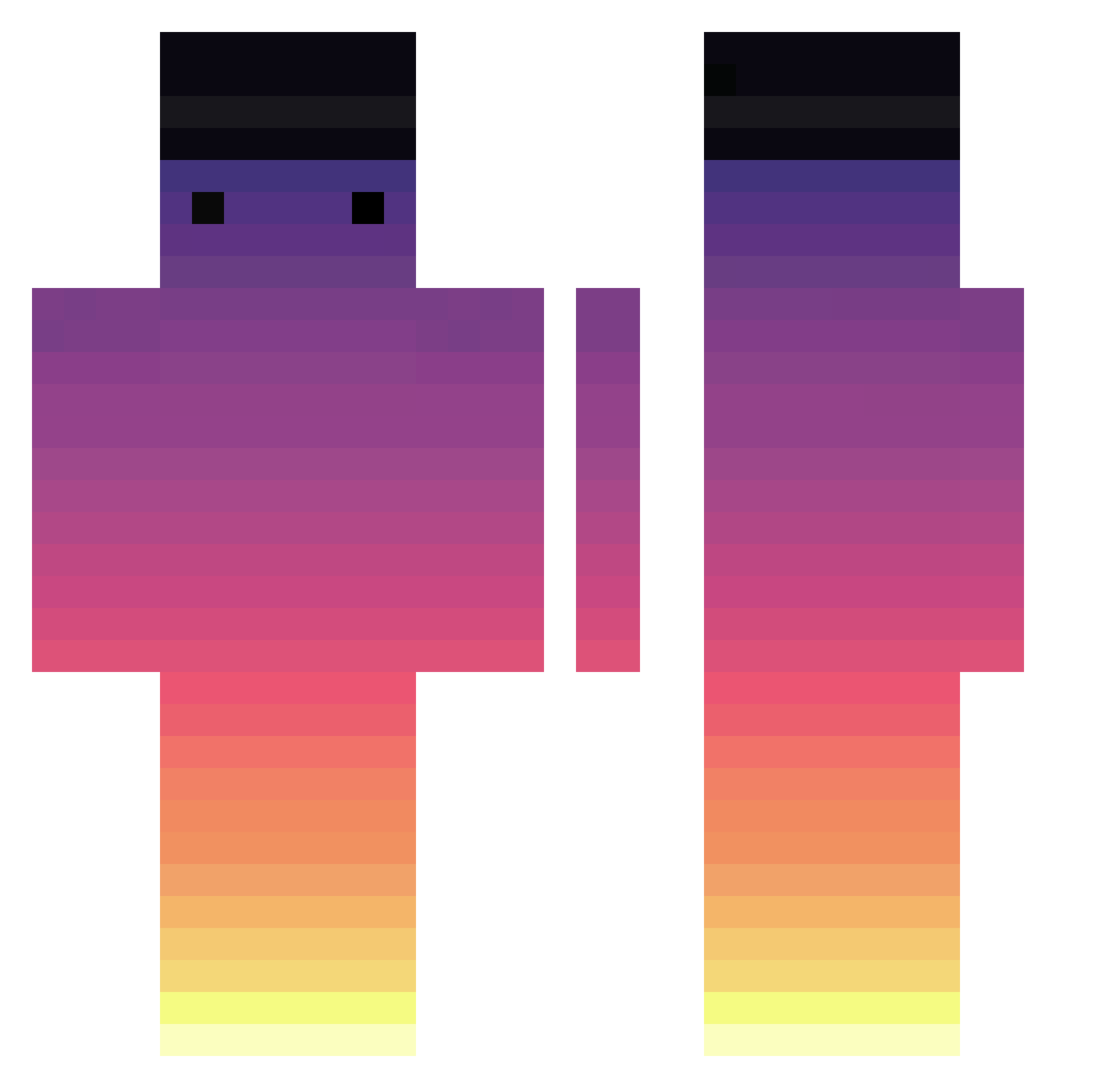
Current Minecraft skin of the player GordoMagico, loaded from the official Mojang API. Rotate the 3D model with your mouse or finger, then download the skin as a PNG file and use it in Minecraft: Bedrock Edition or Java Edition for free. When GordoMagico changes their skin, this page updates automatically and the old skin stays in the history below.
Other players with this skin (714)
GordoMagico was the 115th player we have seen with this skin, first spotted on 11.08.2026. The same skin was seen on these players. Open a nickname to see their current skin and skin history.
 Joseanx_
 hagoch12 maxgalaxy Neo_Angel Spawnino17 MrCrystals sollup tnt3n TooMuchMousee ConTuMai ErrorPrompt Run690 SalaKoi mentosNIKE YoonHyeong Tellboy6023105 Who_again bizza_my_uso Oqdis stay1121 kiona_0 Akziz varabarac AxoloteMexicano YuriMerola SuperThomate Burleacu kiju1101 dum_dum_dum Volpadeus gkdms2331 hunseung7 ProjectRed Dachautransport AJDark mmdansk SaMaZzz ImBabysciangu Potato_1005 dimjuk blacklotus90 wWSolaceWw LuckyKRW Szczwanek hamidreza1385 Sofka_Sofka Aldena33 MrBraunies seojin327 wirpoolloopriw Reignafon GoodChickenJosh yik09z7 Nezumi001 bonolobo hyeonseok1 _lao_bing ZodiacLFX HalfGeek7951 MineArcade19
How to install the GordoMagico skin
- Press the Download button above to save the skin as a PNG file.
- Minecraft: Bedrock Edition (PE): open the Dressing Room from the main menu (or tap your character → Edit Character), go to Classic Skins → Owned, press the + (new skin) button, choose the downloaded PNG and pick the Classic (Steve) model. Works on PC and mobile; consoles cannot import custom skins.
- Minecraft: Java Edition: open the Minecraft Launcher, go to the Skins tab, click New Skin, load the PNG, pick the Classic (Steve) model and press Save & Use. You can also upload it at minecraft.net → Profile → Change Skin.
The skin does not show up after import - what should I do?
Restart Minecraft and open the Dressing Room again - imported skins sometimes appear only after a restart. Also make sure you selected the imported skin and picked the Classic (Steve) model.
Which model should I choose, Classic or Slim?
This skin is designed for the Classic (Steve) model. If you pick the wrong model, the arms of the skin will look stretched or squeezed.
Is the skin of GordoMagico free to download?
Yes. Press Download, save the PNG file and use it in Minecraft: Bedrock Edition or Java Edition - no payment or registration needed. The skin also works on multiplayer servers and Realms.
More skins
Looking for more? Go back to all Minecraft skins and check the top skins of the week, month and all time, or find any player's skin by nickname.