
Glanat - Minecraft Skins & Skin History
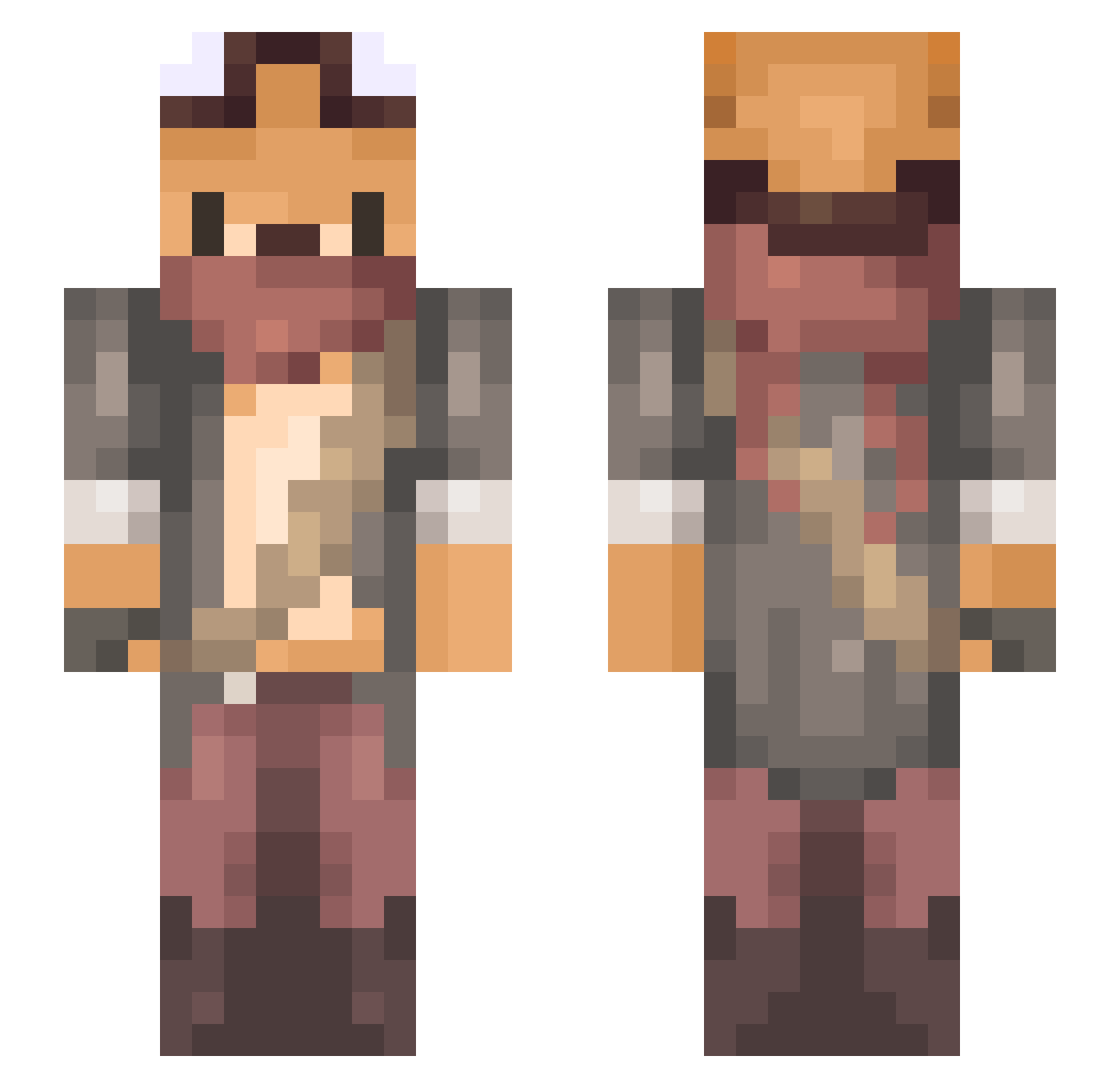
Current Minecraft skin of the player Glanat, loaded from the official Mojang API. Rotate the 3D model with your mouse or finger, then download the skin as a PNG file and use it in Minecraft: Bedrock Edition or Java Edition for free. When Glanat changes their skin, this page updates automatically and the old skin stays in the history below.
Other players with this skin (734)
Glanat was the 339th player we have seen with this skin, first spotted on 20.09.2026. The same skin was seen on these players. Open a nickname to see their current skin and skin history.
 BananaMan1945 Clocklee Yolnash rioscody RaggedyFool BinnieBeau KolossMontana Leafable Zaik4 Diegosauriojr Nan_Koi GUA0702 Yucat58 An_Litis Gingivere_Fox Diksaur lagoon_2 HyunPride Godgiven099 Emeios AylaTerianniaq M_ny OtterChaos8706 AboveAverageFox DrCrux VexedDove Sugnet AsaTo00 kmountain Lishka lBluMarinel semirelle KestrelMyo Schlina_0012 haohaoye33 Chaotic_Luck MengKeYu Morfsiuols Meredith598 D4ily WakaKloaka MrTinyxD wienemesis MattyPoltergeist maruru_ HotMilkk ThE_DarkSlayer_1 OTAKU1996 Eeeemmber Moonlight197 Jassi18ja MUou165 BucketOSkulls optimist876 DaBaoA eleoquit Limtrim bocs paintballman13 James22m_m
More Scavenger Minecraft skins
How to install the Glanat skin
- Press the Download button above to save the skin as a PNG file.
- Minecraft: Bedrock Edition (PE): open the Dressing Room from the main menu (or tap your character → Edit Character), go to Classic Skins → Owned, press the + (new skin) button, choose the downloaded PNG and pick the Slim (Alex) model. Works on PC and mobile; consoles cannot import custom skins.
- Minecraft: Java Edition: open the Minecraft Launcher, go to the Skins tab, click New Skin, load the PNG, pick the Slim (Alex) model and press Save & Use. You can also upload it at minecraft.net → Profile → Change Skin.
The skin does not show up after import - what should I do?
Restart Minecraft and open the Dressing Room again - imported skins sometimes appear only after a restart. Also make sure you selected the imported skin and picked the Slim (Alex) model.
Which model should I choose, Classic or Slim?
This skin is designed for the Slim (Alex) model. If you pick the wrong model, the arms of the skin will look stretched or squeezed.
Is the skin of Glanat free to download?
Yes. Press Download, save the PNG file and use it in Minecraft: Bedrock Edition or Java Edition - no payment or registration needed. The skin also works on multiplayer servers and Realms.
More skins
Looking for more? Go back to all Minecraft skins and check the top skins of the week, month and all time, or find any player's skin by nickname.