
Ghastly_Sorrows - Minecraft Skins & Skin History
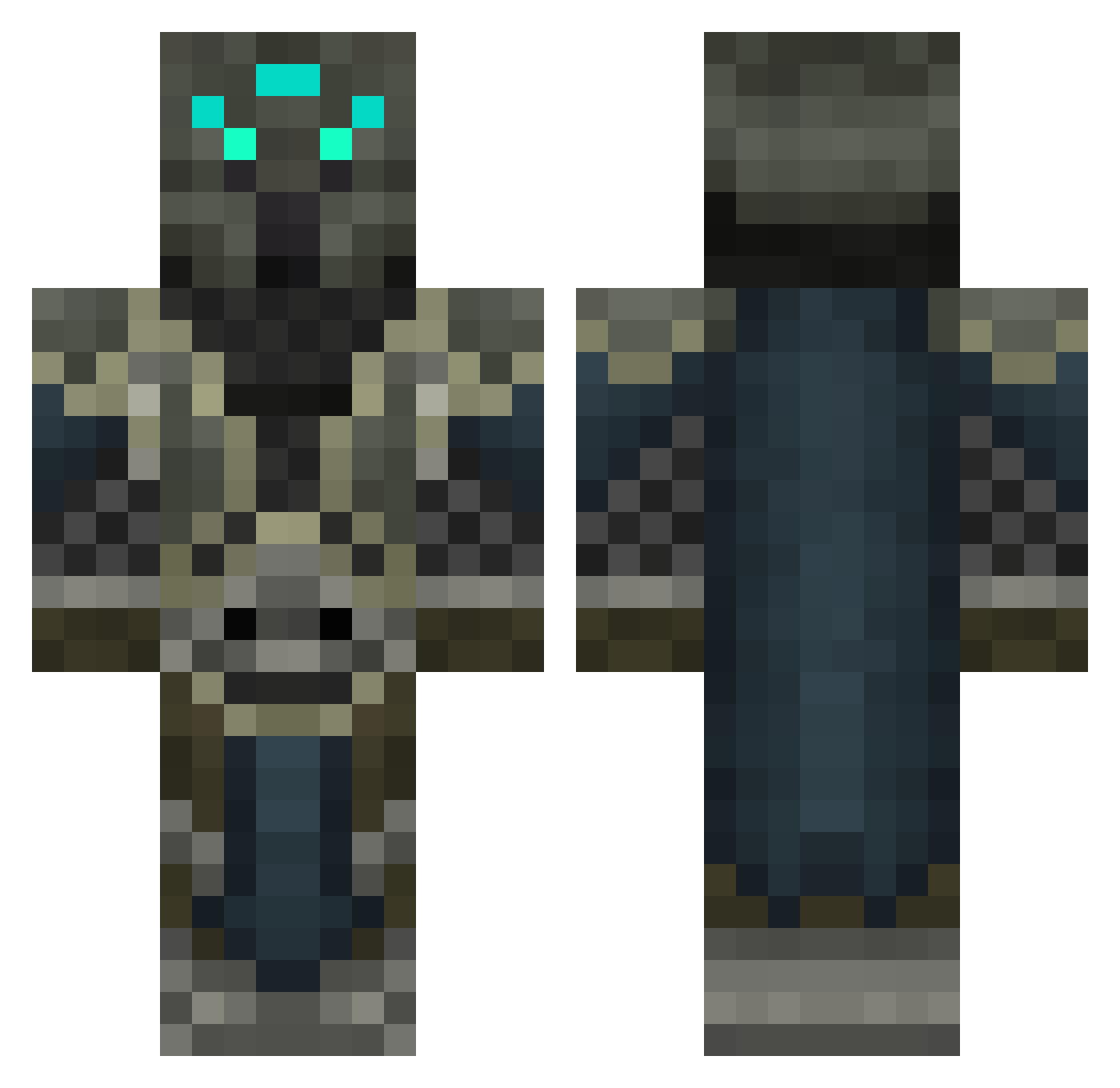
Current Minecraft skin of the player Ghastly_Sorrows, loaded from the official Mojang API. Rotate the 3D model with your mouse or finger, then download the skin as a PNG file and use it in Minecraft: Bedrock Edition or Java Edition for free. When Ghastly_Sorrows changes their skin, this page updates automatically and the old skin stays in the history below.
Other players with this skin (455)
Ghastly_Sorrows was the 332nd player we have seen with this skin, first spotted on 07.10.2026. The same skin was seen on these players. Open a nickname to see their current skin and skin history.
 murloclegen welvarden oosuri __YoungBlood__ camster9 Doomrunner985 ricky5679 Roflmao12345 SevenLions_ Feeash ScrimShaw5 RubenMuis Yankee_66 kiraqt Aspadin shardish48 Ermu9razor ConnorO supermultia Verkuijl_ I3lade88 petitnain Zombarts cgc20010 Brandurrs Severed_Ties smackhappy PepsiAsmatica bas2503 grimmejow5 squirrel2001 xstarn Arph97 aincent Corh mynameisboss bobby527 CastoreZ Worgen_Death itrelnet ShdL olavlm JeffCompton Feremn brennanners DomKont Chris_Falk Njep Fennema2012 flat_cow schefte nilsleon123 WTFTim hyperman6 Rhyseyboi Bourear sniffmyburrito Rothalinos Iceman6625 beauchampb2
More Medieval Minecraft skins
How to install the Ghastly_Sorrows skin
- Press the Download button above to save the skin as a PNG file.
- Minecraft: Bedrock Edition (PE): open the Dressing Room from the main menu (or tap your character → Edit Character), go to Classic Skins → Owned, press the + (new skin) button, choose the downloaded PNG and pick the Classic (Steve) model. Works on PC and mobile; consoles cannot import custom skins.
- Minecraft: Java Edition: open the Minecraft Launcher, go to the Skins tab, click New Skin, load the PNG, pick the Classic (Steve) model and press Save & Use. You can also upload it at minecraft.net → Profile → Change Skin.
The skin does not show up after import - what should I do?
Restart Minecraft and open the Dressing Room again - imported skins sometimes appear only after a restart. Also make sure you selected the imported skin and picked the Classic (Steve) model.
Which model should I choose, Classic or Slim?
This skin is designed for the Classic (Steve) model. If you pick the wrong model, the arms of the skin will look stretched or squeezed.
Is the skin of Ghastly_Sorrows free to download?
Yes. Press Download, save the PNG file and use it in Minecraft: Bedrock Edition or Java Edition - no payment or registration needed. The skin also works on multiplayer servers and Realms.
More skins
Looking for more? Go back to all Minecraft skins and check the top skins of the week, month and all time, or find any player's skin by nickname.