
GgSmeeDa - Minecraft Skins & Skin History
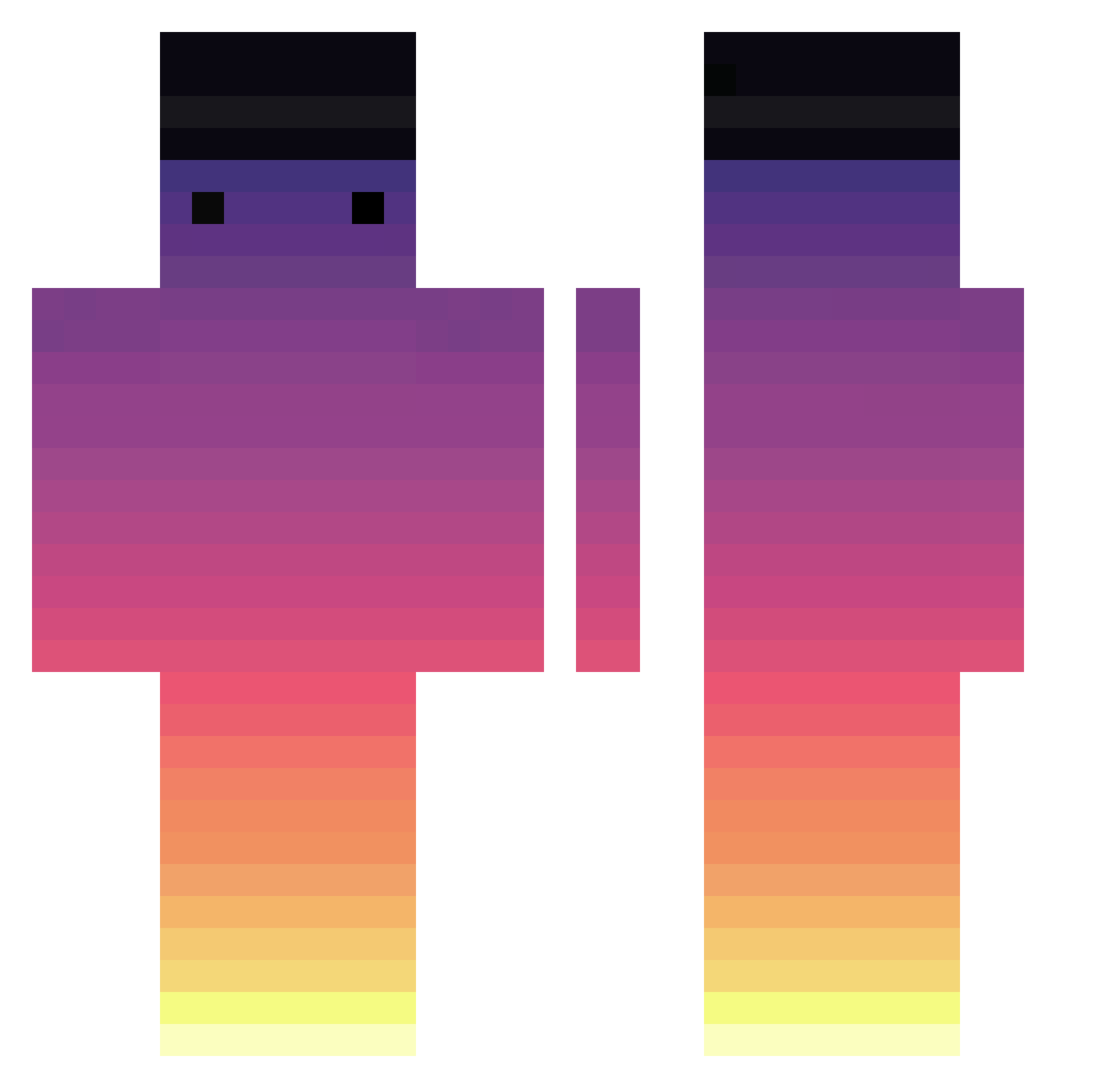
Current Minecraft skin of the player GgSmeeDa, loaded from the official Mojang API. Rotate the 3D model with your mouse or finger, then download the skin as a PNG file and use it in Minecraft: Bedrock Edition or Java Edition for free. When GgSmeeDa changes their skin, this page updates automatically and the old skin stays in the history below.
Other players with this skin (717)
GgSmeeDa was the 178th player we have seen with this skin, first spotted on 21.08.2026. The same skin was seen on these players. Open a nickname to see their current skin and skin history.
 Dahutboiteux QuekyQuek88 Garordi tommannix29 Angel13555 QualityName Matyass0505 LemonWarp DragonsCurse11 TheBuav kanphawit waiter327 _Kubera_69 Abmo233 anotheridiot byhbyh11 smrmakdma PivoBoy NO_SCARED_671z TropicalVI Azy39 MerrickKing336 Running_Eros JurisMun MrYellowPanda ItzGapy Taax59 tristiaan VXgaming_365 Catacob Papepaul Nishz AsKayy MatheusHLO Llluu02ucYT_ Dale888_ lollerinobasic Jockard ArcH78 ilikeurcutg999 MBelefant Yohaaan YueLi565 qkrrkdtks shane0527 robinolein LeakyFaucet3 petergrithin IxhBimsAli Lazy_Charlie KiwiOnTop11 Issacchou ENS9 WackOfAllTrades H0ll0w0n vipbaap _GeiZ_ kelso_0 DEEWANG bee225
How to install the GgSmeeDa skin
- Press the Download button above to save the skin as a PNG file.
- Minecraft: Bedrock Edition (PE): open the Dressing Room from the main menu (or tap your character → Edit Character), go to Classic Skins → Owned, press the + (new skin) button, choose the downloaded PNG and pick the Classic (Steve) model. Works on PC and mobile; consoles cannot import custom skins.
- Minecraft: Java Edition: open the Minecraft Launcher, go to the Skins tab, click New Skin, load the PNG, pick the Classic (Steve) model and press Save & Use. You can also upload it at minecraft.net → Profile → Change Skin.
The skin does not show up after import - what should I do?
Restart Minecraft and open the Dressing Room again - imported skins sometimes appear only after a restart. Also make sure you selected the imported skin and picked the Classic (Steve) model.
Which model should I choose, Classic or Slim?
This skin is designed for the Classic (Steve) model. If you pick the wrong model, the arms of the skin will look stretched or squeezed.
Is the skin of GgSmeeDa free to download?
Yes. Press Download, save the PNG file and use it in Minecraft: Bedrock Edition or Java Edition - no payment or registration needed. The skin also works on multiplayer servers and Realms.
More skins
Looking for more? Go back to all Minecraft skins and check the top skins of the week, month and all time, or find any player's skin by nickname.