
Gengiskann97 - Minecraft Skins & Skin History
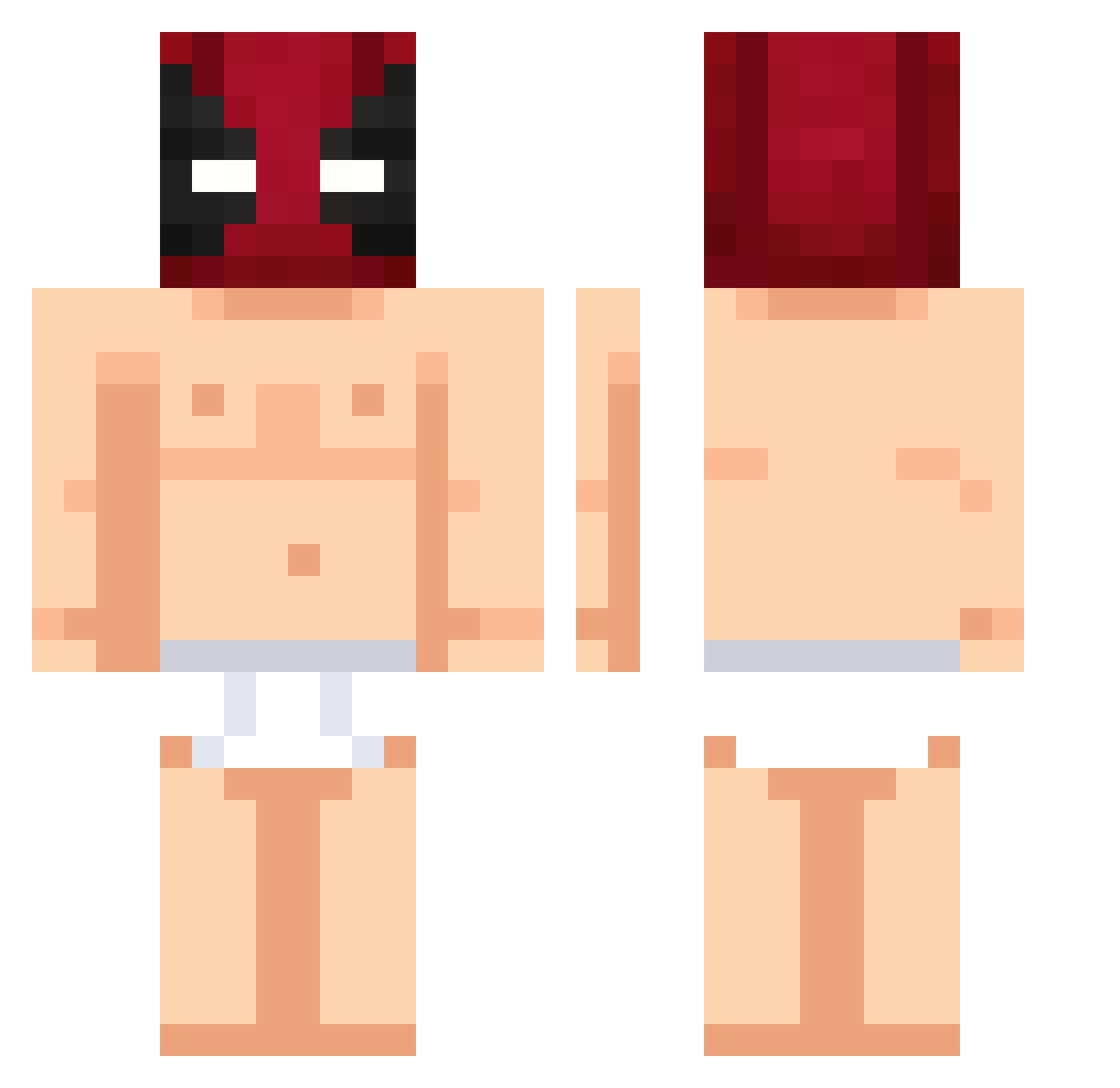
Current Minecraft skin of the player Gengiskann97, loaded from the official Mojang API. Rotate the 3D model with your mouse or finger, then download the skin as a PNG file and use it in Minecraft: Bedrock Edition or Java Edition for free. When Gengiskann97 changes their skin, this page updates automatically and the old skin stays in the history below.
Other players with this skin (424)
Gengiskann97 was the 152nd player we have seen with this skin, first spotted on 29.08.2026. The same skin was seen on these players. Open a nickname to see their current skin and skin history.
 SEMI_265 BBC4Live Pioters10 oh7977 Pig_Zombie_BR _BestBW RayHoncho paqi610 Jamal187er tungtungsahur76 SonOfDRO mmmSpamMusubi TIROFIJO420 LSG2200 hotsix007 TangoRangoLangos R3az3 EvNoh SrImThor DonSapoHpta gHaFe G_1o1_D Tiju13 choina20 Tolga857 tsushida PeppiSparrow yukAaz massNass juanyjuli
 PabloTheKing23 s3rbe YisusMC2004 dengguoxing666 Burn0utking _Oliwka_Z_Oliwek Schwede1997 DarkAFK_ YiCheng00 iMasterMinds osin063 basti1746 Wuein Lairhunsky Ang3lDX ArmSpaceX HonestMan18 tobki D_17 MurderKH AssassinsZomber Mitschh ma111111 Bougnou matiasrios TimboSlice420 DaiiRob Lainezz_ killuminatiG1 ZZZGRINDZ2109
More Deadpool Minecraft skins
How to install the Gengiskann97 skin
- Press the Download button above to save the skin as a PNG file.
- Minecraft: Bedrock Edition (PE): open the Dressing Room from the main menu (or tap your character → Edit Character), go to Classic Skins → Owned, press the + (new skin) button, choose the downloaded PNG and pick the Classic (Steve) model. Works on PC and mobile; consoles cannot import custom skins.
- Minecraft: Java Edition: open the Minecraft Launcher, go to the Skins tab, click New Skin, load the PNG, pick the Classic (Steve) model and press Save & Use. You can also upload it at minecraft.net → Profile → Change Skin.
The skin does not show up after import - what should I do?
Restart Minecraft and open the Dressing Room again - imported skins sometimes appear only after a restart. Also make sure you selected the imported skin and picked the Classic (Steve) model.
Which model should I choose, Classic or Slim?
This skin is designed for the Classic (Steve) model. If you pick the wrong model, the arms of the skin will look stretched or squeezed.
Is the skin of Gengiskann97 free to download?
Yes. Press Download, save the PNG file and use it in Minecraft: Bedrock Edition or Java Edition - no payment or registration needed. The skin also works on multiplayer servers and Realms.
More skins
Looking for more? Go back to all Minecraft skins and check the top skins of the week, month and all time, or find any player's skin by nickname.