
GeneralZain1 - Minecraft Skins & Skin History
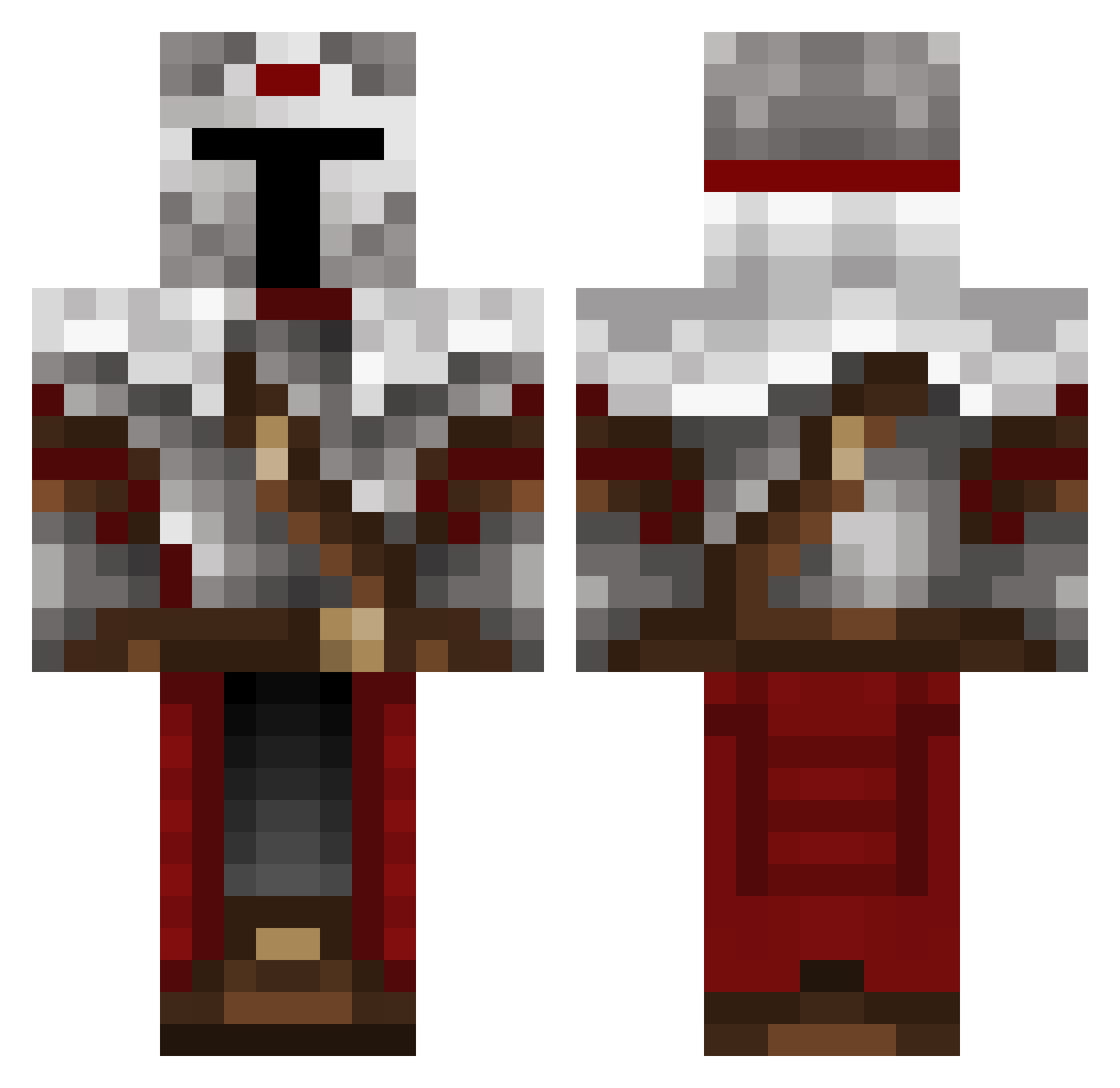
Current Minecraft skin of the player GeneralZain1, loaded from the official Mojang API. Rotate the 3D model with your mouse or finger, then download the skin as a PNG file and use it in Minecraft: Bedrock Edition or Java Edition for free. When GeneralZain1 changes their skin, this page updates automatically and the old skin stays in the history below.
Other players with this skin (489)
GeneralZain1 was the 369th player we have seen with this skin, first spotted on 12.10.2026. The same skin was seen on these players. Open a nickname to see their current skin and skin history.
 tomer6 darkmenie McExoh Plancks The_Crystal_King Libbyfox jptommy24 Mordorick weseles2 B1stark1 faviarua Sylmenor Darkm0re Asthamlegend Louis_sene josel2g Omega_Pro__ Davewhat Rackdos0 Liak1109 ExodustKing96 ManFree_GanMor FXZE00 KarlSoS Gaplix05 yee123 Rustwulf BidYouAdieu TheHolyDM lyb250 29A13 TheTsukiKnight Vethiere Grence010 lucifer896_ GekkeCombokikker ZanchorEk Jimbo_500 The_random_man_7 ColeShiRoll Dyboom11aua M0SZ Junynlas RedsToad Wanderer027 Sr_Centu Aisec Elradd Reginald1224 skyshad0w noogle_ M4XI0 Der_Friese1999 Proximal97 1Zenitsu krissen2686 Saphink joelprice BLAZE167 Galaxy0w
More Mandalorian Minecraft skins
How to install the GeneralZain1 skin
- Press the Download button above to save the skin as a PNG file.
- Minecraft: Bedrock Edition (PE): open the Dressing Room from the main menu (or tap your character → Edit Character), go to Classic Skins → Owned, press the + (new skin) button, choose the downloaded PNG and pick the Classic (Steve) model. Works on PC and mobile; consoles cannot import custom skins.
- Minecraft: Java Edition: open the Minecraft Launcher, go to the Skins tab, click New Skin, load the PNG, pick the Classic (Steve) model and press Save & Use. You can also upload it at minecraft.net → Profile → Change Skin.
The skin does not show up after import - what should I do?
Restart Minecraft and open the Dressing Room again - imported skins sometimes appear only after a restart. Also make sure you selected the imported skin and picked the Classic (Steve) model.
Which model should I choose, Classic or Slim?
This skin is designed for the Classic (Steve) model. If you pick the wrong model, the arms of the skin will look stretched or squeezed.
Is the skin of GeneralZain1 free to download?
Yes. Press Download, save the PNG file and use it in Minecraft: Bedrock Edition or Java Edition - no payment or registration needed. The skin also works on multiplayer servers and Realms.
More skins
Looking for more? Go back to all Minecraft skins and check the top skins of the week, month and all time, or find any player's skin by nickname.