
GarthB - Minecraft Skins & Skin History
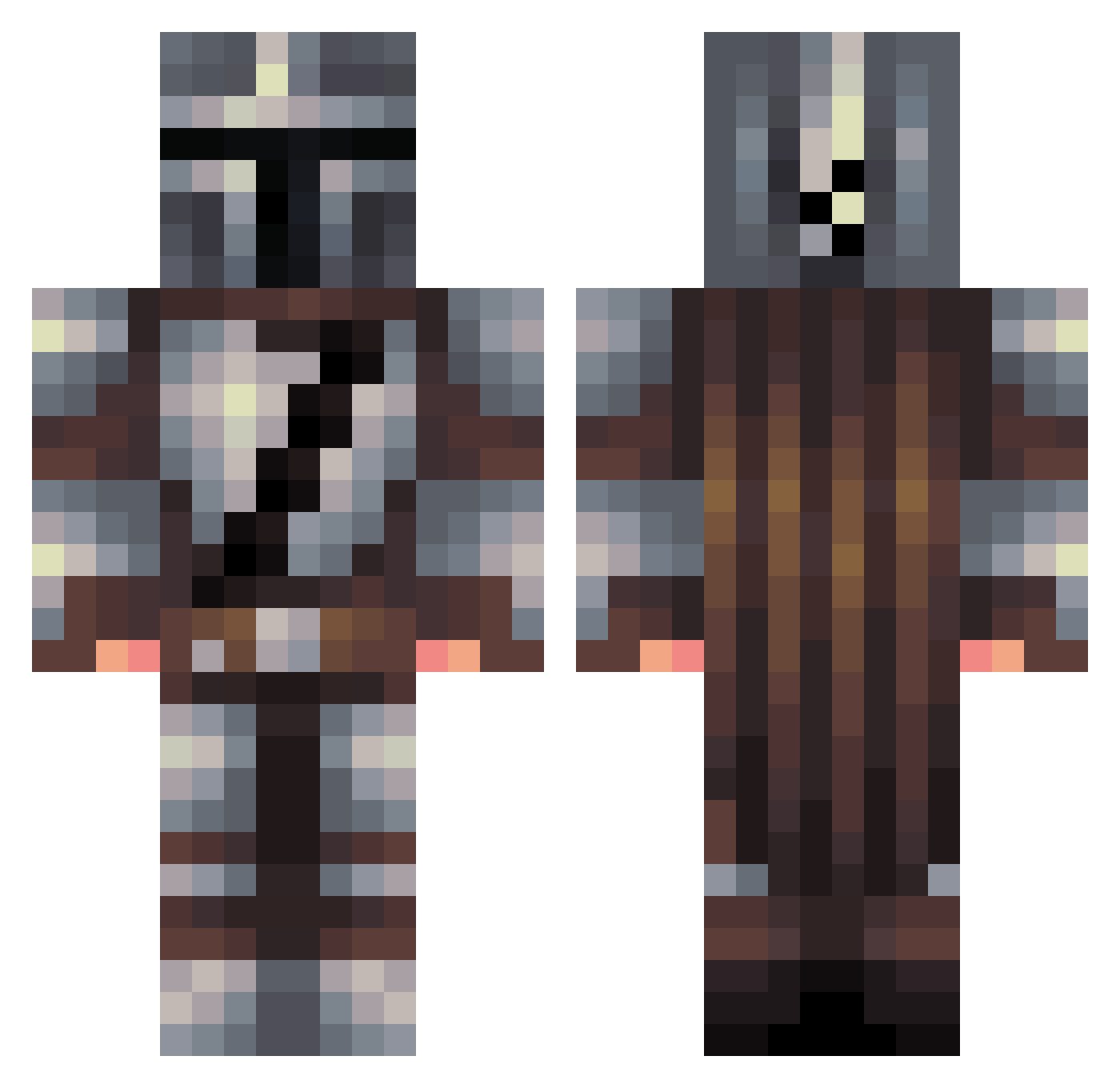
Current Minecraft skin of the player GarthB, loaded from the official Mojang API. Rotate the 3D model with your mouse or finger, then download the skin as a PNG file and use it in Minecraft: Bedrock Edition or Java Edition for free. When GarthB changes their skin, this page updates automatically and the old skin stays in the history below.
Other players with this skin (456)
GarthB was the 432nd player we have seen with this skin, first spotted on 27.10.2026. The same skin was seen on these players. Open a nickname to see their current skin and skin history.
 Milad88 BlueSteel_BonesZ YTExgers Nodsum JediPaxis Jteeter315 HamsterOrg frap_gadz_ ZapZapBoi3 SCHN00X _D1nk3lb3rg_ ALilBitThicc NoLeafy Ioquat Lethie freckles_pvp FonkyDoctor Joper65 LunchboxTeaparty fancyland12 PikkonKilla Estanov Coldclaw37 TheOneAndOnly__ blank_2020 clvstrs Sej17 GK1119 steelfire12 ItsAyan Sayadian11 GustyGem3186 AndyMan444 Enekokodrilo Danny489 Unescapable j_rminecraft EpicCreeperBomb Manex_2005 Rabid_Nut RedFudge ChicanoGhost DiscipleTK MtnHawker deathtoll1945 ThatDank88 Oriole23 Mortichar icecoldwaterr Kimwasi JmacMcjagger IronActual MrCheekClap ComaDoofWarrior Like7Clockwork STYXTH3B3A5T Dzikid FrostByteTech Eighti antrp93
More The Mandalorian Minecraft skins
See all 590 The Mandalorian skins
How to install the GarthB skin
- Press the Download button above to save the skin as a PNG file.
- Minecraft: Bedrock Edition (PE): open the Dressing Room from the main menu (or tap your character → Edit Character), go to Classic Skins → Owned, press the + (new skin) button, choose the downloaded PNG and pick the Classic (Steve) model. Works on PC and mobile; consoles cannot import custom skins.
- Minecraft: Java Edition: open the Minecraft Launcher, go to the Skins tab, click New Skin, load the PNG, pick the Classic (Steve) model and press Save & Use. You can also upload it at minecraft.net → Profile → Change Skin.
The skin does not show up after import - what should I do?
Restart Minecraft and open the Dressing Room again - imported skins sometimes appear only after a restart. Also make sure you selected the imported skin and picked the Classic (Steve) model.
Which model should I choose, Classic or Slim?
This skin is designed for the Classic (Steve) model. If you pick the wrong model, the arms of the skin will look stretched or squeezed.
Is the skin of GarthB free to download?
Yes. Press Download, save the PNG file and use it in Minecraft: Bedrock Edition or Java Edition - no payment or registration needed. The skin also works on multiplayer servers and Realms.
More skins
Looking for more? Go back to all Minecraft skins and check the top skins of the week, month and all time, or find any player's skin by nickname.