
Ganjamen25 - Minecraft Skins & Skin History
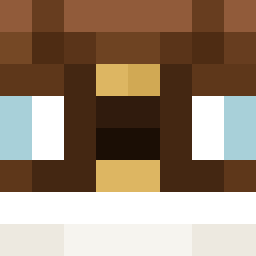
Current Minecraft skin of the player Ganjamen25, loaded from the official Mojang API. Rotate the 3D model with your mouse or finger, then download the skin as a PNG file and use it in Minecraft: Bedrock Edition or Java Edition for free. When Ganjamen25 changes their skin, this page updates automatically and the old skin stays in the history below.

Other players with this skin (661)
Ganjamen25 was the 248th player we have seen with this skin, first spotted on 03.09.2026. The same skin was seen on these players. Open a nickname to see their current skin and skin history.
 MattyThisGuy Galelleo Dandavuk AtomicLW Towner03 ROBOCOP31 SnipeZzzzzzzzzzs BELRV Elitebaa XandruPrime RecRobDiscGolf VinnyBinny123 clience1106 SoppyAnimal80250 Sv2RAsclIIIrSSv2
 Capybara32123 butter_b0y1 iTSsaM3 Bledder22 Joel_Lyons Scar665 fanxingfish DruzzeyMC Doggynose H3G2 SuperPositive MichaelBrannon71 HOMIE_DOGGO MegaPro3144 Skigutt1 Milesthegamer BeanosWatches Dear_Charlie RareBilly finillion PilotElon TobySkills raejinomg datboypabs frdvrO
 Dodge122 erik200000 julianfalk Benzzo_v2 J0nny0815 MitePro12 Pmilz26 Luigitimes_ EzJoker220 Trenbologne67 Shim6a BugRF
 ruediii79 EddiSpaghetti Schapi96 Wakyyyy LilFK_ q28xfavorvuevle MillBerry Nevi100
More Bowtie Minecraft skins
How to install the Ganjamen25 skin
- Press the Download button above to save the skin as a PNG file.
- Minecraft: Bedrock Edition (PE): open the Dressing Room from the main menu (or tap your character → Edit Character), go to Classic Skins → Owned, press the + (new skin) button, choose the downloaded PNG and pick the Classic (Steve) model. Works on PC and mobile; consoles cannot import custom skins.
- Minecraft: Java Edition: open the Minecraft Launcher, go to the Skins tab, click New Skin, load the PNG, pick the Classic (Steve) model and press Save & Use. You can also upload it at minecraft.net → Profile → Change Skin.
The skin does not show up after import - what should I do?
Restart Minecraft and open the Dressing Room again - imported skins sometimes appear only after a restart. Also make sure you selected the imported skin and picked the Classic (Steve) model.
Which model should I choose, Classic or Slim?
This skin is designed for the Classic (Steve) model. If you pick the wrong model, the arms of the skin will look stretched or squeezed.
Is the skin of Ganjamen25 free to download?
Yes. Press Download, save the PNG file and use it in Minecraft: Bedrock Edition or Java Edition - no payment or registration needed. The skin also works on multiplayer servers and Realms.
More skins
Looking for more? Go back to all Minecraft skins and check the top skins of the week, month and all time, or find any player's skin by nickname.