
GamingAddictYT - Minecraft Skins & Skin History
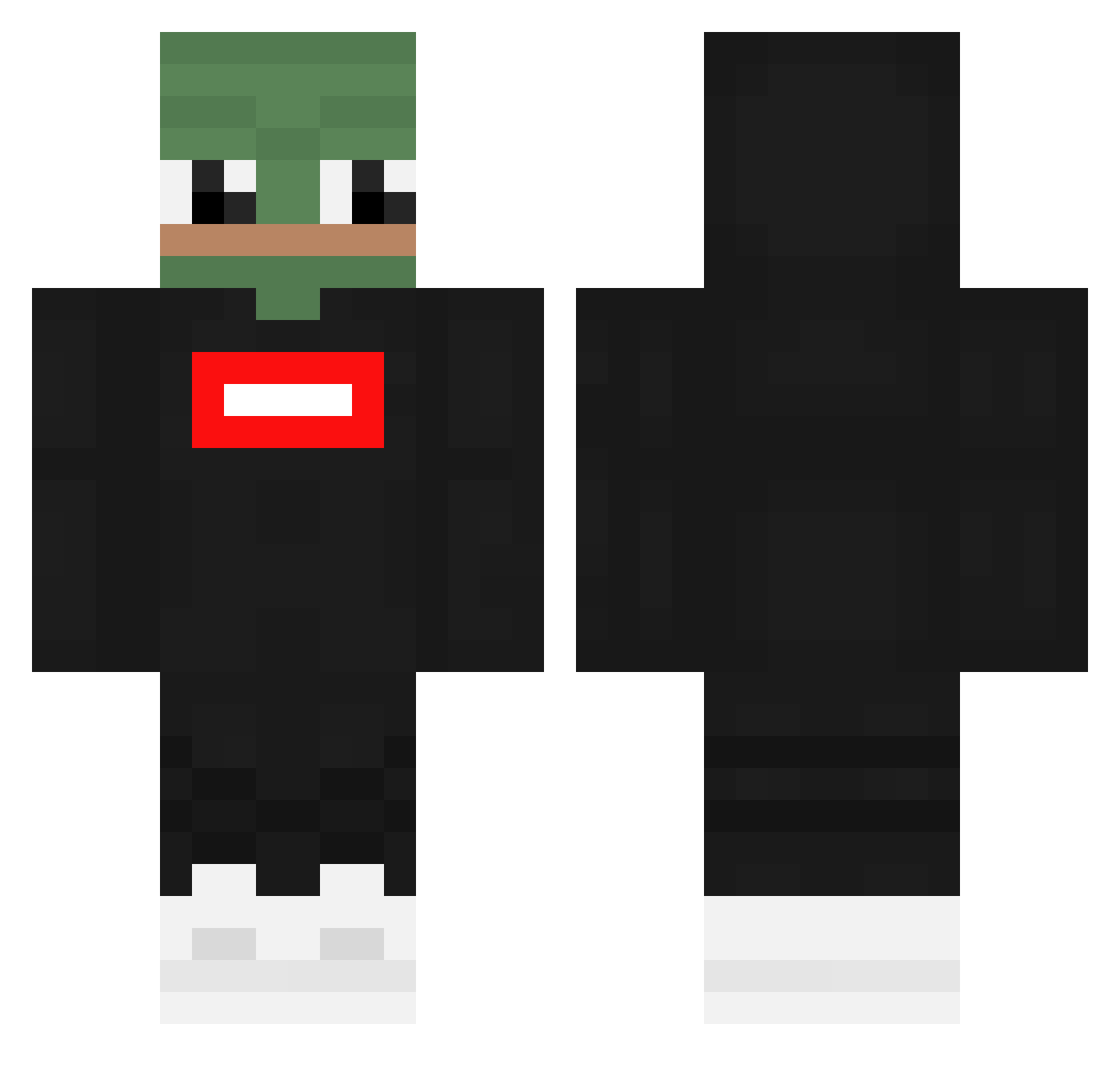
Current Minecraft skin of the player GamingAddictYT, loaded from the official Mojang API. Rotate the 3D model with your mouse or finger, then download the skin as a PNG file and use it in Minecraft: Bedrock Edition or Java Edition for free. When GamingAddictYT changes their skin, this page updates automatically and the old skin stays in the history below.
Other players with this skin (361)
GamingAddictYT was the 187th player we have seen with this skin, first spotted on 25.09.2026. The same skin was seen on these players. Open a nickname to see their current skin and skin history.
 MiichelFaucon Nokama random_person00 ExilenLUL Ilyass360 MaxMore0 Acitvezy Bulliontop ImASnakeXD Metee_ Mix_Tape ppillowed Jankowic shaker_playz NixerPL Ext1em Scrapstok PaulLupaMare Macatacker gbbest Maget_ xxVADEZxx kvolo_az8 DoritoDrip marcojhut Builder_0204 KillForFun Akkhuse OV3RSEER CSBJuxel Xhipote UbixinoN byeongjun9808 MuslimSalesman Sreyk00 ggaangstar okim7979 Blockyx henryyeung_0707 danielwey Koen240700 FEEMHUB Vibelecubetv Jimsangle naukkka mroczna_wiewiura Lina__rdl Jesui1pogo tomzality zinoman1229 Albertistank SrPaux urboireckless xDrezzy MythicalPanda1 GrzechuKoX __Elisa____ RealAstcame sniebelGHG Repicek
More Pepe Minecraft skins
How to install the GamingAddictYT skin
- Press the Download button above to save the skin as a PNG file.
- Minecraft: Bedrock Edition (PE): open the Dressing Room from the main menu (or tap your character → Edit Character), go to Classic Skins → Owned, press the + (new skin) button, choose the downloaded PNG and pick the Classic (Steve) model. Works on PC and mobile; consoles cannot import custom skins.
- Minecraft: Java Edition: open the Minecraft Launcher, go to the Skins tab, click New Skin, load the PNG, pick the Classic (Steve) model and press Save & Use. You can also upload it at minecraft.net → Profile → Change Skin.
The skin does not show up after import - what should I do?
Restart Minecraft and open the Dressing Room again - imported skins sometimes appear only after a restart. Also make sure you selected the imported skin and picked the Classic (Steve) model.
Which model should I choose, Classic or Slim?
This skin is designed for the Classic (Steve) model. If you pick the wrong model, the arms of the skin will look stretched or squeezed.
Is the skin of GamingAddictYT free to download?
Yes. Press Download, save the PNG file and use it in Minecraft: Bedrock Edition or Java Edition - no payment or registration needed. The skin also works on multiplayer servers and Realms.
More skins
Looking for more? Go back to all Minecraft skins and check the top skins of the week, month and all time, or find any player's skin by nickname.