
GamerMathias123 - Minecraft Skins & Skin History
Current Minecraft skin of the player GamerMathias123, loaded from the official Mojang API. Rotate the 3D model with your mouse or finger, then download the skin as a PNG file and use it in Minecraft: Bedrock Edition or Java Edition for free. When GamerMathias123 changes their skin, this page updates automatically and the old skin stays in the history below.
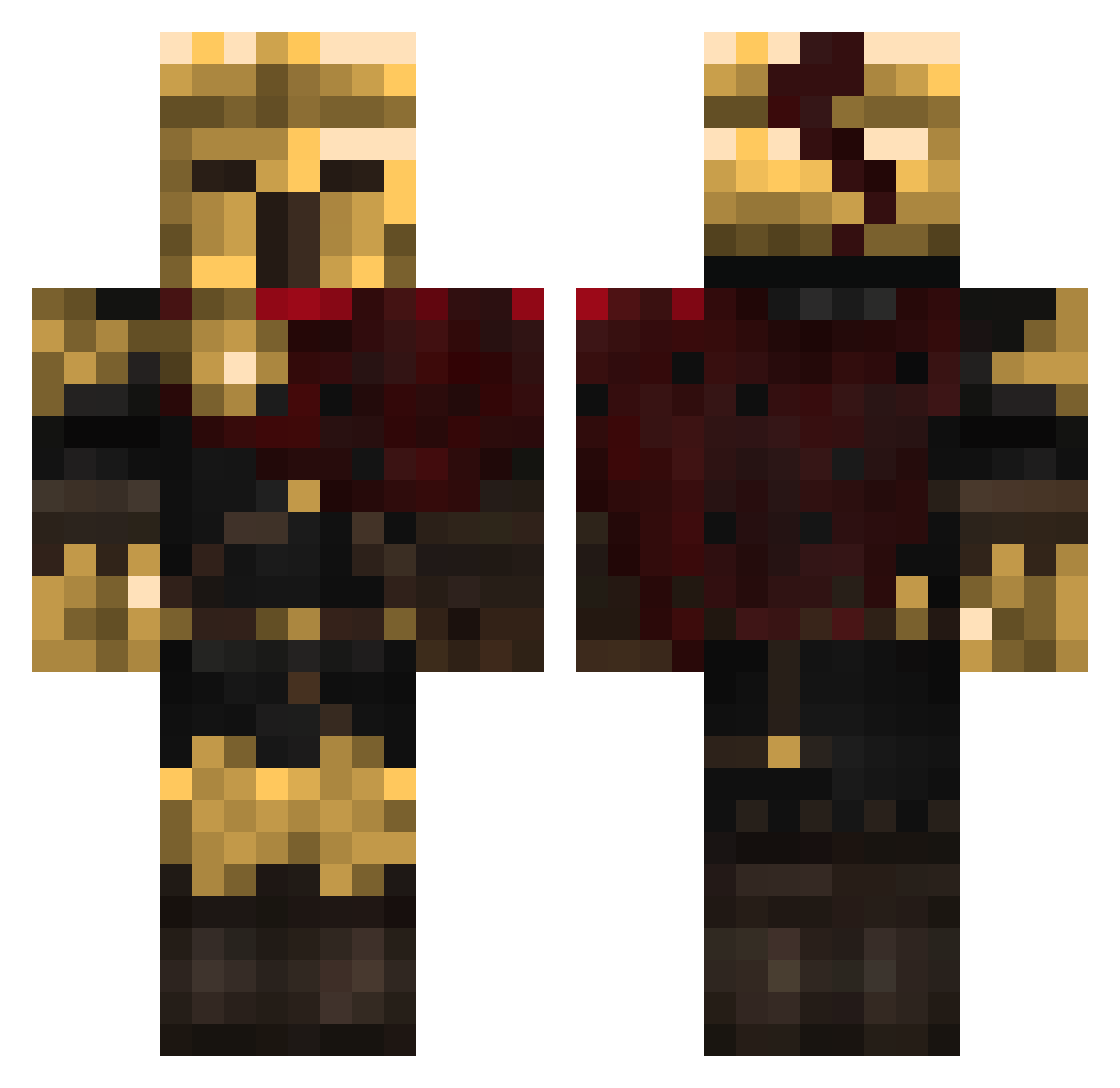
Other players with this skin (457)
GamerMathias123 was the 195th player we have seen with this skin, first spotted on 13.09.2026. The same skin was seen on these players. Open a nickname to see their current skin and skin history.
 Amu2180 MISGHAN1824 leeanes vanarek HolyFetuz Tecozekel Minecraft_maaz Mr5herlock coolmous ThatsBobb Nox_Ignis DANKORE Oaksterpokster domenic7546 Dark_destroier09 Deshkai SuperBeanGG tlsbird cvbor HAZARDvw Juancena2509 FluffyPuppy5432 Deaconj17 itz_kool gravity2901 Epik_Infortality DaniCiocanul1 Yadoriii 4Eyesx groyotter Gorgon998 cookingpowder NomNomBanana AMG_Superior
 Hellstorm1003 kaan_inan_3558 Ackirb yesyesyes718 LyricTurtlz E1_roiGeLb DaCatThief etphone Ventex3032 monkey_taint Aky0zz kralivezir Realate
 Fredd_XD FireChi1208 twojawyplata Starboykiddo Loke53 Kylou2003 Grimm1852 frankee_isnt_sus fcktrent clemlpp tasieczek ShadowMax2 zenhunter20
More Warrior Minecraft skins
How to install the GamerMathias123 skin
- Press the Download button above to save the skin as a PNG file.
- Minecraft: Bedrock Edition (PE): open the Dressing Room from the main menu (or tap your character → Edit Character), go to Classic Skins → Owned, press the + (new skin) button, choose the downloaded PNG and pick the Classic (Steve) model. Works on PC and mobile; consoles cannot import custom skins.
- Minecraft: Java Edition: open the Minecraft Launcher, go to the Skins tab, click New Skin, load the PNG, pick the Classic (Steve) model and press Save & Use. You can also upload it at minecraft.net → Profile → Change Skin.
The skin does not show up after import - what should I do?
Restart Minecraft and open the Dressing Room again - imported skins sometimes appear only after a restart. Also make sure you selected the imported skin and picked the Classic (Steve) model.
Which model should I choose, Classic or Slim?
This skin is designed for the Classic (Steve) model. If you pick the wrong model, the arms of the skin will look stretched or squeezed.
Is the skin of GamerMathias123 free to download?
Yes. Press Download, save the PNG file and use it in Minecraft: Bedrock Edition or Java Edition - no payment or registration needed. The skin also works on multiplayer servers and Realms.
More skins
Looking for more? Go back to all Minecraft skins and check the top skins of the week, month and all time, or find any player's skin by nickname.