
GameLau1805 - Minecraft Skins & Skin History
Current Minecraft skin of the player GameLau1805, loaded from the official Mojang API. Rotate the 3D model with your mouse or finger, then download the skin as a PNG file and use it in Minecraft: Bedrock Edition or Java Edition for free. When GameLau1805 changes their skin, this page updates automatically and the old skin stays in the history below.
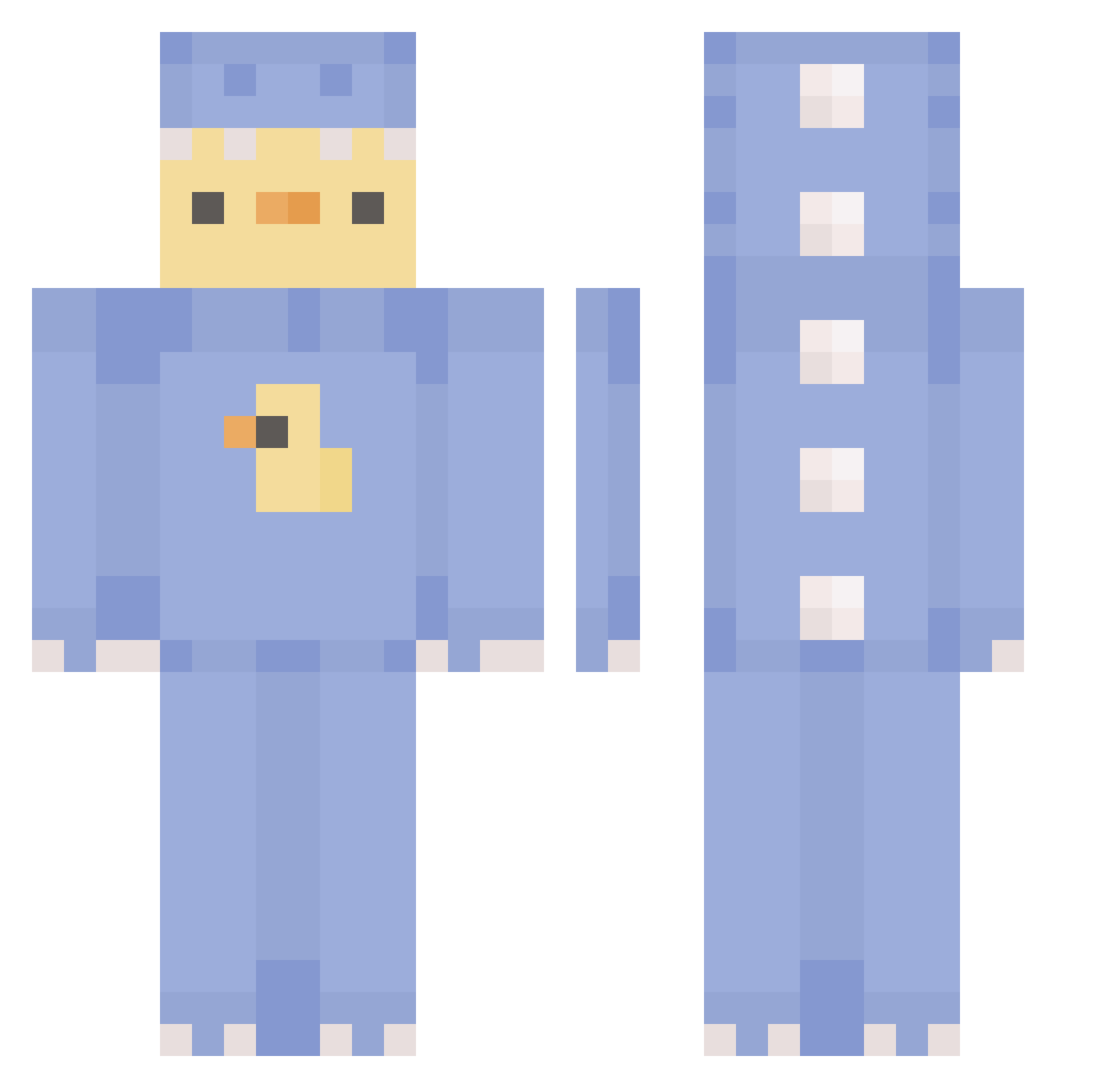
Other players with this skin (388)
GameLau1805 was the 207th player we have seen with this skin, first spotted on 23.09.2026. The same skin was seen on these players. Open a nickname to see their current skin and skin history.
 Astrophiliaism zzzxfxt P_white J_xn Shiming09 kimster2000 Ira1230 ShisawAurora mksr1012 praeliaAnna StoneHome2042 brittepettitje 7Barcode FailingThisGame DuckyWas_Taken Pichumonxd Cxrlic kang4866 NDLuZze ItzUmut Cri4 papriker Mighty_Angel orum_king Toasteurre Luney17 mRhee05 Wiki_2010 Tru257 Go_D_Jayden shiuanwu esip123 vibeszisdaddy smoothtummy lewy999 ButtonBerries Iam_jjuni ariparg SaryuAsd Spartikis iwtdboc D0m1nant_ OnlyBinks A5Co0lAsu cmasuda_ hxxn05 _xMati_ Y_POPE Ki_Noa ramazan19 PandoraxBot tomwk682pl 67skibidi_habibi jamiecallusss Trexgamer1207 KriKal09 irotaGG Estaliation furuchqn Sebimaster44
More Dinosaur Onesie Minecraft skins
See all 701 Dinosaur Onesie skins
How to install the GameLau1805 skin
- Press the Download button above to save the skin as a PNG file.
- Minecraft: Bedrock Edition (PE): open the Dressing Room from the main menu (or tap your character → Edit Character), go to Classic Skins → Owned, press the + (new skin) button, choose the downloaded PNG and pick the Classic (Steve) model. Works on PC and mobile; consoles cannot import custom skins.
- Minecraft: Java Edition: open the Minecraft Launcher, go to the Skins tab, click New Skin, load the PNG, pick the Classic (Steve) model and press Save & Use. You can also upload it at minecraft.net → Profile → Change Skin.
The skin does not show up after import - what should I do?
Restart Minecraft and open the Dressing Room again - imported skins sometimes appear only after a restart. Also make sure you selected the imported skin and picked the Classic (Steve) model.
Which model should I choose, Classic or Slim?
This skin is designed for the Classic (Steve) model. If you pick the wrong model, the arms of the skin will look stretched or squeezed.
Is the skin of GameLau1805 free to download?
Yes. Press Download, save the PNG file and use it in Minecraft: Bedrock Edition or Java Edition - no payment or registration needed. The skin also works on multiplayer servers and Realms.
More skins
Looking for more? Go back to all Minecraft skins and check the top skins of the week, month and all time, or find any player's skin by nickname.