
GabrielRP17 - Minecraft Skins & Skin History
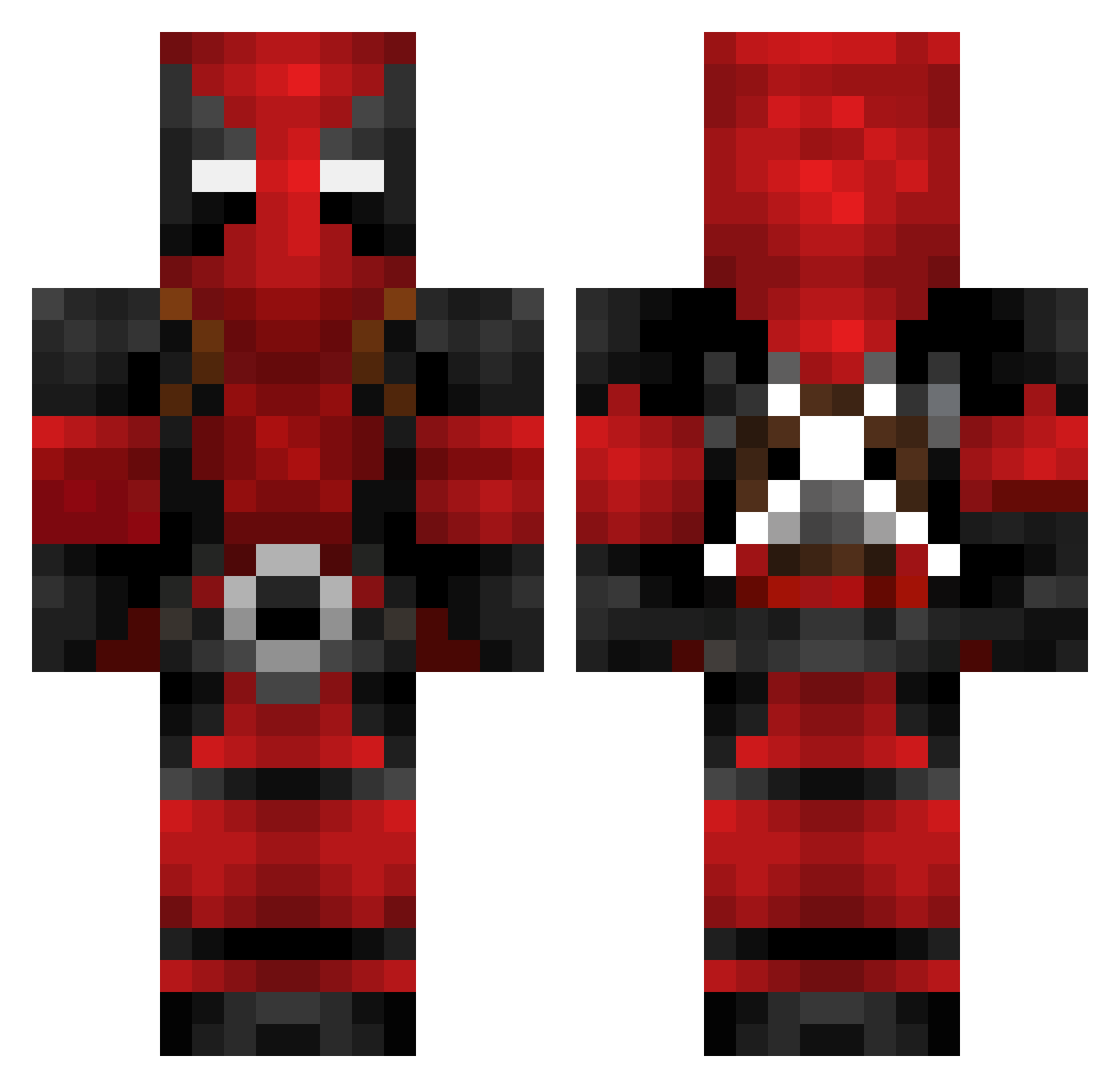
Current Minecraft skin of the player GabrielRP17, loaded from the official Mojang API. Rotate the 3D model with your mouse or finger, then download the skin as a PNG file and use it in Minecraft: Bedrock Edition or Java Edition for free. When GabrielRP17 changes their skin, this page updates automatically and the old skin stays in the history below.
Other players with this skin (622)
GabrielRP17 was the 136th player we have seen with this skin, first spotted on 14.08.2026. The same skin was seen on these players. Open a nickname to see their current skin and skin history.
 Motoal Overloaded196 MiksuMike Shnum FenTOnez engelbertsla Th3Hunt3rKill3r KASIOtv WATlnwZa SangheiliUltra01
 Hr_Virus ToUgHTiT Zemo_jr Ale_0708 Tweyzi FlipTM venpy54 Rednecktek smatty1311 Rubicon79 Dollard360 SkElEtOnPaRk21 FUNCYS pinyoko680 Azubuns xEnOo_nOoB KeptOne DiscoSto mergay Kralimash IV_Metro Varvus Feniks0 EATNIGHT TheLulanius KickGiraffe Bowser454 KillerBannana c3bb0 x_V1CT0R_z HPDrifter01 Nussknacker78 oriolagobat Farvajkl Revolt_xt _Dexos_ CptCamo Acxedent Burgerking77889 Deathslayer534 Harrison_2375 Knizzle1 Dark__Nexus Erynette63 zubbancs Stephencurry303 AgZa08 Spiderassasin21 StStar777 LocustSun
More Deadpool Minecraft skins
How to install the GabrielRP17 skin
- Press the Download button above to save the skin as a PNG file.
- Minecraft: Bedrock Edition (PE): open the Dressing Room from the main menu (or tap your character → Edit Character), go to Classic Skins → Owned, press the + (new skin) button, choose the downloaded PNG and pick the Classic (Steve) model. Works on PC and mobile; consoles cannot import custom skins.
- Minecraft: Java Edition: open the Minecraft Launcher, go to the Skins tab, click New Skin, load the PNG, pick the Classic (Steve) model and press Save & Use. You can also upload it at minecraft.net → Profile → Change Skin.
The skin does not show up after import - what should I do?
Restart Minecraft and open the Dressing Room again - imported skins sometimes appear only after a restart. Also make sure you selected the imported skin and picked the Classic (Steve) model.
Which model should I choose, Classic or Slim?
This skin is designed for the Classic (Steve) model. If you pick the wrong model, the arms of the skin will look stretched or squeezed.
Is the skin of GabrielRP17 free to download?
Yes. Press Download, save the PNG file and use it in Minecraft: Bedrock Edition or Java Edition - no payment or registration needed. The skin also works on multiplayer servers and Realms.
More skins
Looking for more? Go back to all Minecraft skins and check the top skins of the week, month and all time, or find any player's skin by nickname.