
GUIQS_ - Minecraft Skins & Skin History
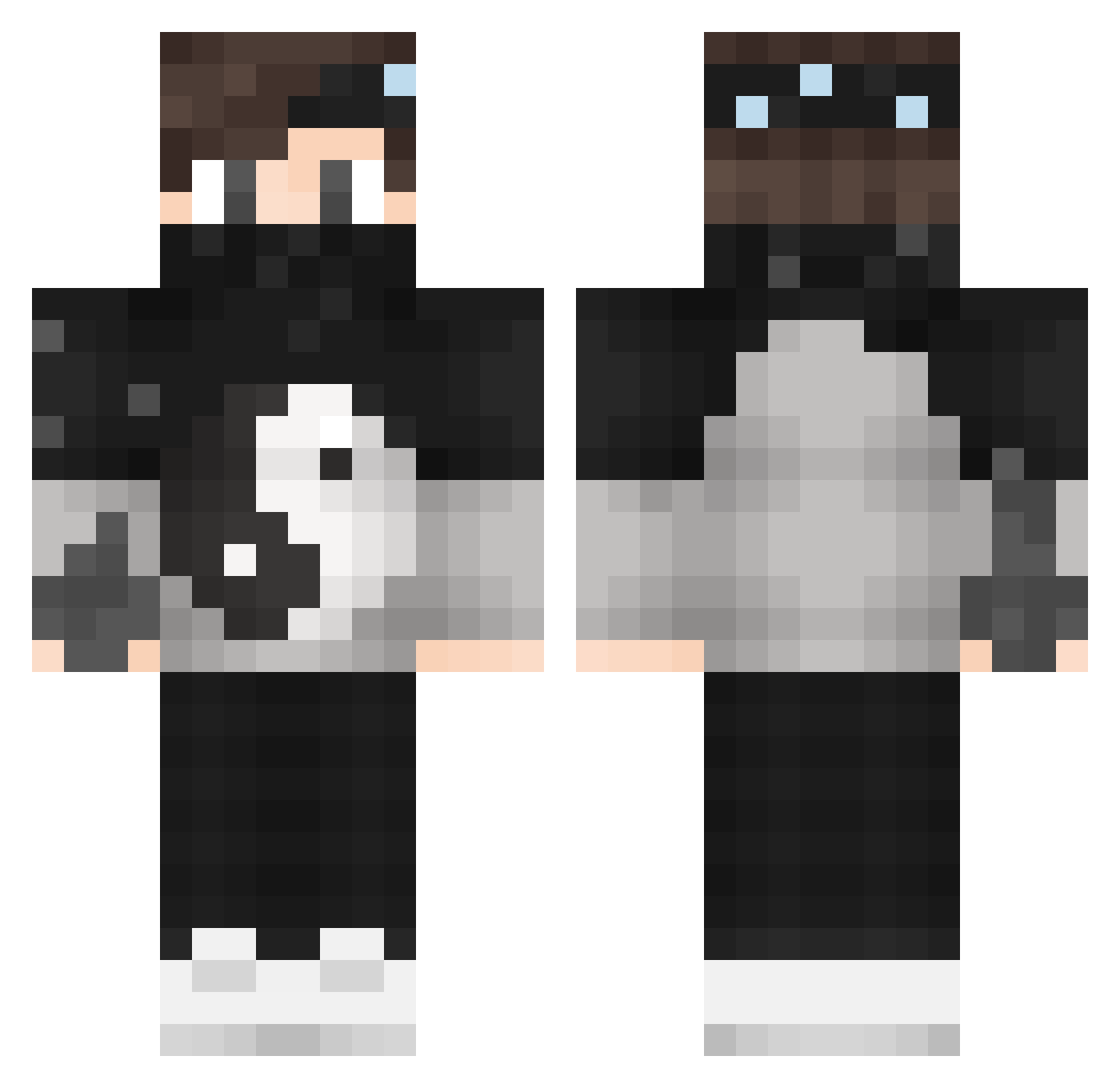
Current Minecraft skin of the player GUIQS_, loaded from the official Mojang API. Rotate the 3D model with your mouse or finger, then download the skin as a PNG file and use it in Minecraft: Bedrock Edition or Java Edition for free. When GUIQS_ changes their skin, this page updates automatically and the old skin stays in the history below.
Other players with this skin (175)
GUIQS_ was the 157th player we have seen with this skin, first spotted on 08.11.2026. The same skin was seen on these players. Open a nickname to see their current skin and skin history.
 SlenderShadowPvP CUDAL11 Teelcurutinu Floseidon Jerdie1337 Effectively itz_CoRTaDa xObscure EgeT051 IzPedro ImHani 1_8 Hilly64 ThePrinceFrance Yehonatan7 arthurdiasgamer Zupfnudel DeadMeow FelipeProYT221 Soulflyss _Viper_Water_ TooFaMe _RobinGHG_ Streid RaV5 OldDogger Warred14 v_BaYaTi cakeboywonder MagicFight_ yPaKu B1NKS3 Lil__Jey PierreCardin0 codi_x ZairMC Gerard120 a4d2l7 RamazanREKT reyzox35 LennartBladh194 Timassss iluvjtal iBenGamer4000 xEmirhanHDx KINGHAISE21 xXsharpbladeXx XxGhostxX123 ItzAlacriTy OldJohn OmerYusuf11 dede3 razordayton InvisNutzer_luci cjbr iEfecanTR _ItzVentox Zavata666 Rale297 KAGAWA13
More Yin Yang Minecraft skins
How to install the GUIQS_ skin
- Press the Download button above to save the skin as a PNG file.
- Minecraft: Bedrock Edition (PE): open the Dressing Room from the main menu (or tap your character → Edit Character), go to Classic Skins → Owned, press the + (new skin) button, choose the downloaded PNG and pick the Classic (Steve) model. Works on PC and mobile; consoles cannot import custom skins.
- Minecraft: Java Edition: open the Minecraft Launcher, go to the Skins tab, click New Skin, load the PNG, pick the Classic (Steve) model and press Save & Use. You can also upload it at minecraft.net → Profile → Change Skin.
The skin does not show up after import - what should I do?
Restart Minecraft and open the Dressing Room again - imported skins sometimes appear only after a restart. Also make sure you selected the imported skin and picked the Classic (Steve) model.
Which model should I choose, Classic or Slim?
This skin is designed for the Classic (Steve) model. If you pick the wrong model, the arms of the skin will look stretched or squeezed.
Is the skin of GUIQS_ free to download?
Yes. Press Download, save the PNG file and use it in Minecraft: Bedrock Edition or Java Edition - no payment or registration needed. The skin also works on multiplayer servers and Realms.
More skins
Looking for more? Go back to all Minecraft skins and check the top skins of the week, month and all time, or find any player's skin by nickname.