
_ItzVentox - Minecraft Skins & Skin History
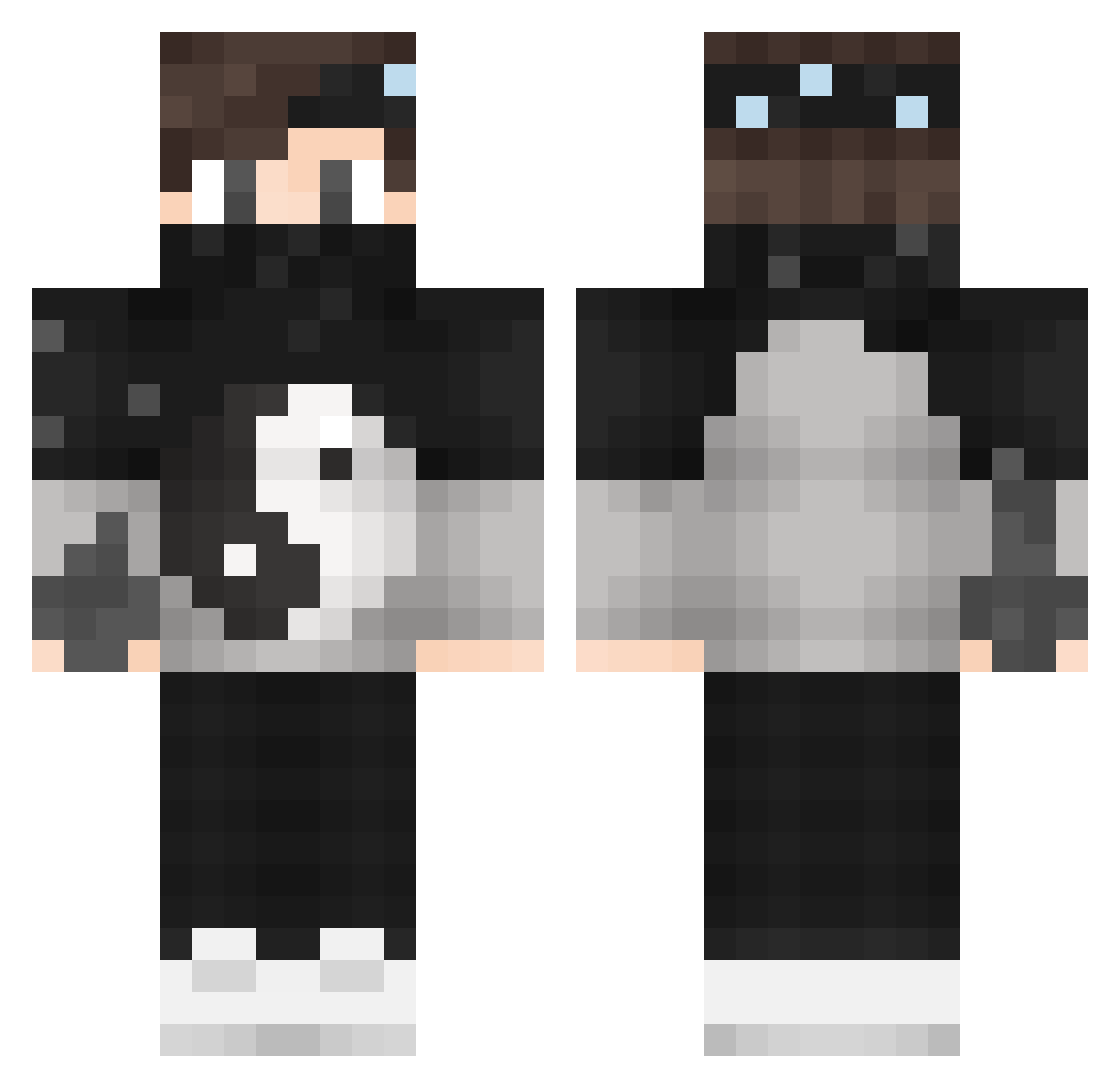
Current Minecraft skin of the player _ItzVentox, loaded from the official Mojang API. Rotate the 3D model with your mouse or finger, then download the skin as a PNG file and use it in Minecraft: Bedrock Edition or Java Edition for free. When _ItzVentox changes their skin, this page updates automatically and the old skin stays in the history below.
Other players with this skin (141)
_ItzVentox was the 119th player we have seen with this skin, first spotted on 19.10.2026. The same skin was seen on these players. Open a nickname to see their current skin and skin history.
 iEfecanTR Zavata666 Rale297 KAGAWA13 cjbr InvisNutzer_luci zShawq_ xHypeZ razordayton Norm_Dixon dede3 OmerYusuf11 NotHarv OldJohn ItzAlacriTy XxGhostxX123 LePetitOdhaving DimDim67 withersuryoutube clank8th xXsharpbladeXx KINGHAISE21 xEmirhanHDx _EHOT_B_TAHKE Kreem_The_Legend iBenGamer4000 iluvjtal BedHeadMintagE Timassss Streuner_91 YucellM LennartBladh194 GlennMC13 reyzox35 RamazanREKT ConSuich panosdiver a4d2l7 Primeter Major28 Hartkeks110 Al3xD_GM ZairMC PierreCardin0 MagicFight_ thetruecrafter cakeboywonder MohammedSalam SkullTawer FrancisDamo11 battlebroz0305 JancoKral IvanMk3 yReenan AlphaSinister04 Zarlem_YT AutoName WhiteRaven157 TheSmartGamer_VI Itz_Maik_2006
More Yin Yang Minecraft skins
How to install the _ItzVentox skin
- Press the Download button above to save the skin as a PNG file.
- Minecraft: Bedrock Edition (PE): open the Dressing Room from the main menu (or tap your character → Edit Character), go to Classic Skins → Owned, press the + (new skin) button, choose the downloaded PNG and pick the Classic (Steve) model. Works on PC and mobile; consoles cannot import custom skins.
- Minecraft: Java Edition: open the Minecraft Launcher, go to the Skins tab, click New Skin, load the PNG, pick the Classic (Steve) model and press Save & Use. You can also upload it at minecraft.net → Profile → Change Skin.
The skin does not show up after import - what should I do?
Restart Minecraft and open the Dressing Room again - imported skins sometimes appear only after a restart. Also make sure you selected the imported skin and picked the Classic (Steve) model.
Which model should I choose, Classic or Slim?
This skin is designed for the Classic (Steve) model. If you pick the wrong model, the arms of the skin will look stretched or squeezed.
Is the skin of _ItzVentox free to download?
Yes. Press Download, save the PNG file and use it in Minecraft: Bedrock Edition or Java Edition - no payment or registration needed. The skin also works on multiplayer servers and Realms.
More skins
Looking for more? Go back to all Minecraft skins and check the top skins of the week, month and all time, or find any player's skin by nickname.