
GUF296 - Minecraft Skins & Skin History
Current Minecraft skin of the player GUF296, loaded from the official Mojang API. Rotate the 3D model with your mouse or finger, then download the skin as a PNG file and use it in Minecraft: Bedrock Edition or Java Edition for free. When GUF296 changes their skin, this page updates automatically and the old skin stays in the history below.
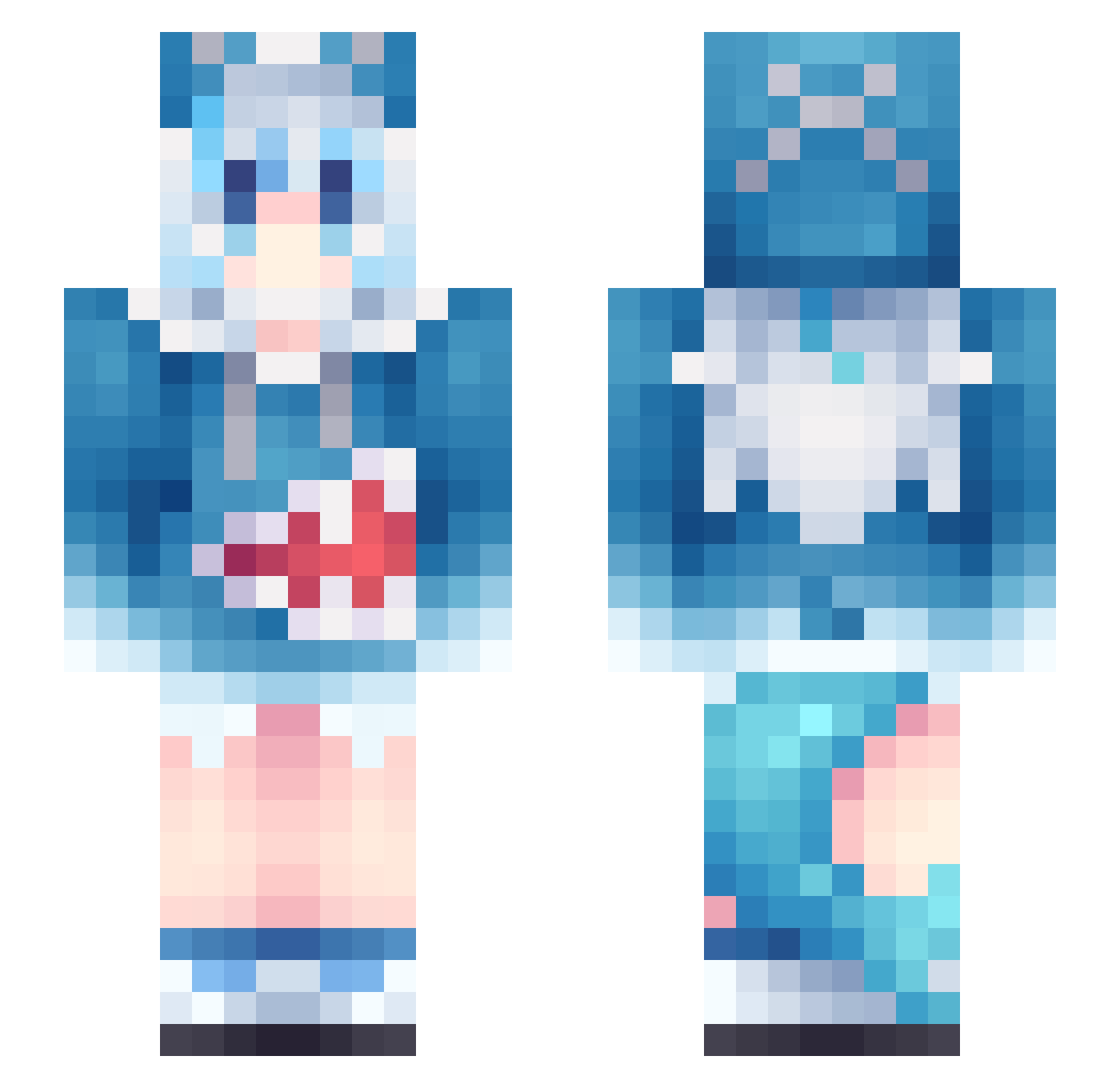
Other players with this skin (963)
GUF296 was the 66th player we have seen with this skin, first spotted on 29.07.2026. The same skin was seen on these players. Open a nickname to see their current skin and skin history.
 uq2m1 Laissa12 Jtieco Milikktav Gwen_irl Ri_Sheng tailian NikosMandarynka alchemic_hen mrfz169 Goa1145 8rca Xuan55688 miaodiedie_1027M saileno RarityCode DreamHF XRSnowman Link3088 bwtyyds 051007 Damogu Yzertaa Noehlys
 CblP0K Crownstar2825 tiziabho49 Pizzahot2000 ForeverEnvyo_0 DehorsKong 1233213 chqhdla1234 damin278 srscv dragondog7 vita_xie Statelessly mienian Dexineed Criminaal Saznhao DREAMER_ONE AYXYQ SNXR0 AFrmusic milkct NunuSamaa zzzzzz111222 Tim171105 HongShaoci kashooturnan
 marikoepVT _Not_Syrup sensaational bigdumbanimal32 HANDOKWANG uzifps MY_EYES_BURN ximumi WallE786
More Gawr Gura Minecraft skins
How to install the GUF296 skin
- Press the Download button above to save the skin as a PNG file.
- Minecraft: Bedrock Edition (PE): open the Dressing Room from the main menu (or tap your character → Edit Character), go to Classic Skins → Owned, press the + (new skin) button, choose the downloaded PNG and pick the Slim (Alex) model. Works on PC and mobile; consoles cannot import custom skins.
- Minecraft: Java Edition: open the Minecraft Launcher, go to the Skins tab, click New Skin, load the PNG, pick the Slim (Alex) model and press Save & Use. You can also upload it at minecraft.net → Profile → Change Skin.
The skin does not show up after import - what should I do?
Restart Minecraft and open the Dressing Room again - imported skins sometimes appear only after a restart. Also make sure you selected the imported skin and picked the Slim (Alex) model.
Which model should I choose, Classic or Slim?
This skin is designed for the Slim (Alex) model. If you pick the wrong model, the arms of the skin will look stretched or squeezed.
Is the skin of GUF296 free to download?
Yes. Press Download, save the PNG file and use it in Minecraft: Bedrock Edition or Java Edition - no payment or registration needed. The skin also works on multiplayer servers and Realms.
More skins
Looking for more? Go back to all Minecraft skins and check the top skins of the week, month and all time, or find any player's skin by nickname.