
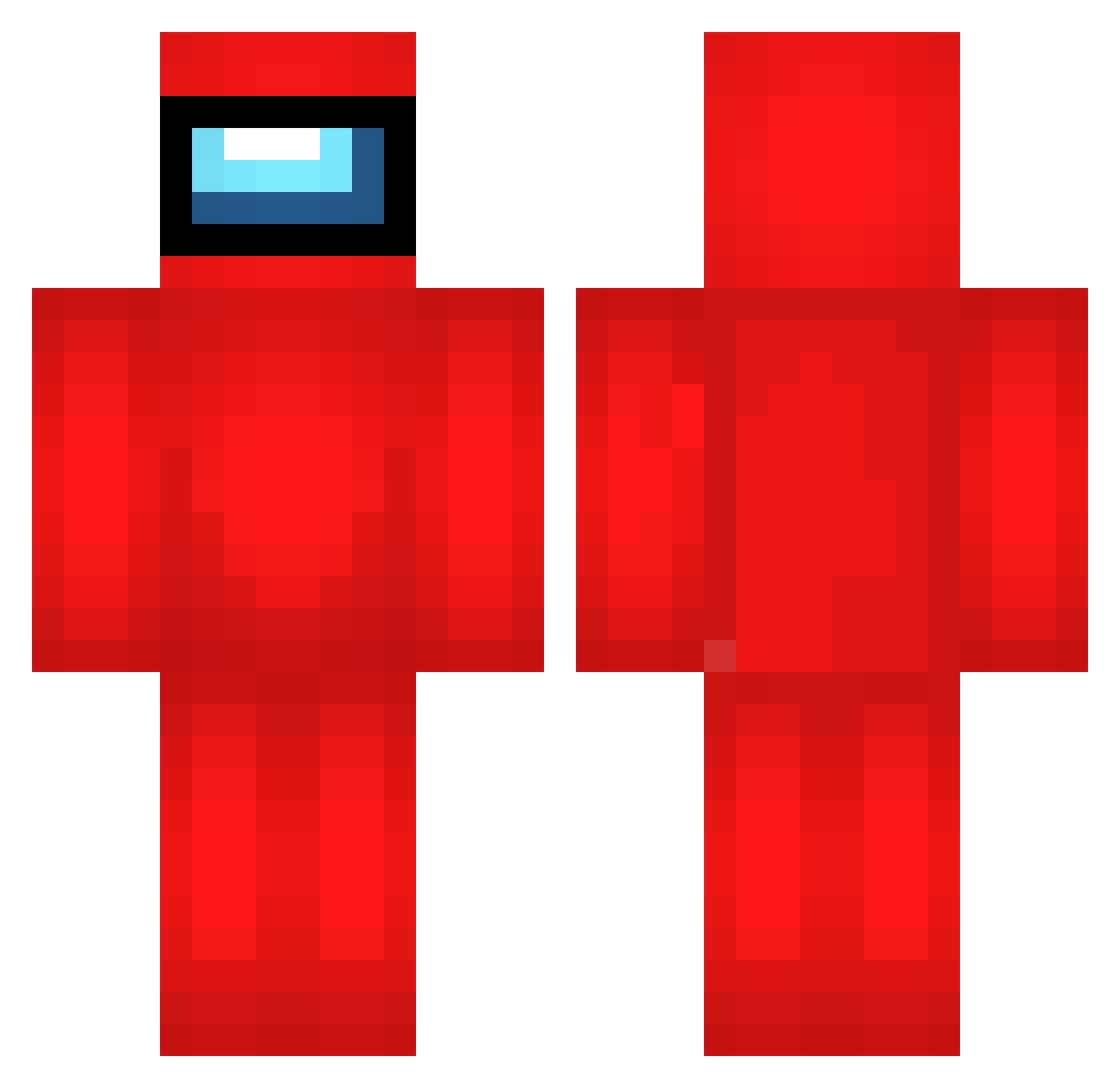
Current Minecraft skin of the player GAw809, loaded from the official Mojang API. Rotate the 3D model with your mouse or finger, then download the skin as a PNG file and use it in Minecraft: Bedrock Edition or Java Edition for free. When GAw809 changes their skin, this page updates automatically and the old skin stays in the history below.
Other players with this skin (537)
GAw809 was the 94th player we have seen with this skin, first spotted on 10.08.2026. The same skin was seen on these players. Open a nickname to see their current skin and skin history.
 lucasgarher2008 gxj118 BiggusDykus 0ttoPaede 69BJ420 vhO899 EKy78 xtQ950 VKa708 mcJ648 Aws383 adI738 mLu383 LollyStorm KNC579 Nyi262 bolschek NhI464 Lobocrack799 VYy358 Wjf775 VictorTVG dbY584 gOV243 Moonbeq SrN67 sbW208 Sjv445 RansackRandy jwD212 XKMan312 Uxe316 IBX835 opl194 YGx310 uTG295 nOC65 cxD496 WZO143 LostFromRizz gyD183 Nova281 hdm684 EgZ959 SYY999 Hardhim yze55 Hdg872 tBG814 LLi861 ksb98 IpF104 Taf162 Zaf772 hvW177 GVw971 goonbopper gucc1_socks oeR565 Shcroompi
More Crewmate Minecraft skins
How to install the GAw809 skin
- Press the Download button above to save the skin as a PNG file.
- Minecraft: Bedrock Edition (PE): open the Dressing Room from the main menu (or tap your character → Edit Character), go to Classic Skins → Owned, press the + (new skin) button, choose the downloaded PNG and pick the Classic (Steve) model. Works on PC and mobile; consoles cannot import custom skins.
- Minecraft: Java Edition: open the Minecraft Launcher, go to the Skins tab, click New Skin, load the PNG, pick the Classic (Steve) model and press Save & Use. You can also upload it at minecraft.net → Profile → Change Skin.
The skin does not show up after import - what should I do?
Restart Minecraft and open the Dressing Room again - imported skins sometimes appear only after a restart. Also make sure you selected the imported skin and picked the Classic (Steve) model.
Which model should I choose, Classic or Slim?
This skin is designed for the Classic (Steve) model. If you pick the wrong model, the arms of the skin will look stretched or squeezed.
Is the skin of GAw809 free to download?
Yes. Press Download, save the PNG file and use it in Minecraft: Bedrock Edition or Java Edition - no payment or registration needed. The skin also works on multiplayer servers and Realms.
More skins
Looking for more? Go back to all Minecraft skins and check the top skins of the week, month and all time, or find any player's skin by nickname.